
Drug Trash
Learn how MediFlux handles deleted drugs, including soft delete vs hard delete behavior and how restoring or removing drugs affects your inventory and sales records.
This guide explains how MediFlux handles deleted drugs, the difference between soft and hard deletion, and how restoring or permanently removing drugs affects your inventory and sales records.
How Drug Deletion Works
When you delete a drug from your inventory, MediFlux handles it differently based on whether that drug has been involved in any sales transactions.
Soft Delete (Drugs With Sales History)
If a drug has been sold at least once, meaning it appears in any past sale invoice, MediFlux performs a soft delete. The drug is moved to Trash instead of being permanently removed.
Why soft delete? Sales records are tied to drug data for compliance, GST reporting, and audit trails. Removing the drug entirely would break historical invoices and make your books inaccurate.
What happens in soft delete:
- The drug disappears from your active Drug List and inventory dropdowns
- The drug is moved to Drugs → Trash
- All sales history, purchase records, and ledger entries remain intact
- The drug can be restored at any time
Restore a Soft-Deleted Drug
- Navigate to Drugs → Trash
- Find the drug in the trashed items list
- Click Restore, the drug returns to your active Drug List immediately
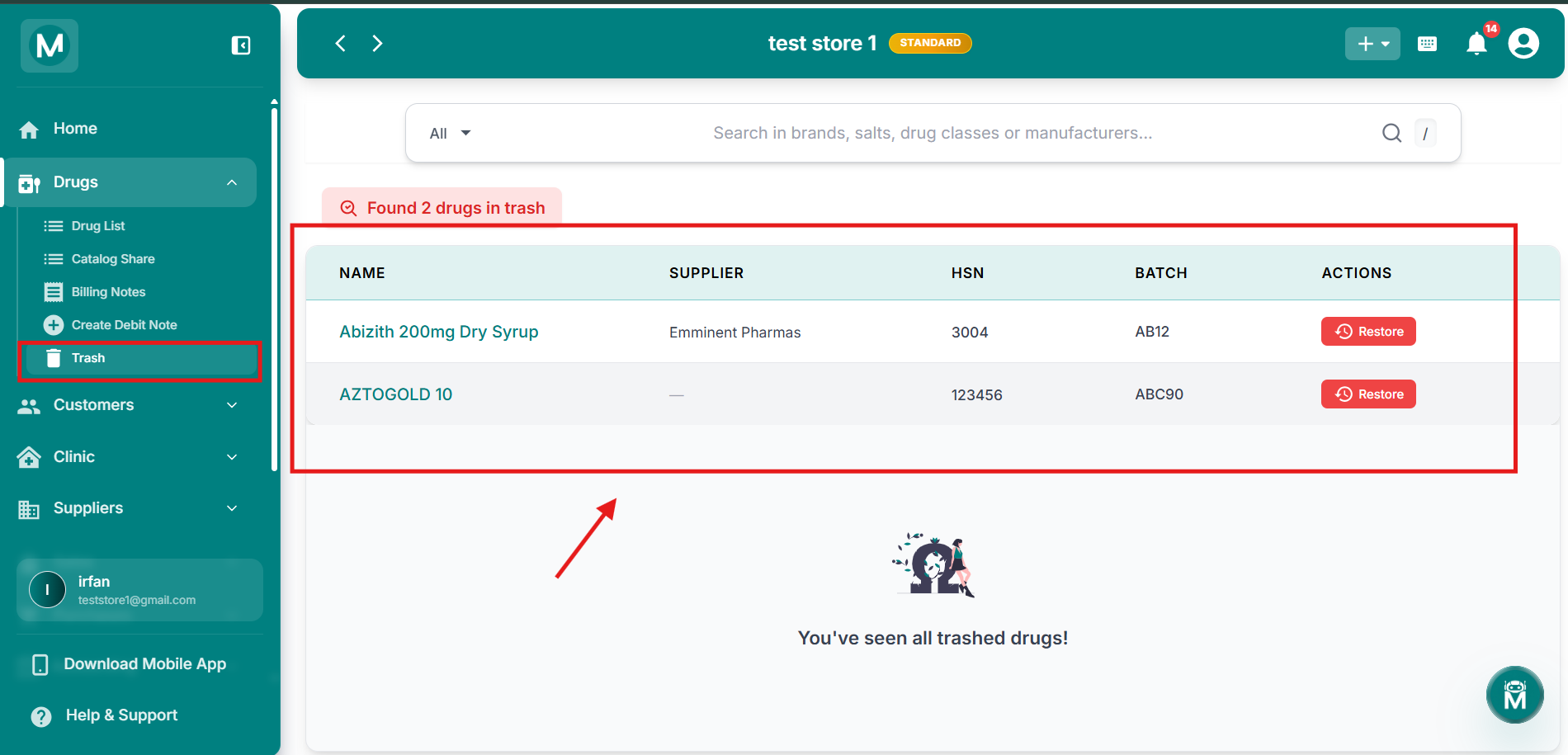
Drug Trash Page
Trash page showing soft-deleted drugs with supplier, HSN, batch details and Restore action.
Hard Delete (Drugs With No Sales History)
If a drug has never been sold, it was added to inventory but never appeared in any sale, MediFlux performs a hard delete. The drug is removed permanently without going to Trash.
Why hard delete? Since there are no transactional dependencies, the drug can be safely removed without affecting any historical records.
What happens in hard delete:
- The drug is removed from the Drug List immediately
- No Trash entry is created
- The deletion is irreversible
- Purchase records for this drug (if any) may show "Unknown Drug" references
Credit Note Deletion And Stock Updates
Deleting a credit note (a return or adjustment entry) does not move anything to Trash. Instead, the deletion immediately reverses the stock adjustment that the credit note originally applied.
What happens when you delete a credit note:
- The credit note record is removed permanently
- The stock quantity is updated back to its pre-credit-note state
- If the credit note reduced stock (e.g., a customer return), deleting it adds that stock back
- If the credit note increased stock (e.g., supplier return reversal), deleting it reduces stock again
- Sales and purchase ledgers are updated to reflect the change
Important
Deleting a credit note affects your live inventory count immediately. Always verify the stock impact before confirming deletion, especially if the drug has low stock or is near expiry.
Trash Page Overview
Navigate to Drugs → Trash to view all soft-deleted drugs.
What you see:
- A count banner showing how many drugs are in trash (e.g., "Found 1 drugs in trash")
- A table with columns: Name, Supplier, HSN, Batch, Actions
- Each row has a Restore button to reactivate the drug
- An empty state message when all trashed drugs have been viewed or restored: "You've seen all trashed drugs!"
Trash Actions
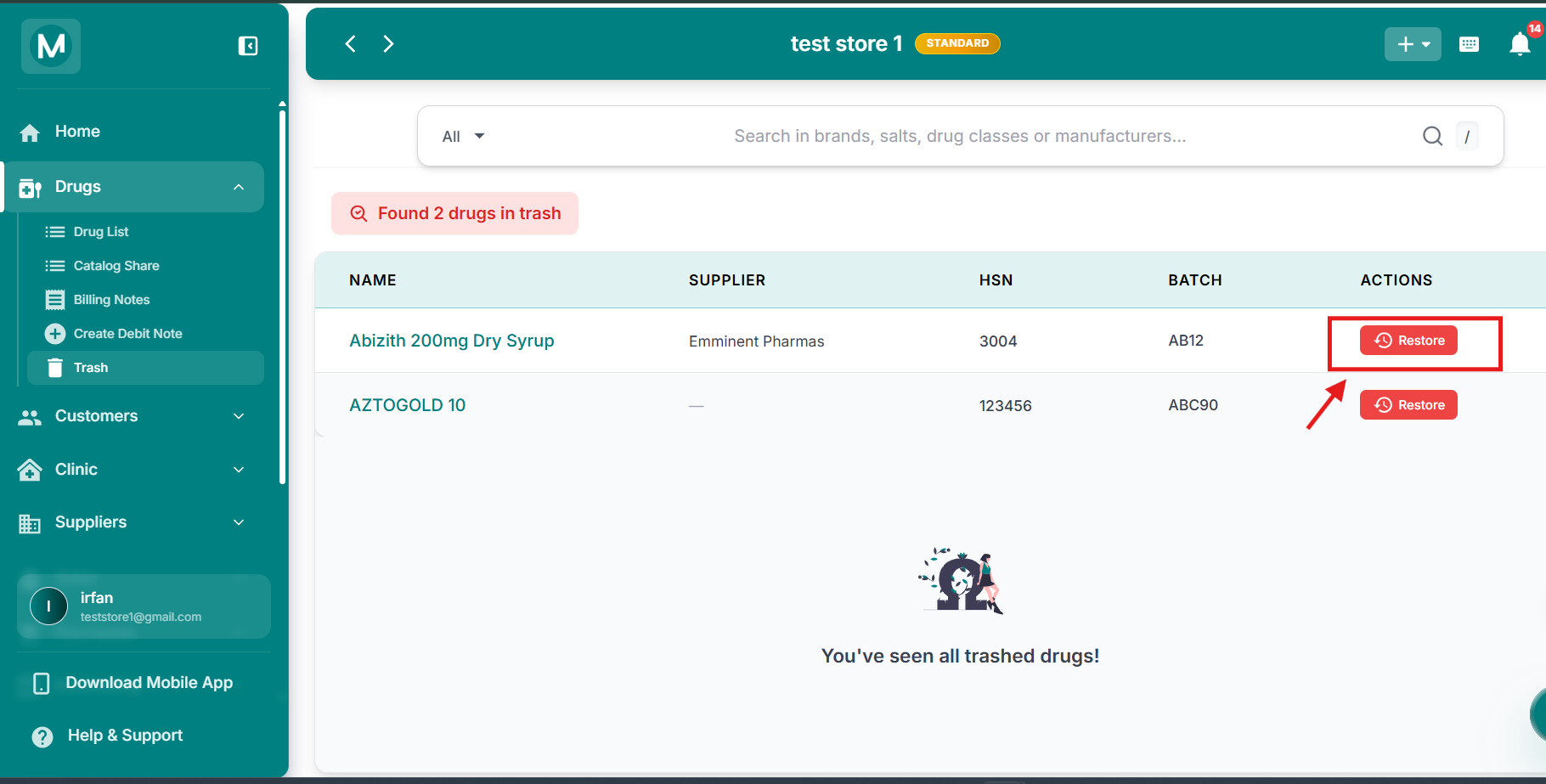
Trash Actions
Trash page showing a soft-deleted drug with supplier details and the Restore action button.