
Store Requests
Accept or reject requests from other pharmacy stores on MediFlux who want to connect with you as a customer.
When another pharmacy store on MediFlux adds you as their supplier (via the Link Supplier option in their Suppliers section), a request is sent to you. This request appears on the Store Requests page, where you can choose to accept or reject the connection.
Navigate here from the sidebar: Customers → Store Requests.
How Store Requests Work
When another pharmacy store on MediFlux uses Link Supplier to connect with your store, a request is sent to you. It appears on your Store Requests page, showing the requesting store's name, contact person, phone number, email, and address. From here you can Accept or Reject the connection, accepting adds them to your Customer List as a Linked Store.
Viewing A Request
Each request is shown as a card with the following details:
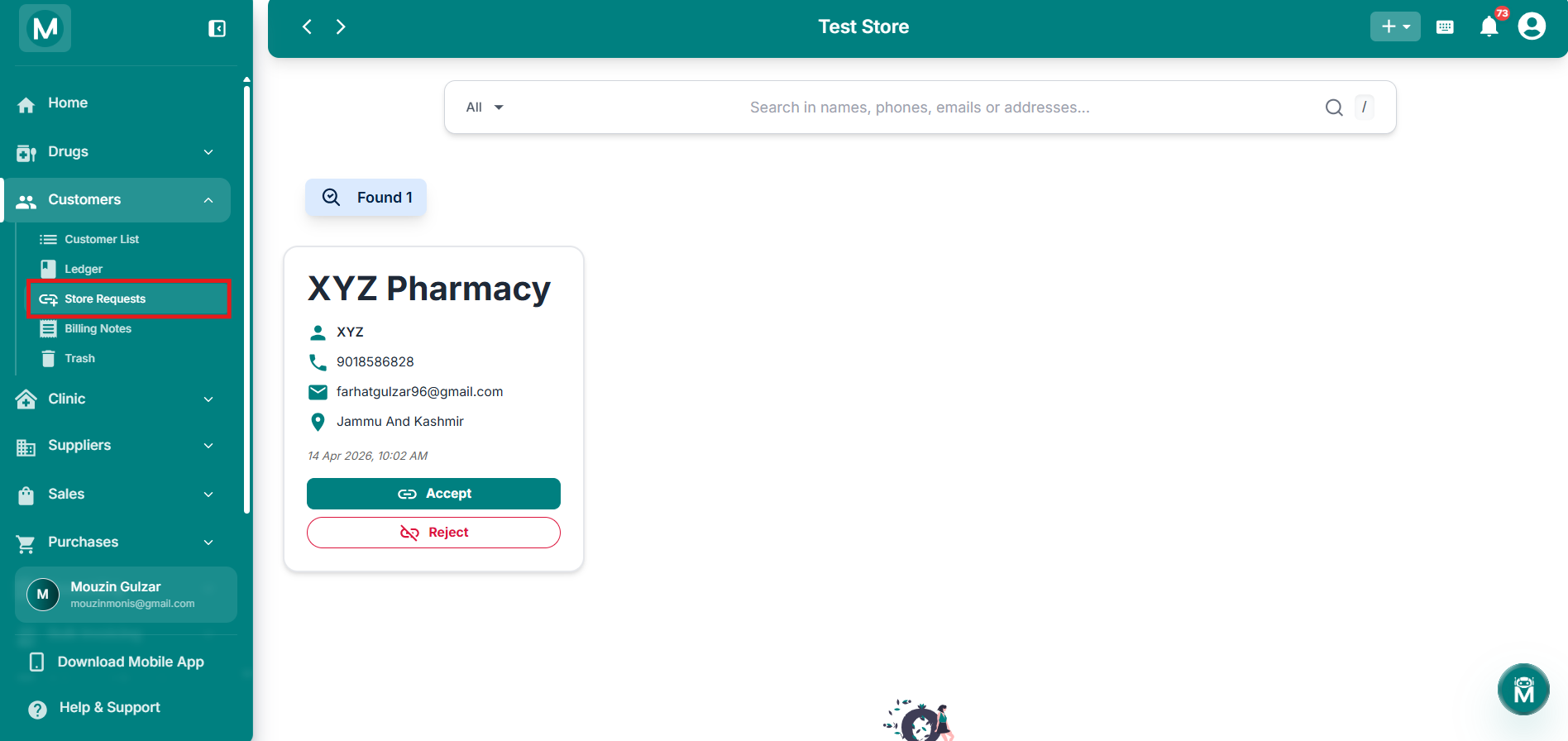
Pending store request
Store request card showing store details and Accept/Reject actions.
Accepting A Request
Click Accept on a request card. A confirmation dialog appears:
Accept Request? Store manager will be able to see your store on his dashboard once you accept the request.
Click Confirm to accept, or Cancel to go back without accepting.
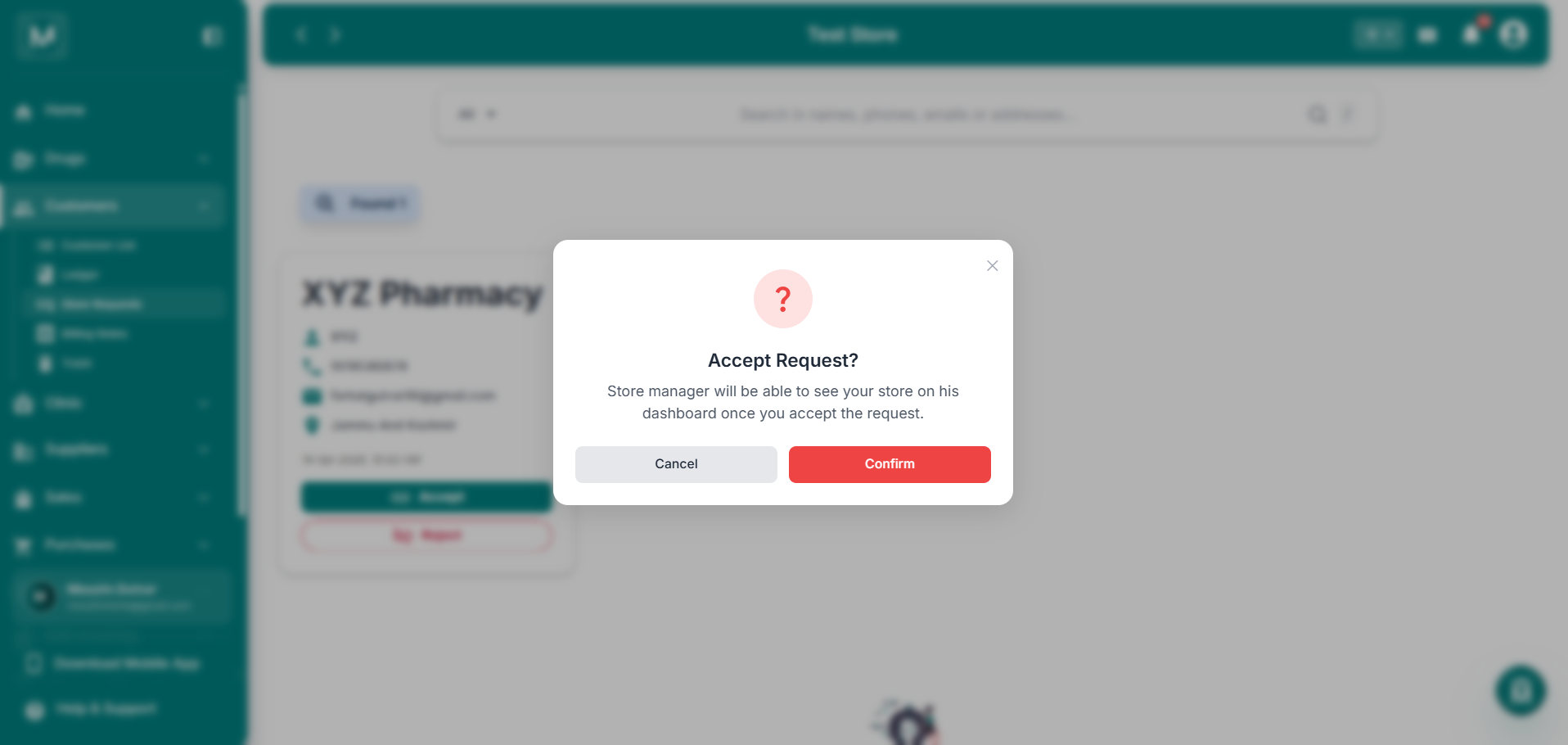
Accept Request confirmation
Confirmation dialog before accepting a store link request.
Once accepted, the store is added to your Customer List as a Linked Store, and they will be able to see your store as a supplier on their end.
Rejecting A Request
Click Reject on a request card. A confirmation dialog appears:
Reject Request? You'll have to wait for the supplier to resubmit the request if you reject it.
Click Confirm to reject, or Cancel to go back without rejecting.
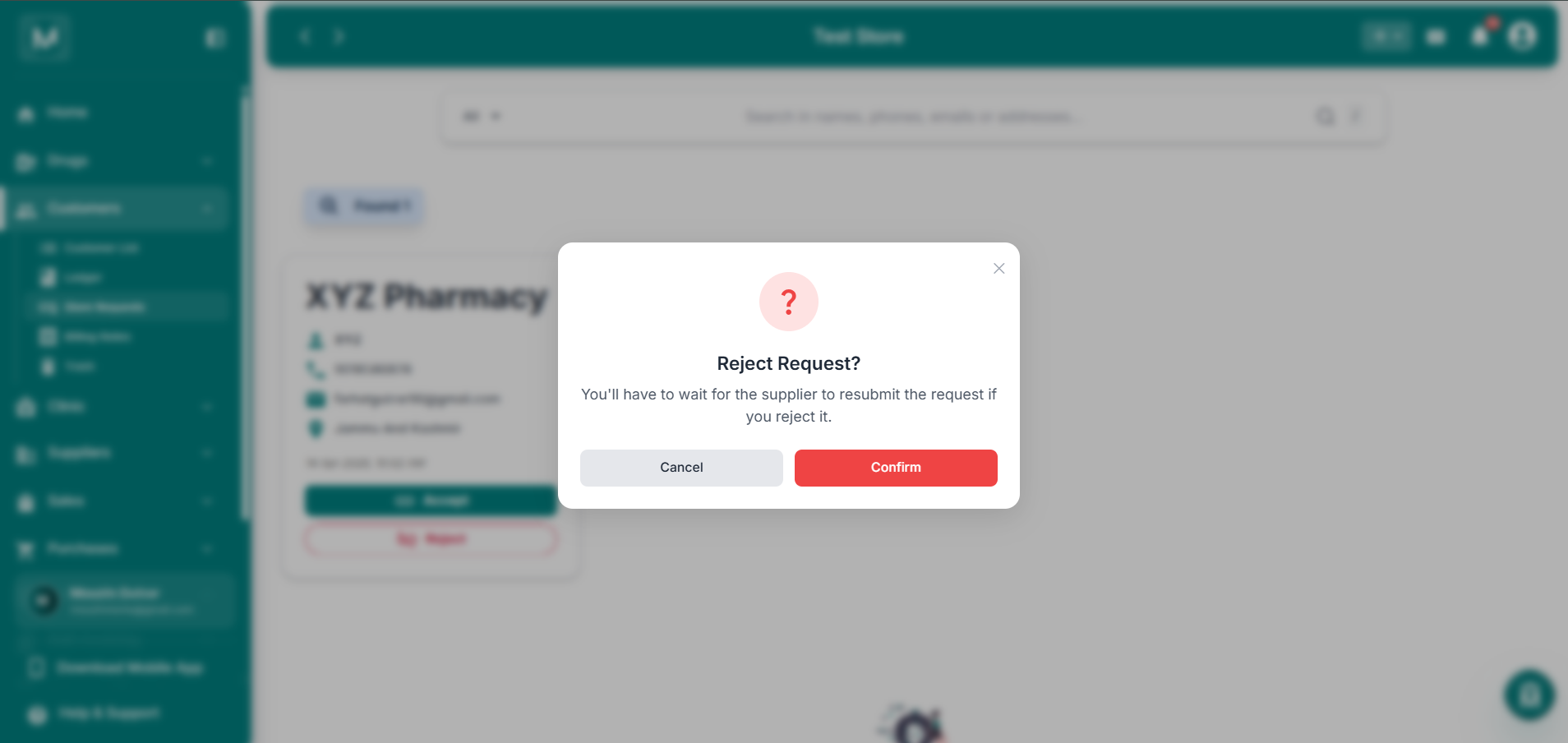
Reject Request confirmation
Confirmation dialog before rejecting a store link request.
If you reject a request, the requesting store will need to send the link request again from their end if they want to reconnect.
Searching Requests
Use the search bar at the top to search through requests by names, phones, emails, or addresses.
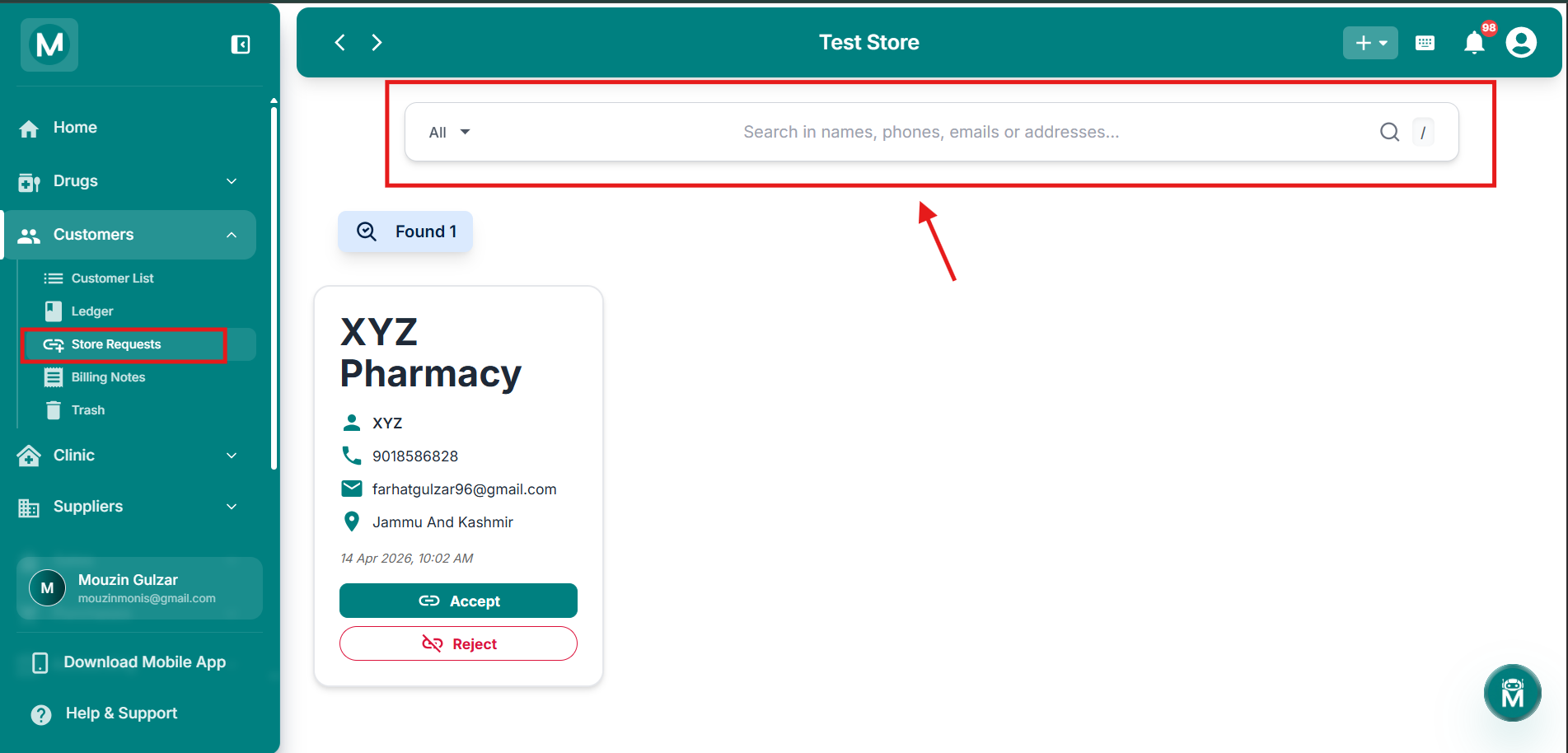
Search Bar
Use search bar to search through requests by names, phone , emails , or addresses.