
Integrations
Manage external connections and automated workflows, including WhatsApp reports and AI-powered features.
The Integrations tab lets you connect MediFlux with external services and automate certain workflows, like sending reports and invoices over WhatsApp, or enabling AI-powered features using your own API key.
WhatsApp Automations
Each option can be toggled on or off independently.
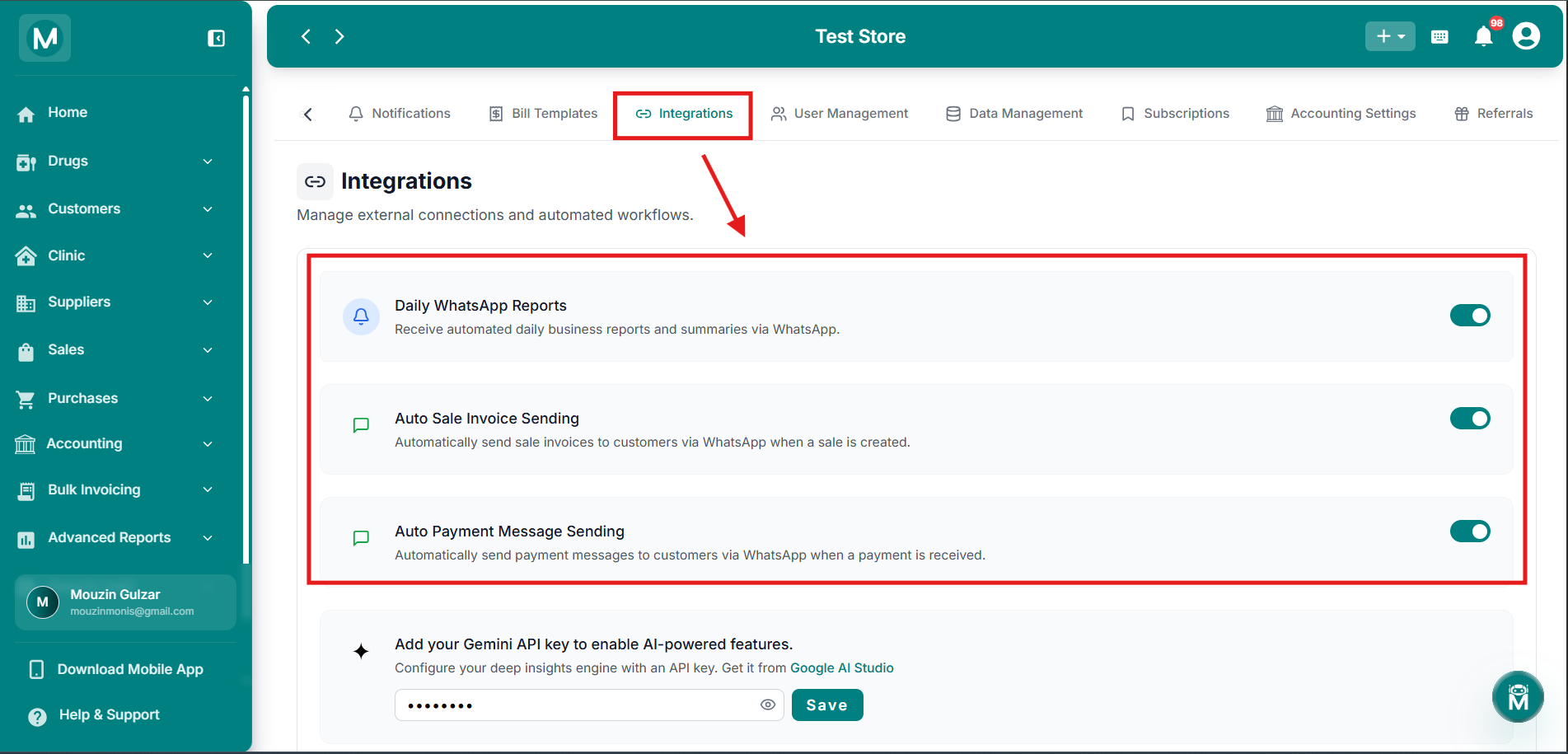
WhatsApp Automations
Toggle Daily WhatsApp Reports, Auto Sale Invoice Sending, and Auto Payment Message Sending on or off.
Gemini API Key
To enable AI-powered features in MediFlux, add your own Gemini API key. You can get one from Google AI Studio.
Enter your key in the field provided, then click Save. Use the eye icon to show or hide the key as you type.
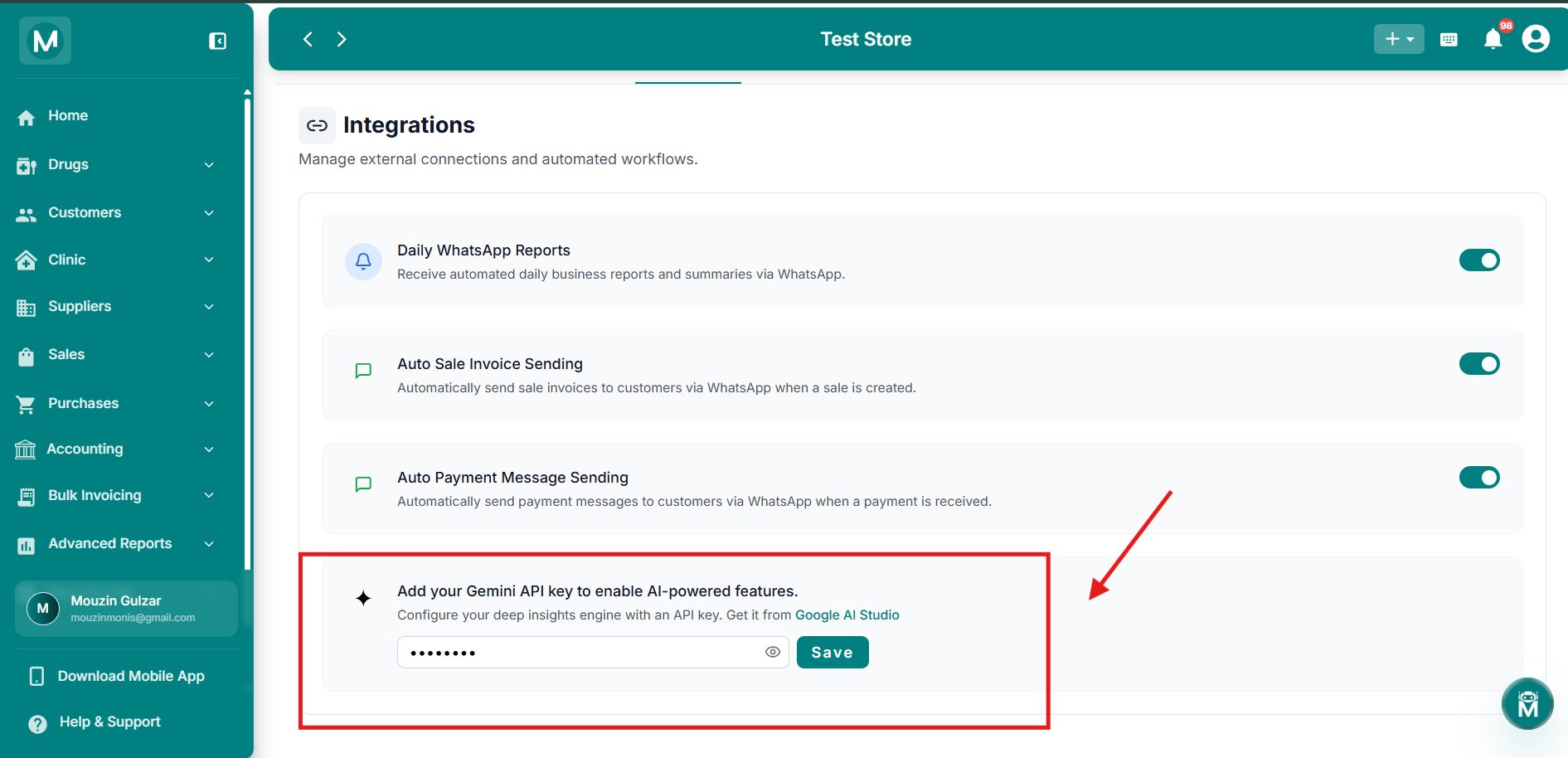
Gemini API Key
Enter your Gemini API key from Google AI Studio to enable AI-powered features.
The Gemini API key powers MediFlux's AI-driven features. You'll need your own key from Google AI Studio to use these features.
FAQs
Automate Your Workflow
Your integrations are configured. Let them run while you focus on the business.
Add Sale
Create a sale and watch your invoice send automatically via WhatsApp.
Sales List
Review sent invoices and track which customers received them.
Notifications
Fine-tune what your team gets notified about alongside WhatsApp automations.
Account
Make sure your store's WhatsApp number and contact details are up to date.