
Trial Balance
Full view with opening balance, period activity, and closing balance for all ledger accounts.
A Trial Balance lists every ledger account in your Chart of Accounts along with its opening balance, total debits, total credits, and closing balance for a given period. It is the checkpoint that tells you whether your books are mathematically correct. If total debits equal total credits, your double-entry bookkeeping is in balance.
In MediFlux, the Trial Balance is generated automatically from all posted journal entries. You do not need to calculate anything manually.
Navigate here from the sidebar: Accounting → Trial Balance.
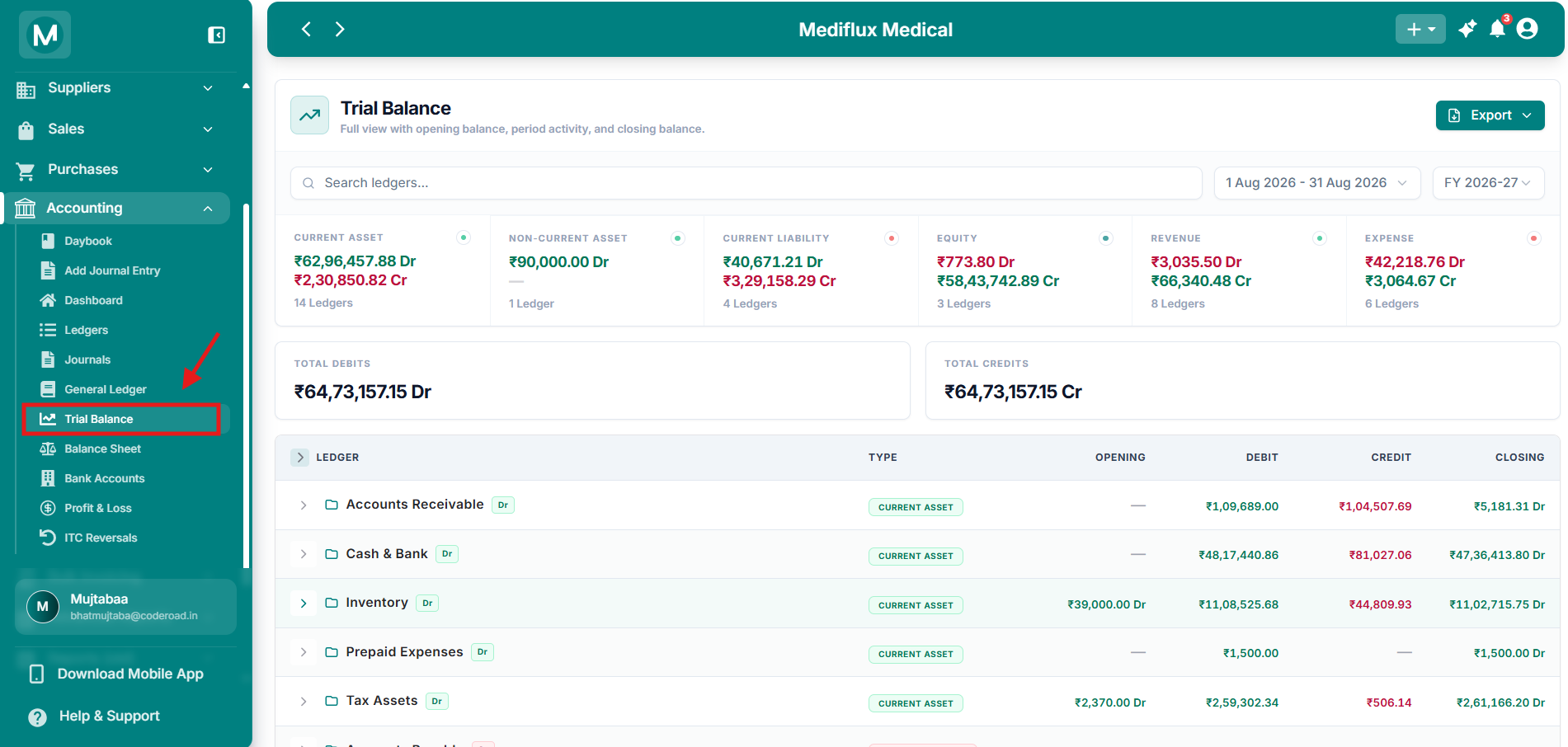
Trial Balance overview
All ledger accounts with opening, activity, and closing balances.
Filter and export
Use the controls at the top of the page to control what appears in the report.
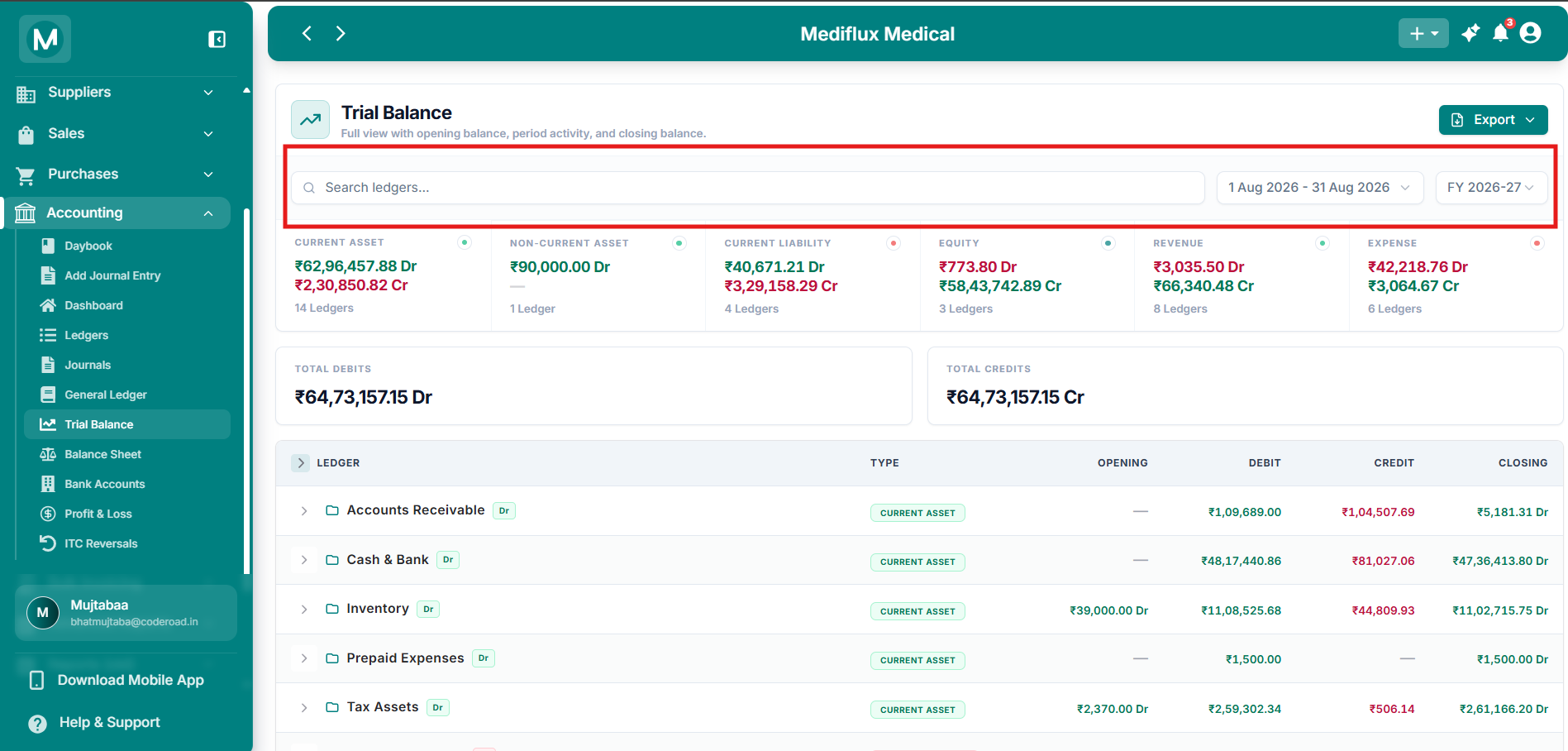
Filter and Export
Search by account name or Filter by dates etc.
Export the Trial Balance
Click Export in the top-right corner to download the report.
The export respects the current date range and any search filter you have applied.
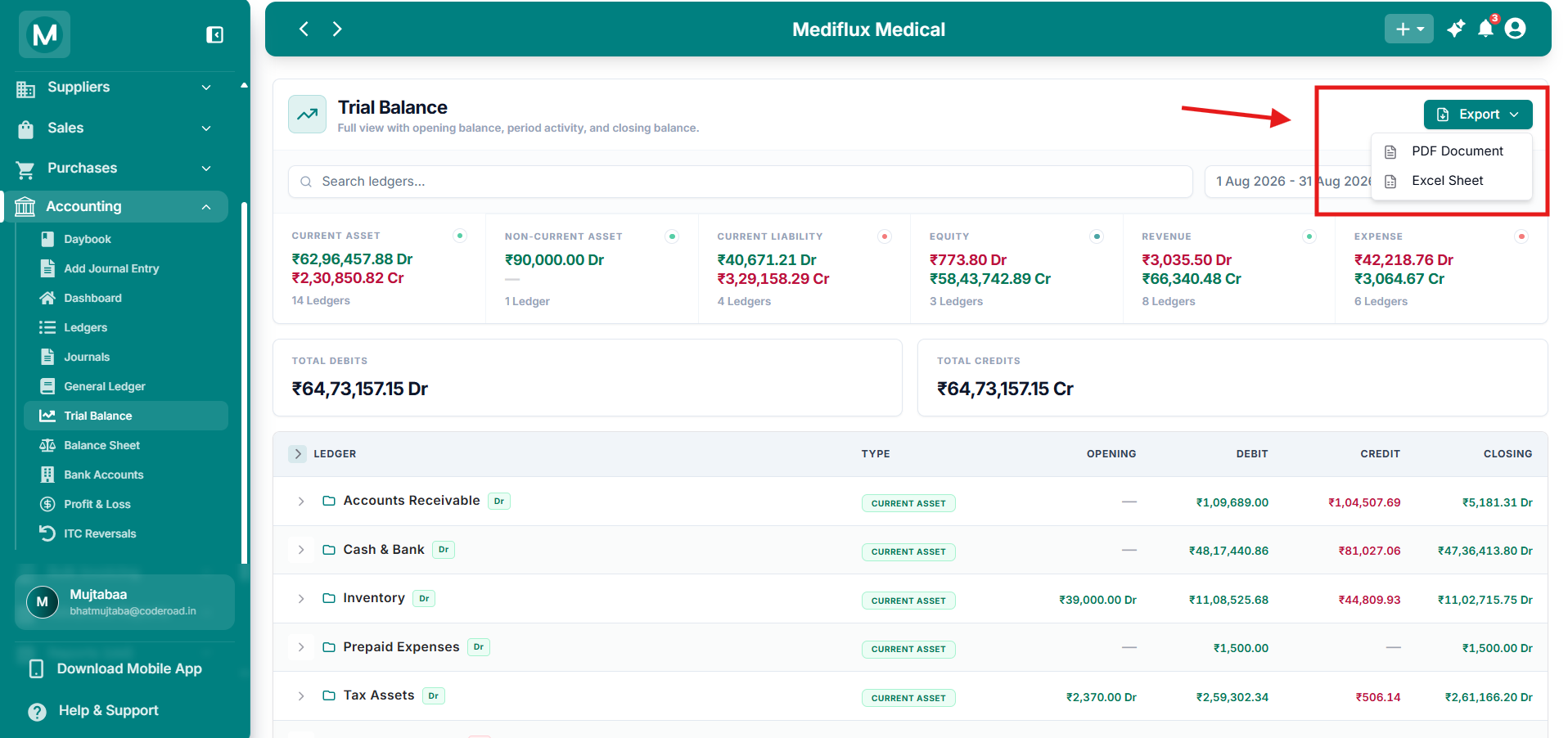
Export options
Download the trial balance as PDF or Excel.
Category filter cards
Below the search and date filters, six cards act as quick filters for each account category. Click any card to show only the accounts that belong to that group.
Each card also shows:
- Total debit amount
- Total credit amount
- Number of ledgers in that category
Click the same card again to clear the filter and return to the full list.
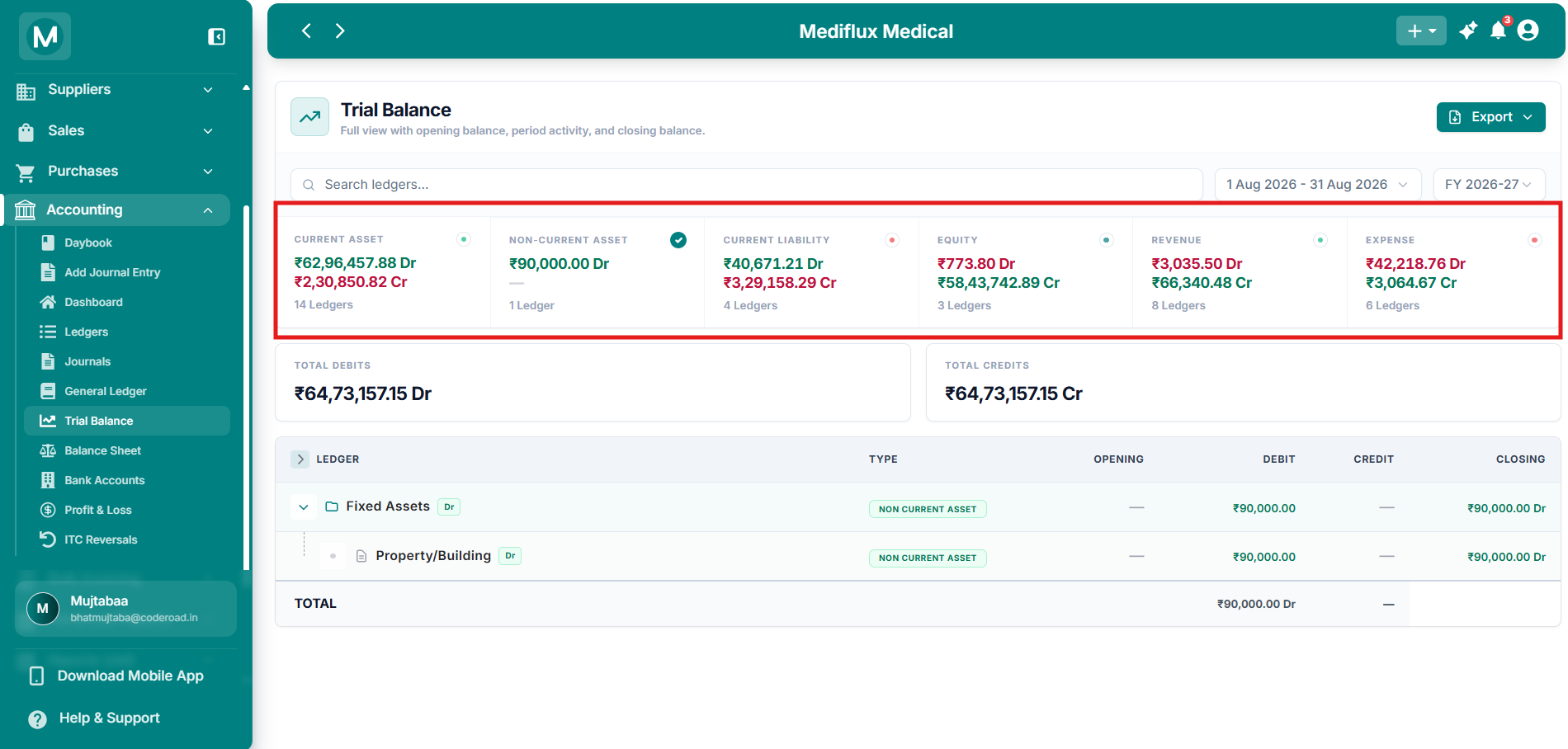
Category filter cards
Click a card (for example Non-Current Asset) to filter the table to only that category.
In the example above, the Non-Current Asset card is selected, so the table shows only Fixed Assets and Property/Building.
Total Debits and Total Credits
Two large cards sit below the category cards:
These two numbers must be exactly equal. If they match, the trial balance tallies. If they do not match, there is a bookkeeping error that must be resolved.
Accounts table
The main table lists every parent account group. Click the arrow next to any parent to expand it and see its child accounts.
How the closing balance is calculated
Example from a live store
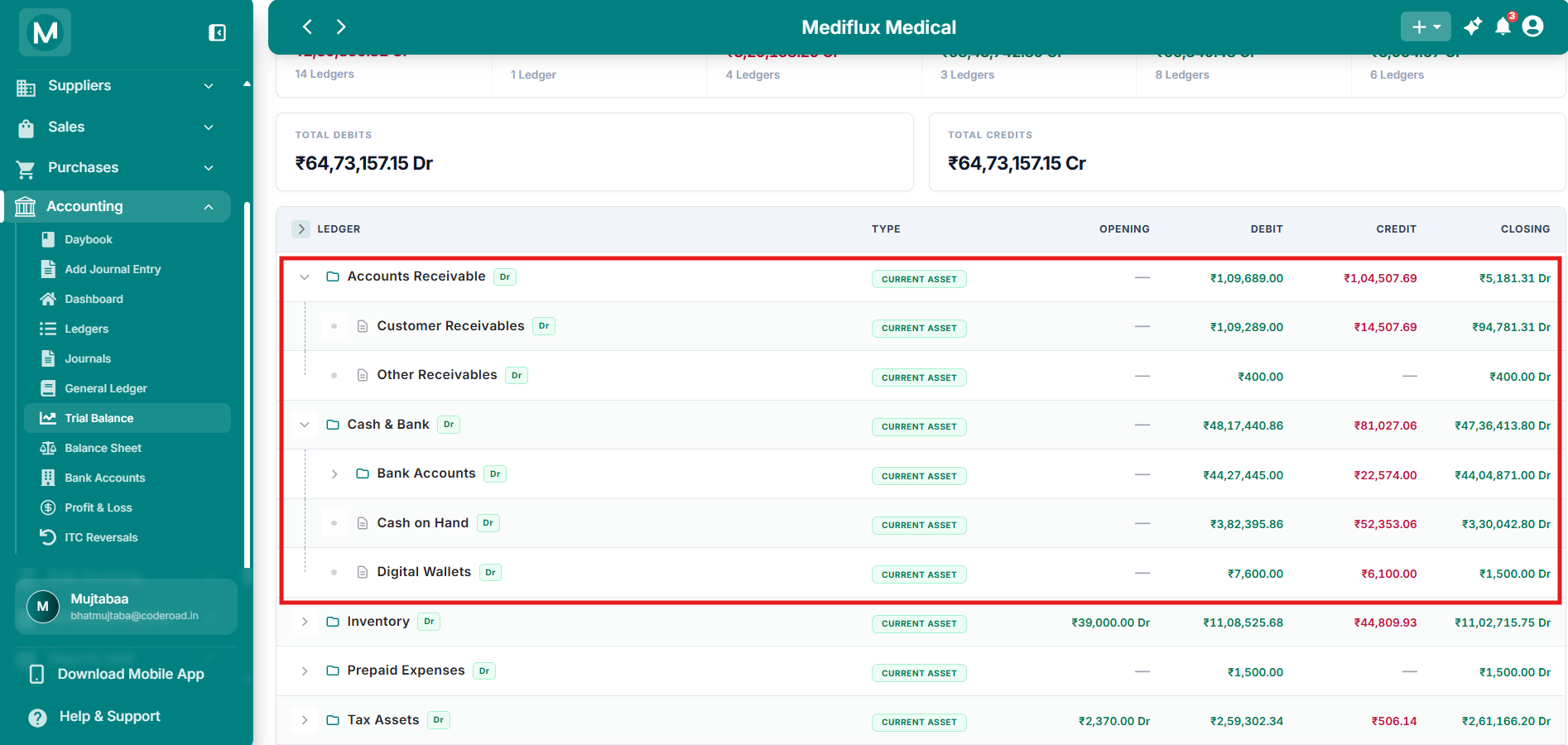
Trial Balance expanded
Parent groups with child accounts and full column breakdown.
In the example above, the Equity parent shows a debit of ₹10,773.80. This comes from debit entries such as Owner's Drawings or Partner Remuneration, which reduce the total equity balance.
Why the trial balance must tally
Every transaction affects at least two accounts, and the total debits always equal the total credits in every journal entry. When you add up all debits and all credits across every account for the period, the two sides must still be equal.
What if the totals do not match?
MediFlux prevents most of these errors at the source. When you create a journal entry, the system requires that total debits equal total credits before the entry can be saved.
Newly initialized stores
If you have just enabled the Accounting module, your Trial Balance will look simple. Most accounts will show zero opening balances, and only a few accounts will have activity from the initial setup.
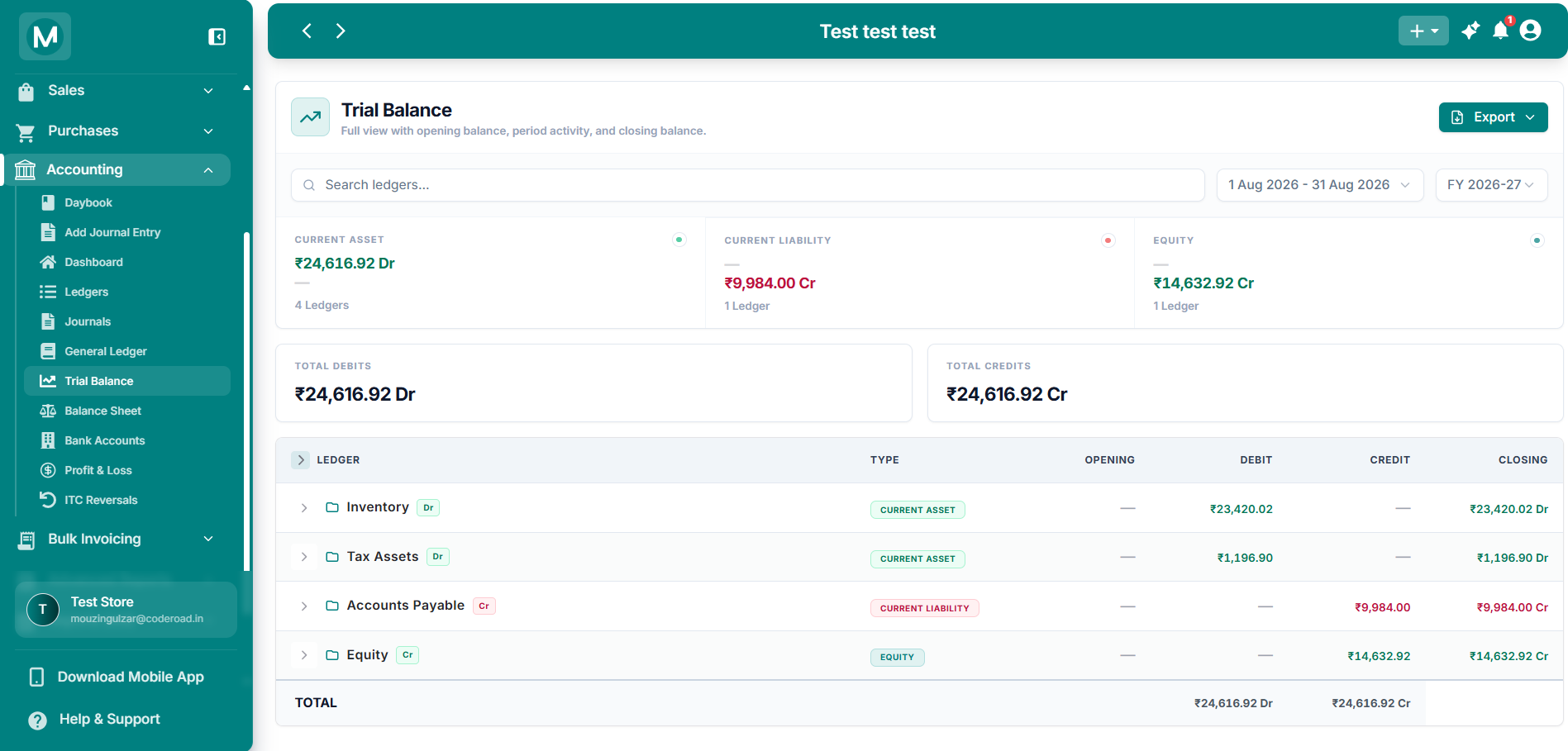
Trial Balance on a new store
Only initialization entries are present. Total Debits equal Total Credits.
In a typical new store:
- Current Asset shows activity from Inventory and Tax Assets
- Current Liability shows activity from Accounts Payable
- Equity shows the balancing figure
- Total Debits and Total Credits are equal
As you record sales, purchases, and journal entries, these numbers will grow and more categories will appear.
Common mistakes
Panicking when a category shows both debit and credit
A category like Current Asset showing both green (debit) and red (credit) does not mean your books are wrong. Contra-assets such as Purchase Return and Accumulated Depreciation naturally carry credit balances. Expand the parent group to see which accounts are causing it.
Comparing Trial Balance directly to your bank statement
The Trial Balance includes non-cash accounts like Accounts Receivable and Accounts Payable. It is not a cash report. To reconcile your bank balance, open the Cash & Bank ledger or use the Balance Sheet.
Frequently asked questions
Next steps
General Ledger
Drill down into any account to see its full transaction history.
Balance Sheet
View your assets, liabilities, and equity in a formal financial statement.
Profit and Loss Statement
See your revenue, expenses, and net profit for the period.
Ledgers
Browse and manage your complete Chart of Accounts.