
Supplier Trash
View and restore deleted supplier profiles, or permanently remove them from your system.
The Trash page holds all supplier profiles that have been deleted from your system. Deleted suppliers are not permanently removed immediately. They stay in Trash so you can restore them if needed.
Navigate here from the sidebar: Suppliers → Trash.
The Trash Table
The Trash page shows the same table structure as the Supplier List, with the same columns:
The page also shows a Found X count at the top indicating how many deleted suppliers are currently in Trash.
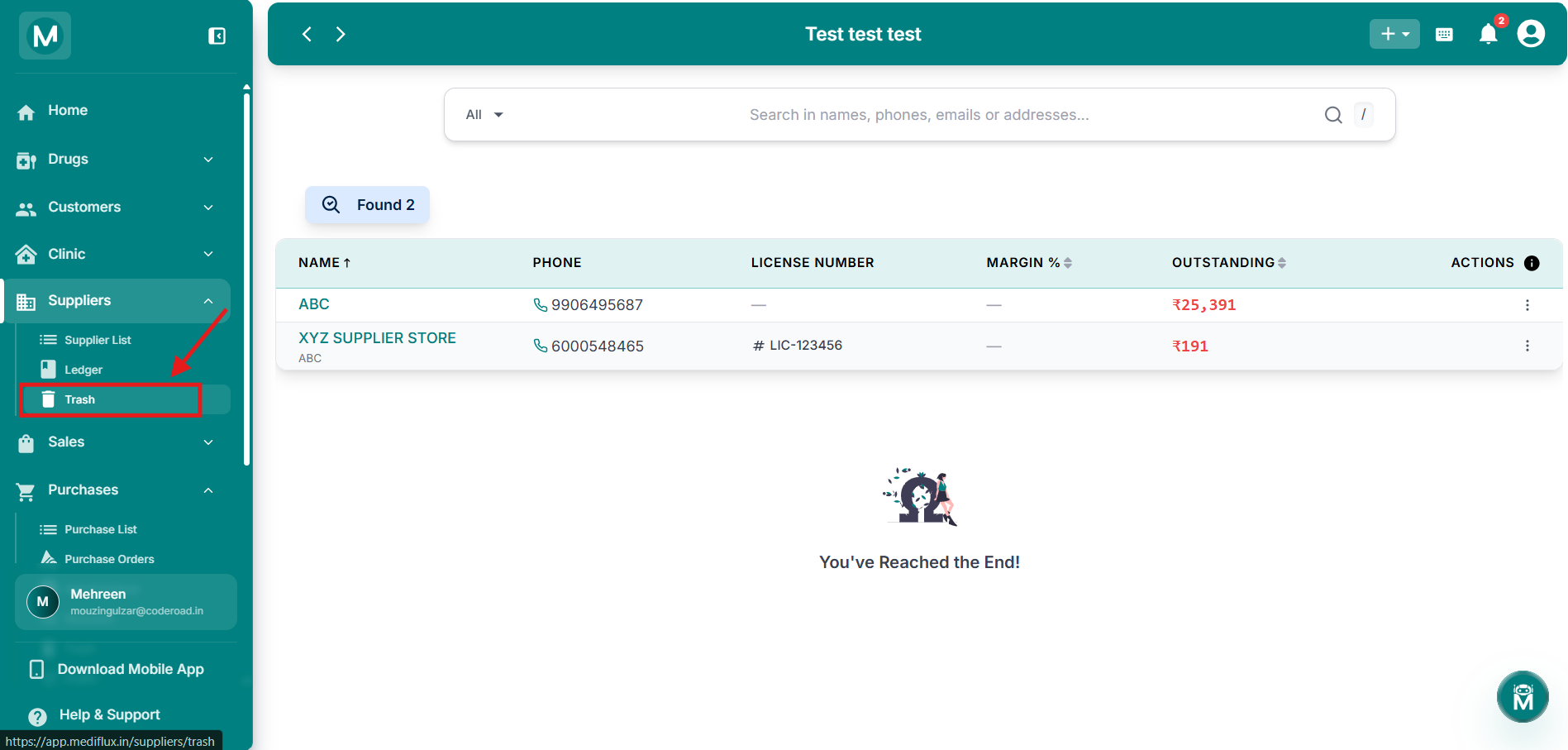
Supplier Trash page
Trash table showing a deleted supplier with all details and actions.
Searching In Trash
The search bar at the top works the same as the Supplier List. Search across names, phone numbers, emails, and addresses to find a specific deleted supplier quickly.
Restoring Or Viewing A Deleted Supplier
Click the three-dot menu (⋮) on any row to see two options:
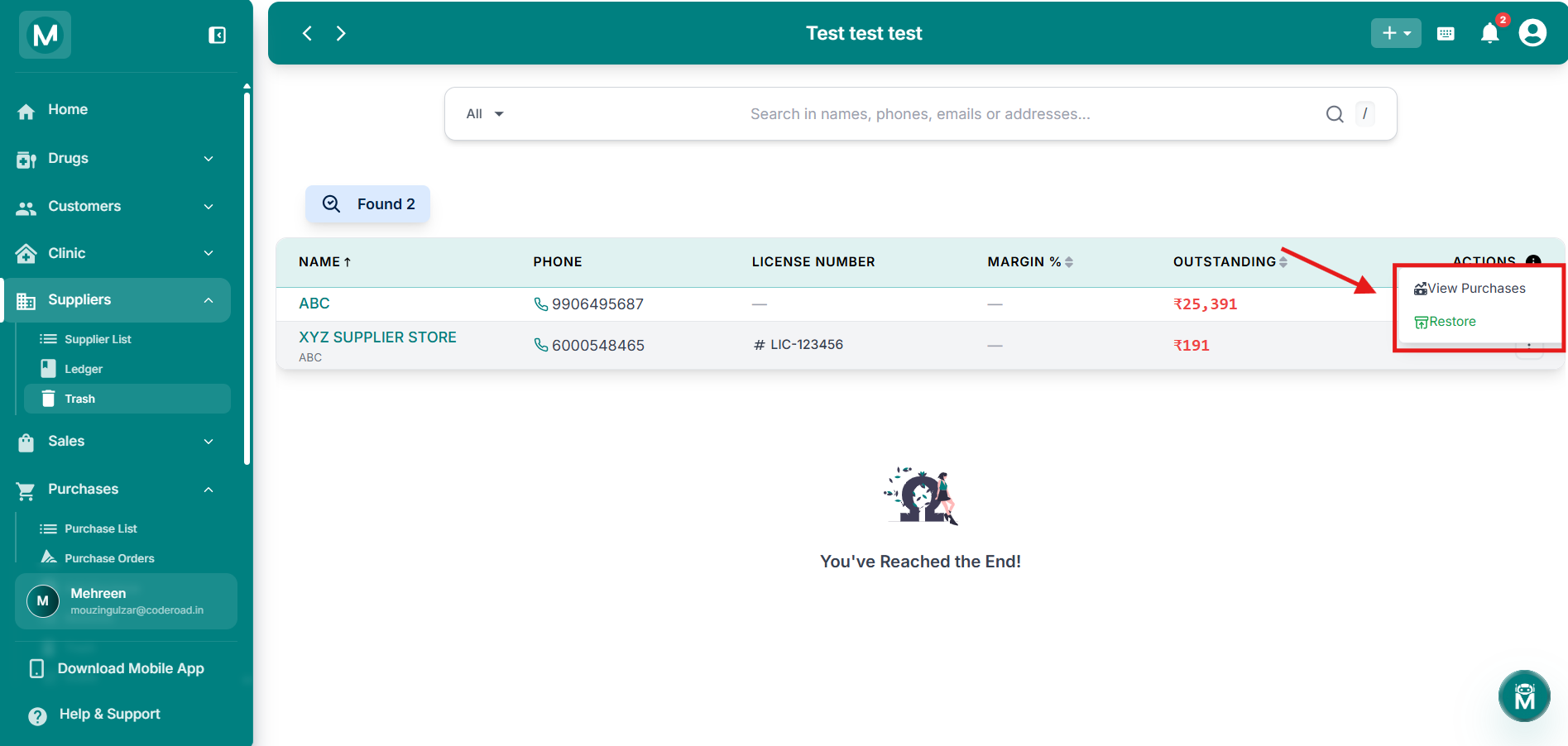
Row actions
Three-dot menu showing View Purchases and Restore options.
Restoring a supplier brings back their full profile and all linked purchase history. Their outstanding balance is also restored as it was at the time of deletion.