
Purchase Trash
View, restore, or permanently review purchases that have been deleted.
The Trash page holds every purchase that has been deleted from your pharmacy's records. Deleted purchases stay here until restored, giving you a safety net for accidental deletions.
Searching Deleted Purchases
The search bar at the top lets you search across suppliers, drugs, and challan numbers. To the left of the search bar, the All dropdown lets you narrow the search scope, similar to the Purchase List page.
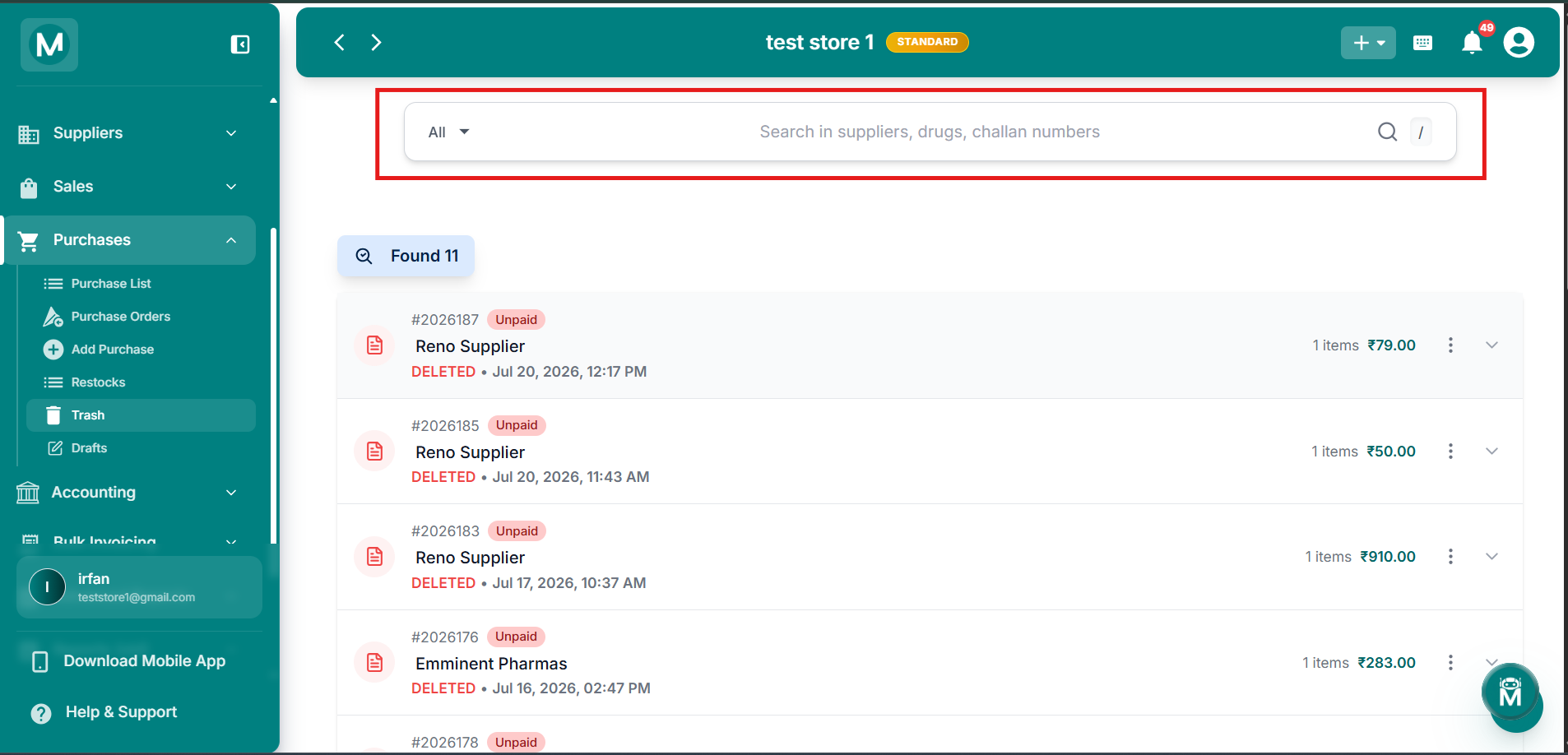
Search Deleted Purchases
Search across suppliers, drugs, and challan numbers to find deleted purchases.
The Trash List
Each entry in the list shows:
The page shows a Found X count above the list indicating how many deleted purchases match your search.
Every entry is shown expanded by default, with the full line item breakdown visible below it:
The Grand Total for that purchase is shown at the bottom right. Click the chevron on the right of an entry to collapse or expand its line items.
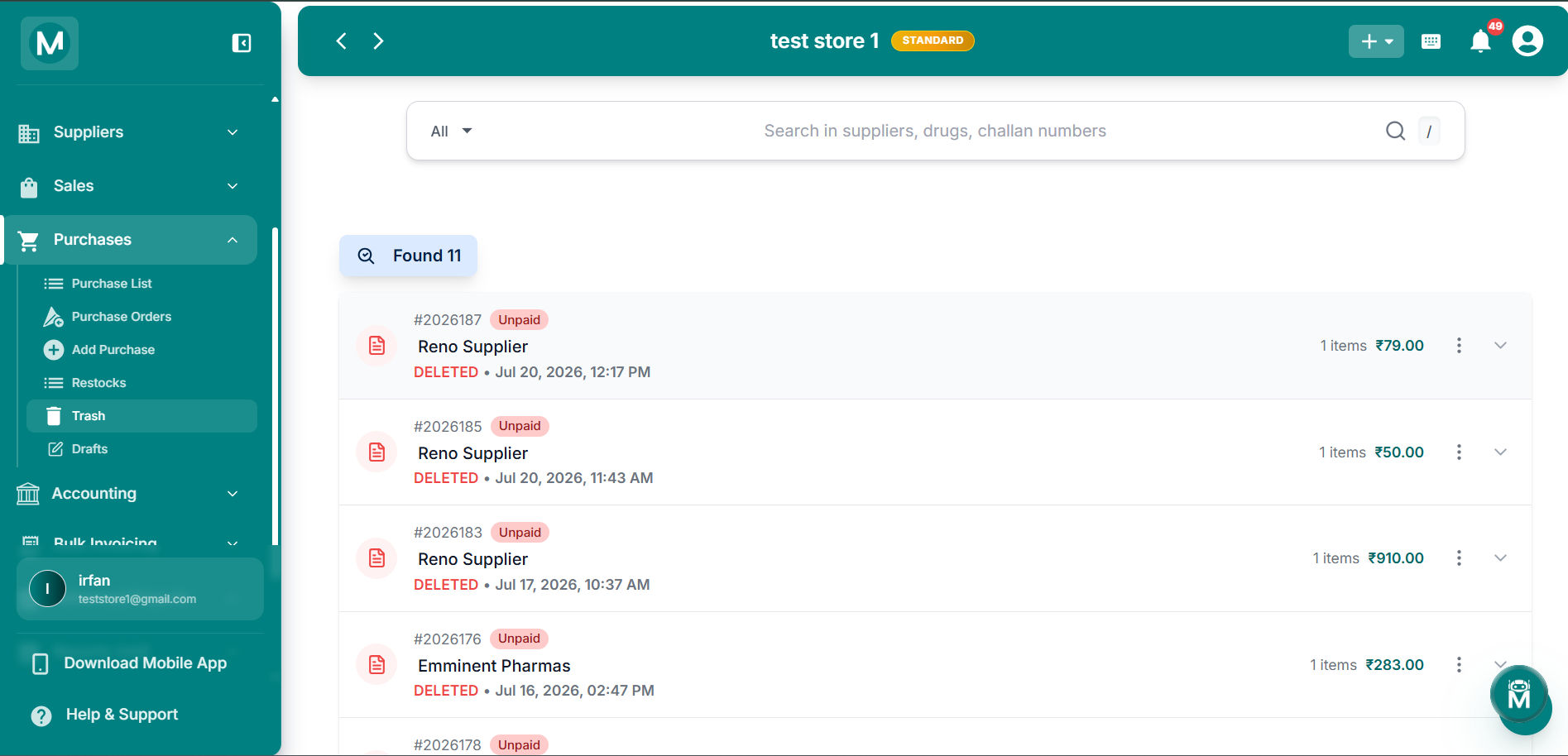
Trash List
Deleted purchases with expanded line items, supplier details, and restore options.
Row Actions
Clicking the three-dot menu (⋮) on any entry opens a quick-actions menu with two options:
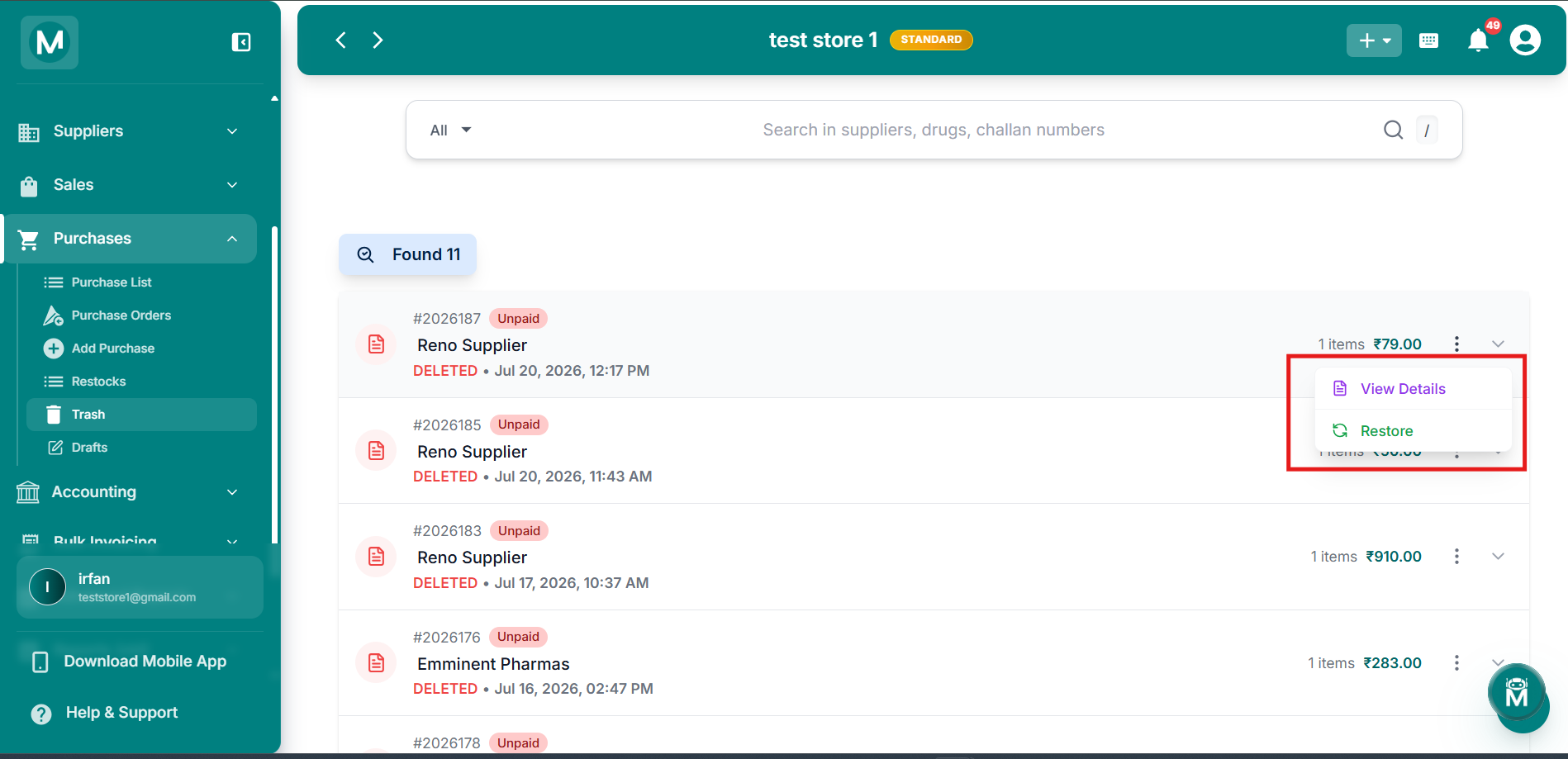
Trash Actions
View details or restore a deleted purchase from the actions menu.
When There Are No Deleted Purchases
If nothing matches your search, or Trash is empty, the page shows a "No Deleted Purchases Found" message along with a Reset Filters button to clear your search and start over.
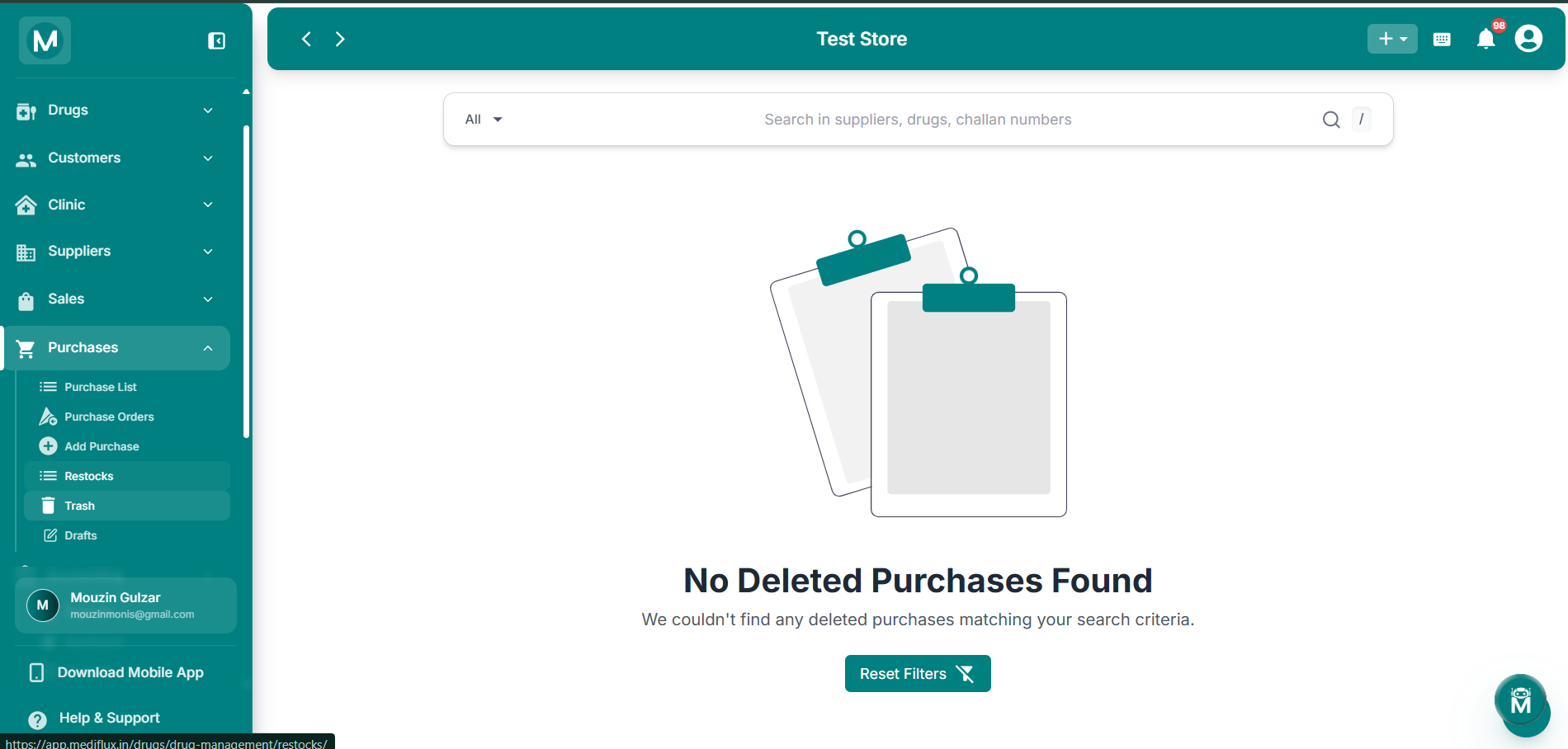
Empty Trash
No deleted purchases found, use Reset Filters to clear your search.
Recover What You Need
Restored your purchases? Here's where to go next.