
Sales
Manage all your pharmacy sales, credit notes, returns, reorders and drafts, all from one place.
The Sales section is where every sale your pharmacy makes is recorded and managed. From walk-in cash sales to wholesale billing, challans, and estimates, MediFlux handles every sale type your pharmacy needs, with each sale automatically updating your inventory and customer ledger.
What You Can Do In Sales
- Record sales: for individual customers or walk-in patients
- Handle different sale types: retail, wholesale, stock issue, challan, and estimates
- Manage prescription-based sales: Rx, NRx, H1
- Issue credit notes: for billing corrections
- Track and process returned items
- Manage reorders and draft bills
- Export your sales list: as PDF or Excel
Navigating The Sales Section
The Sales section in the left sidebar expands into six pages:
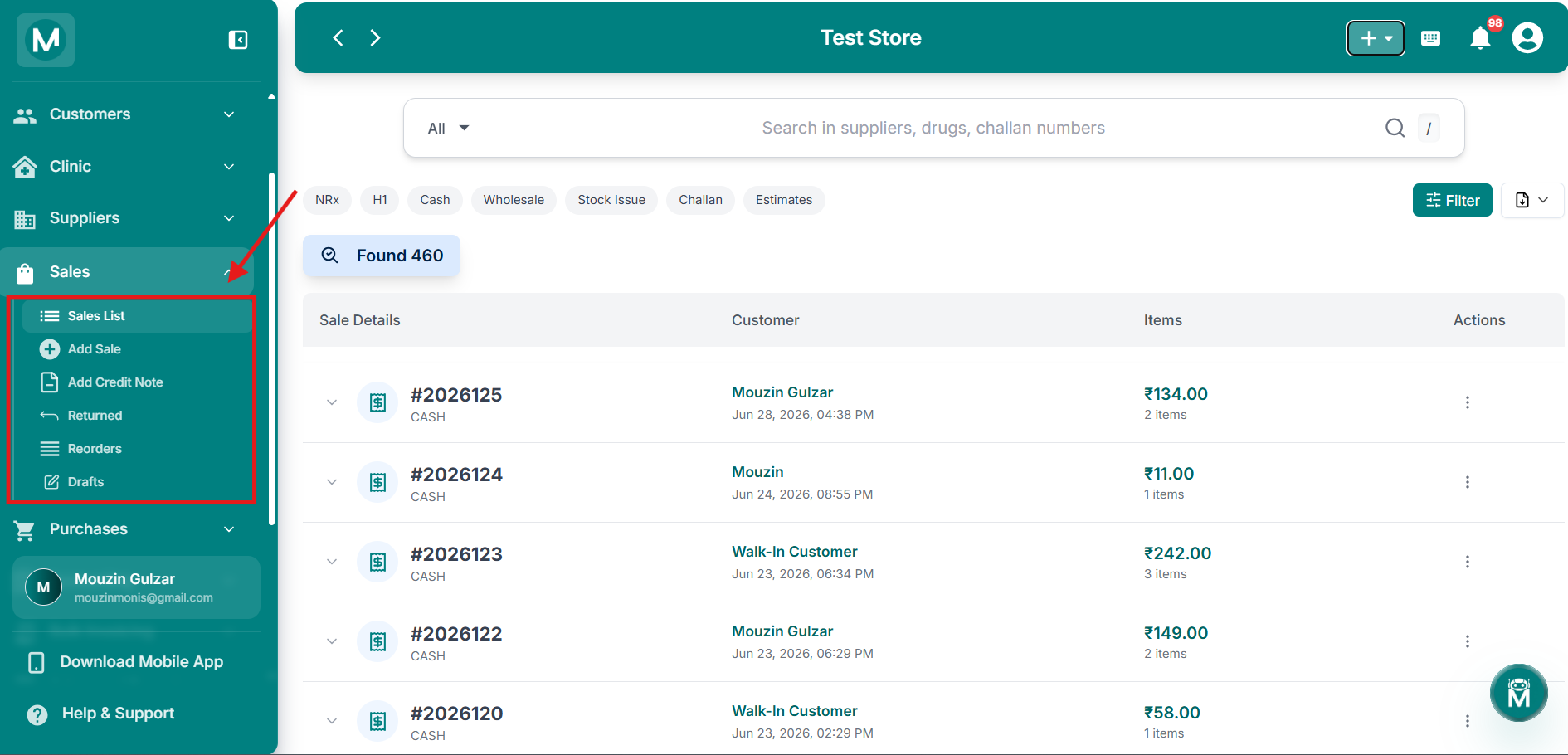
Sales sidebar navigation
Sidebar showing Sales List, Add Sale, Add Credit Note, Returned, Reorders, and Drafts.
Quick Actions From Anywhere
You don't have to navigate to the Sales section to add a sale. The + button in the top-right corner of any screen gives you instant access:
- Add Sale: start a new sale bill from anywhere in MediFlux
The + quick-add menu is available on every screen. Use it whenever you need to quickly start a new sale without interrupting your current workflow.
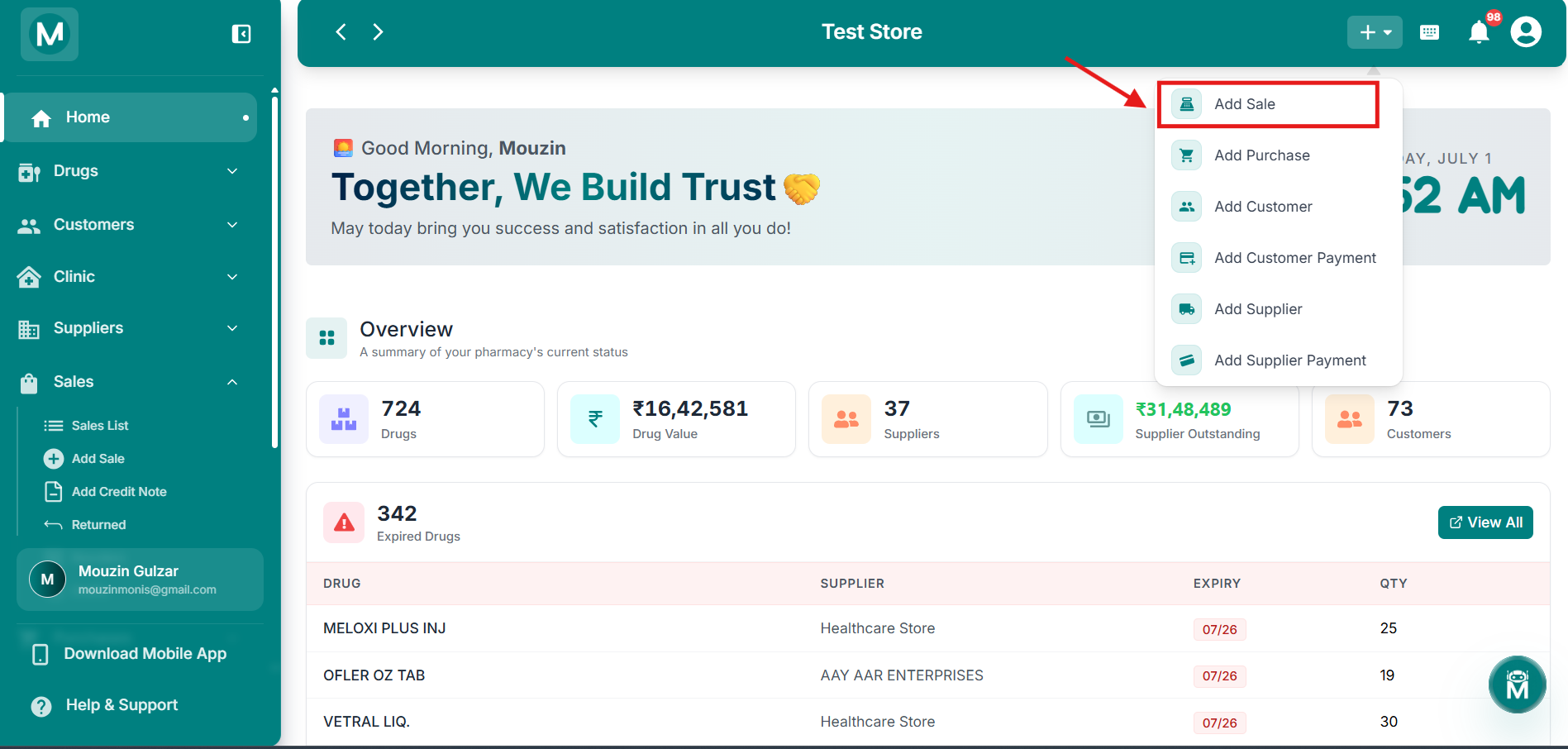
Dashboard + menu
Quick-add menu showing the Add Sale option.
Sale Types
MediFlux supports multiple sale types to cover every billing scenario in your pharmacy:
Payment Methods
MediFlux supports the following payment methods when recording a sale:
The Payment Method field defaults to None when creating a new sale. Select one of the above methods before finalising the bill. If the sale is unpaid or pending, you can leave it as None and update it later.
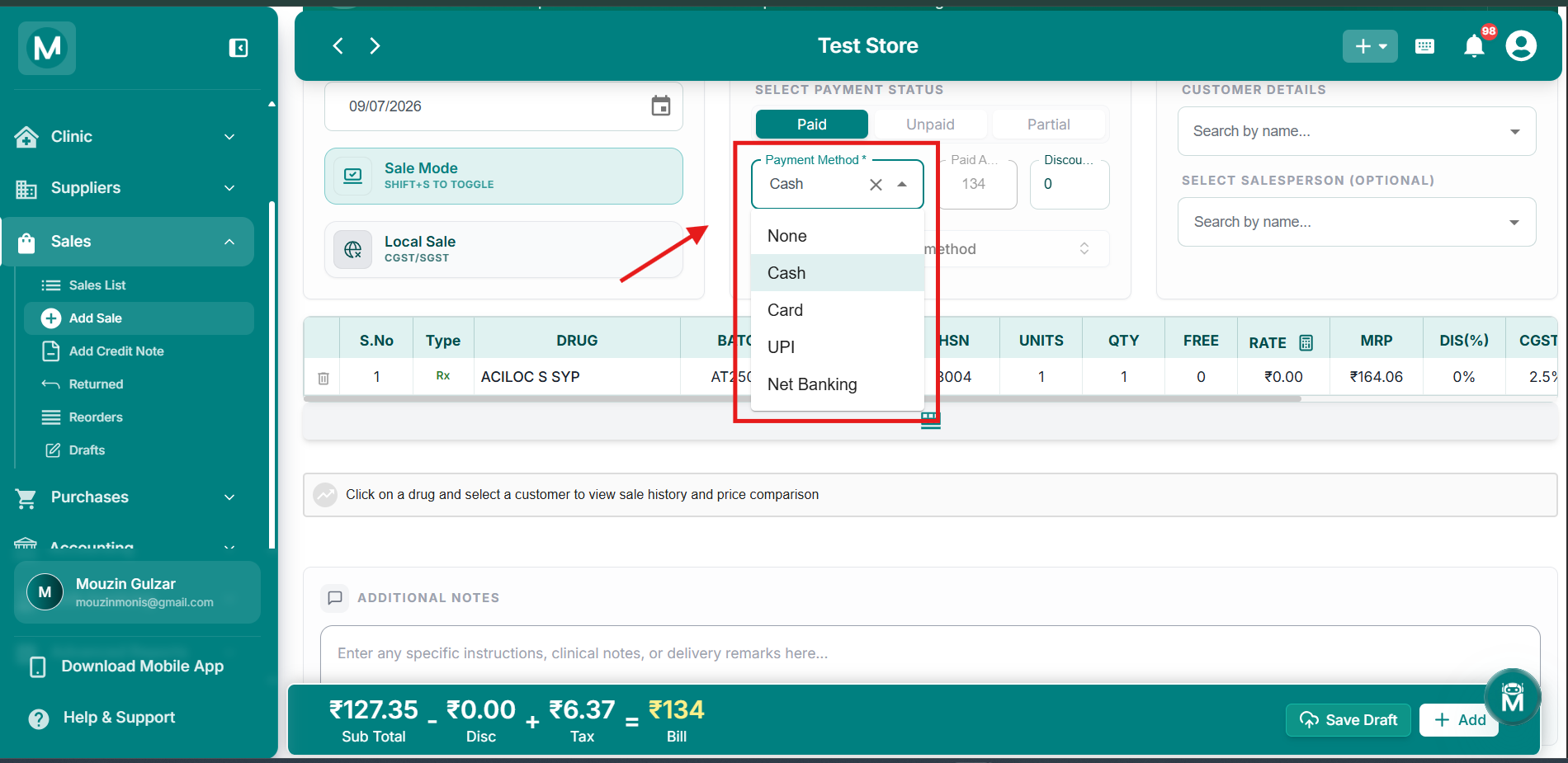
Payment Method dropdown
Select from Cash, Card, UPI, or Net Banking when recording a sale.
Sales List
The Sales List is your complete sales record. View all your recorded sales at a glance with customer details, sale type, amount, and payment status. Search by customer name, bill number, or date. Filter by sale type, payment method, or date range. Click any sale to view full details, print the bill, or issue a credit note.
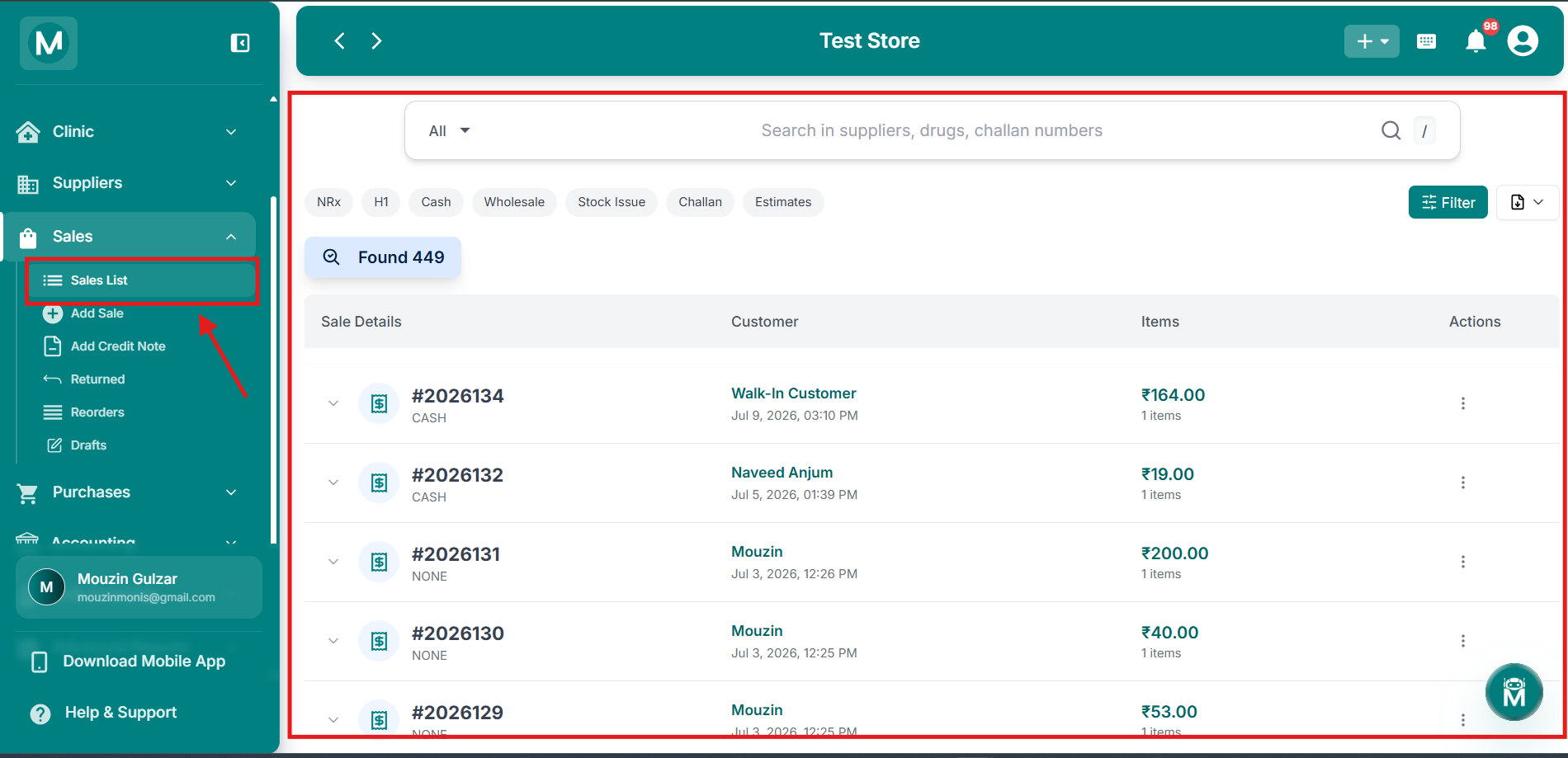
Sales List
Complete sales record with search, filters, and detailed sale information.
Add Sale
The Add Sale page is where you create new sale bills. Select the sale type (retail, wholesale, stock issue, challan, or estimate), add customer details, scan or search for drugs, apply discounts, and choose the payment method. The bill auto-calculates taxes, totals, and change due. Once finalised, inventory is updated automatically and the sale appears in the customer's ledger.
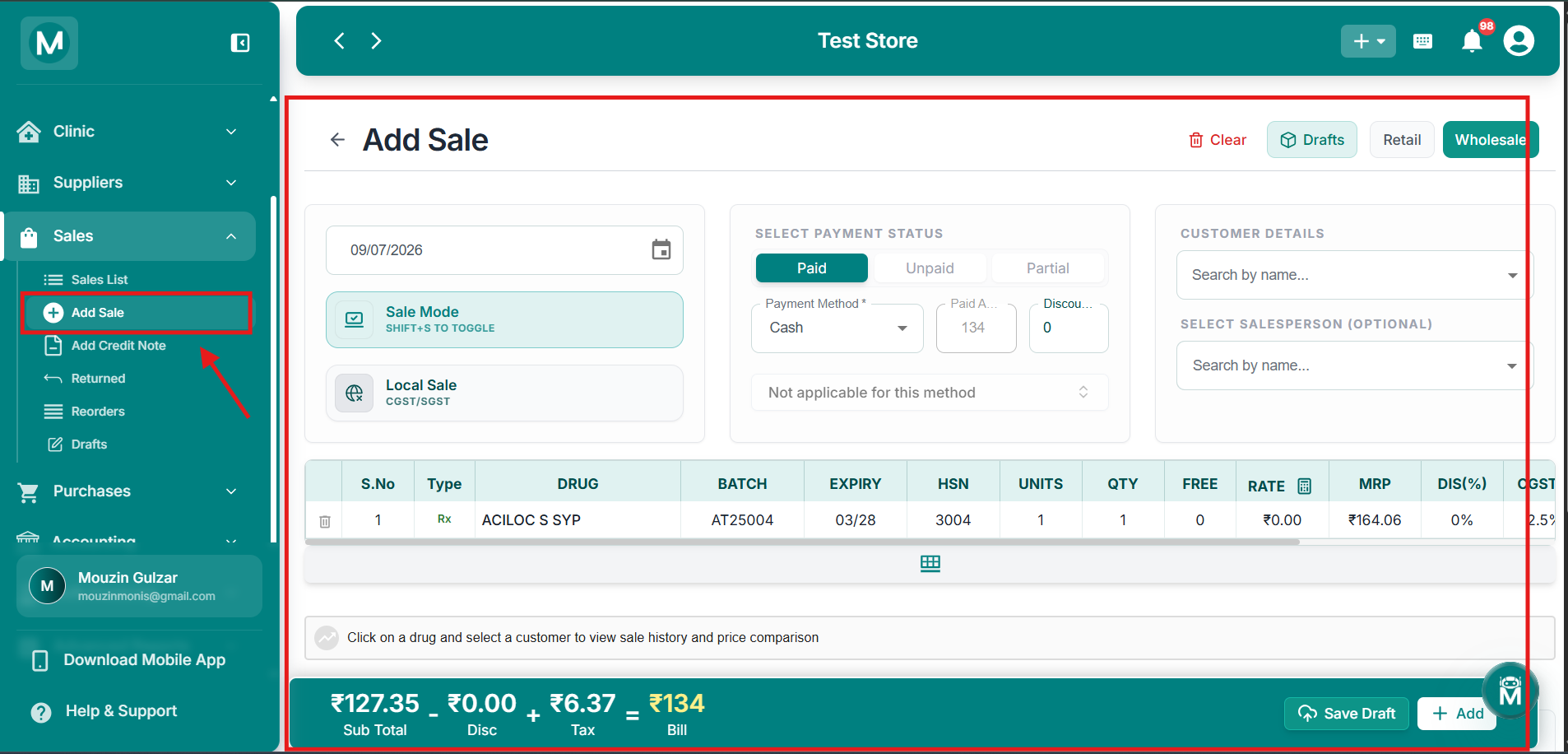
Add Sale
Create new sale bills with drug scanning, tax auto-calculation, and multiple payment options.
Add Credit Note
The Add Credit Note page lets you issue credit notes against existing sales for billing corrections, returns, or adjustments. Select the original sale, specify the reason, adjust quantities or amounts, and generate the credit note. This automatically updates the customer's outstanding balance and inventory where applicable.
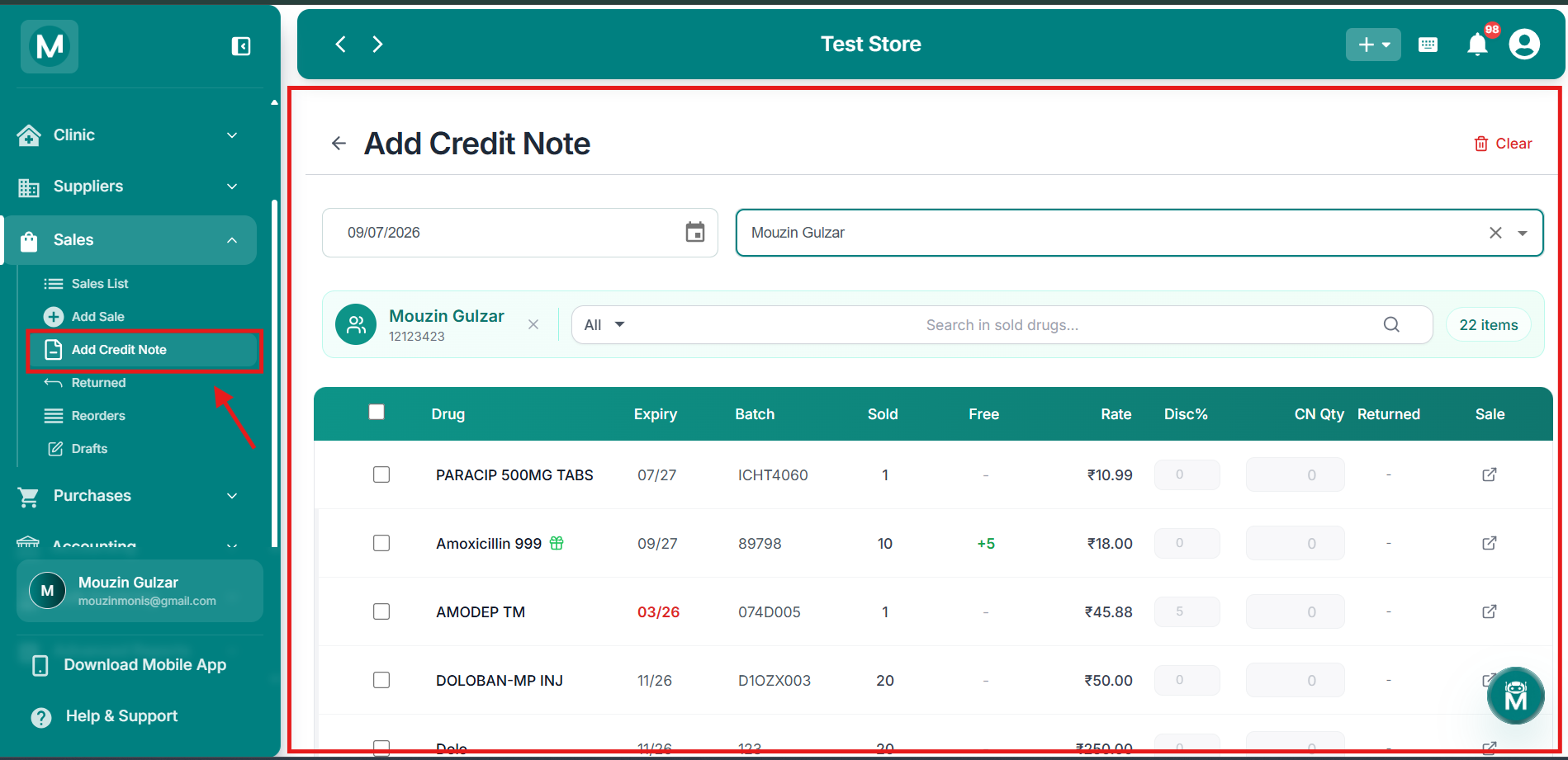
Add Credit Note
Issue credit notes against existing sales for corrections and adjustments.
Returned
The Returned page tracks all items returned by customers. View return details including original sale reference, returned drugs, quantities, and refund status. Process new returns, verify returned items, and update inventory automatically. Filter by date, customer, or return status to stay on top of all return activity.
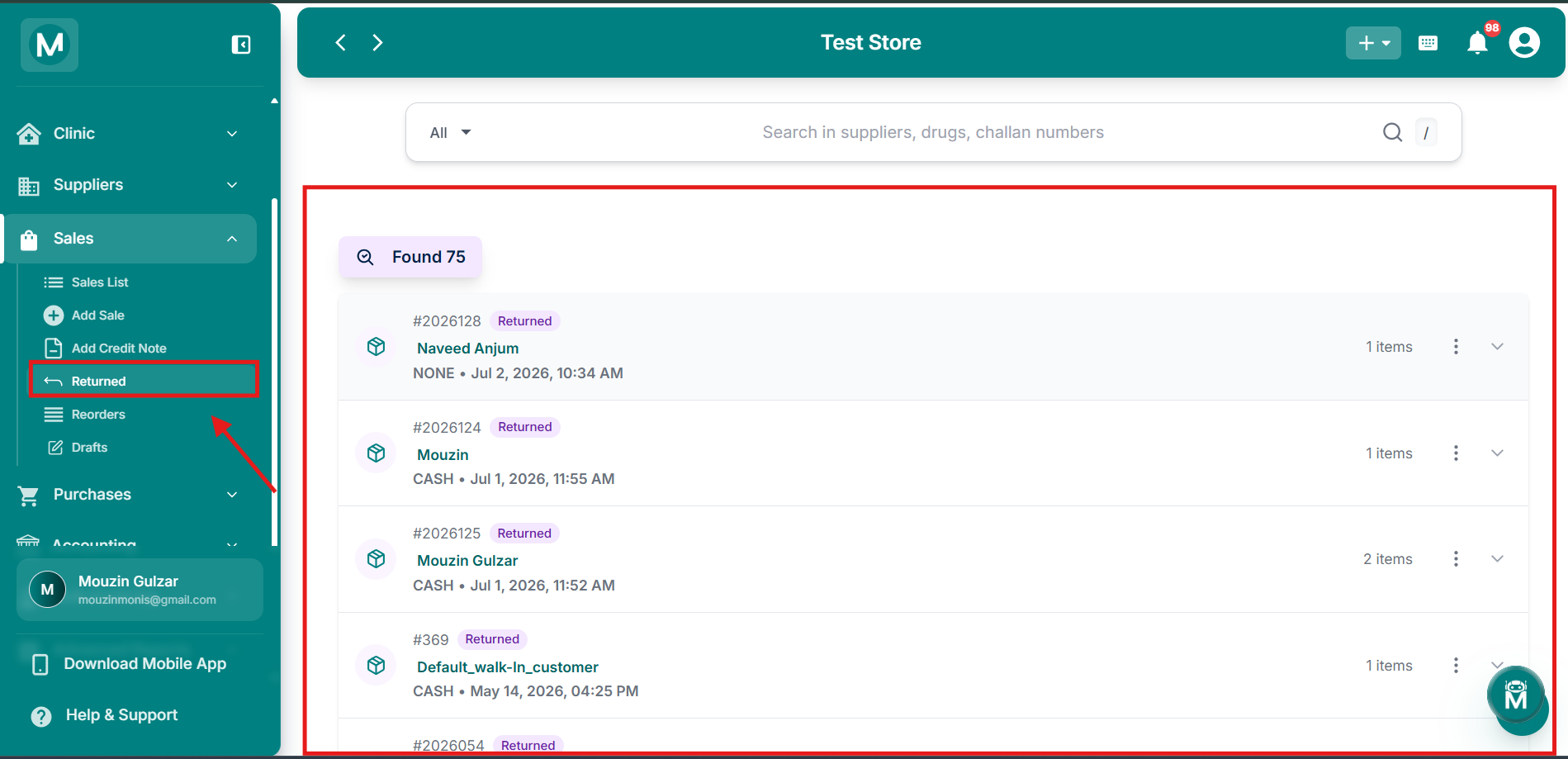
Returned
Track and manage customer returns with automatic inventory updates.
Reorders
The Reorders page helps you manage reorder requests from customers or linked stores. View pending reorders, check drug availability, convert reorders into sales, or send purchase orders to suppliers for out-of-stock items. Track reorder status from request to fulfilment.
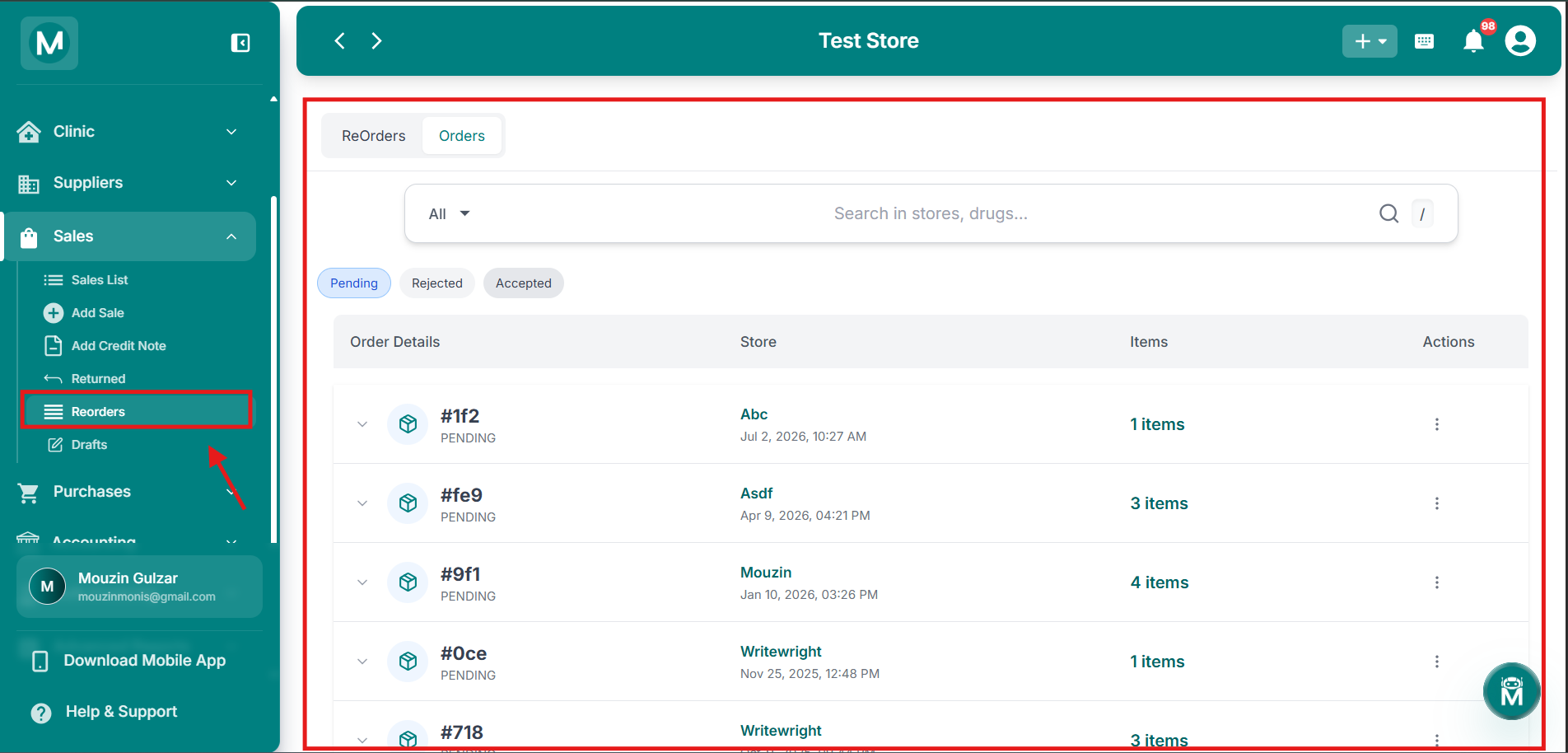
Reorders
Manage customer reorder requests and convert them into sales or purchase orders.
Drafts
The Drafts page holds all saved but unfinalised sale bills. Access draft estimates, incomplete sales, or bills saved for later. Edit draft details, add or remove drugs, and finalise them into proper sales when ready. Drafts are perfect for creating estimates or handling interrupted billing sessions.
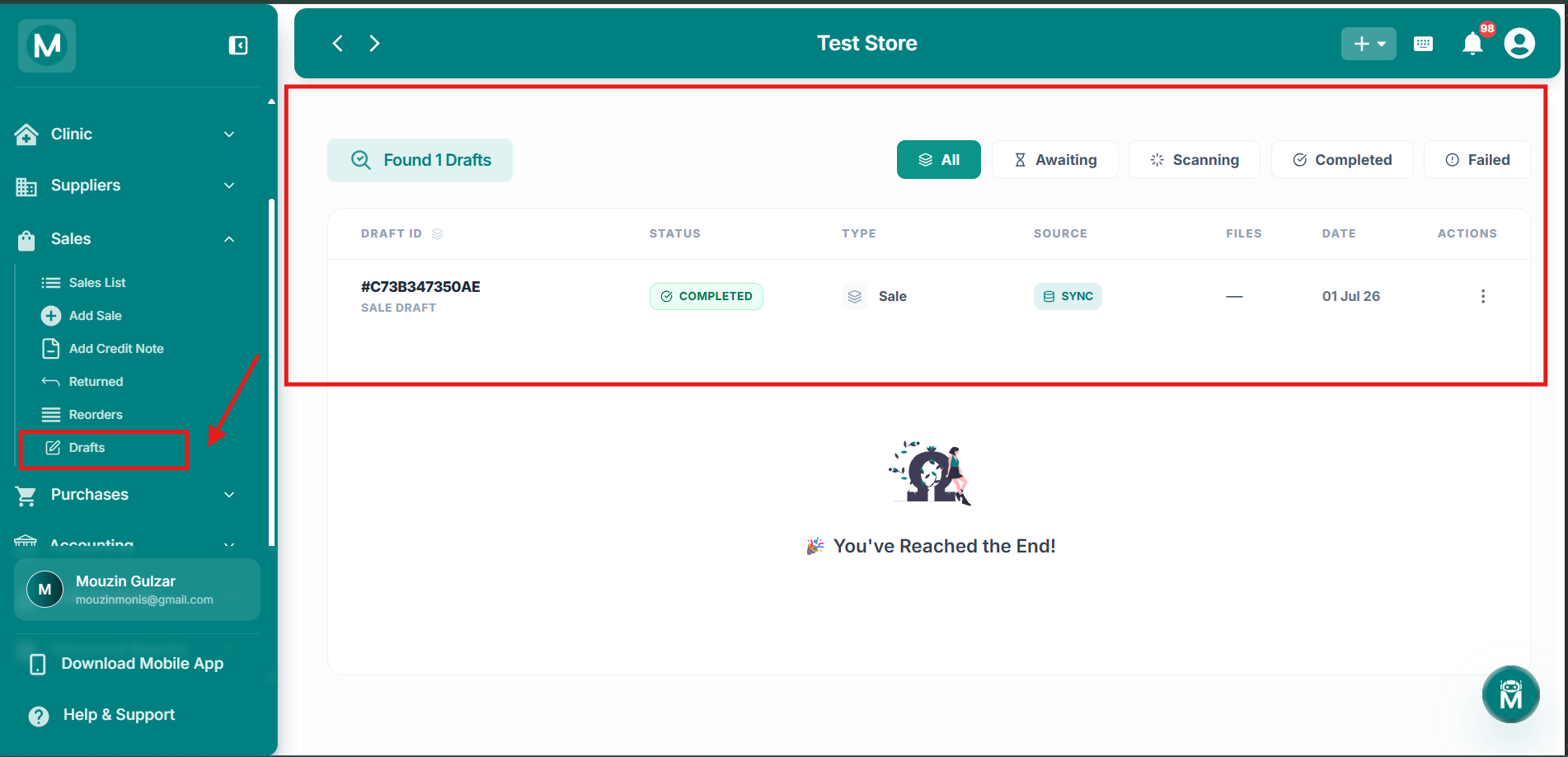
Drafts
Access, edit, and finalise saved draft bills.
Start Selling
Sales List
Review all recorded sales and check payment status.
Add Retail Sale
Create a bill for a walk-in or regular customer.
Add Wholesale Sale
Issue a bulk sale invoice or delivery challan.
Add Credit Note
Correct a bill or process a return with a credit note.
Returned
Handle items returned by customers.
Drafts
Resume or finalise saved draft bills.