
Purchase Details
View the complete breakdown of a single purchase, including its summary, line items, and invoice.
Clicking any purchase from the Purchase List or selecting View Details from its row actions menu opens the Purchase Details page. This gives you the full picture of that purchase: who it was made from, what was bought, how the bill was calculated, and access to the invoice and related actions.
Purchase Info
At the top of the page:
Actions
A set of action buttons sits alongside the purchase info:
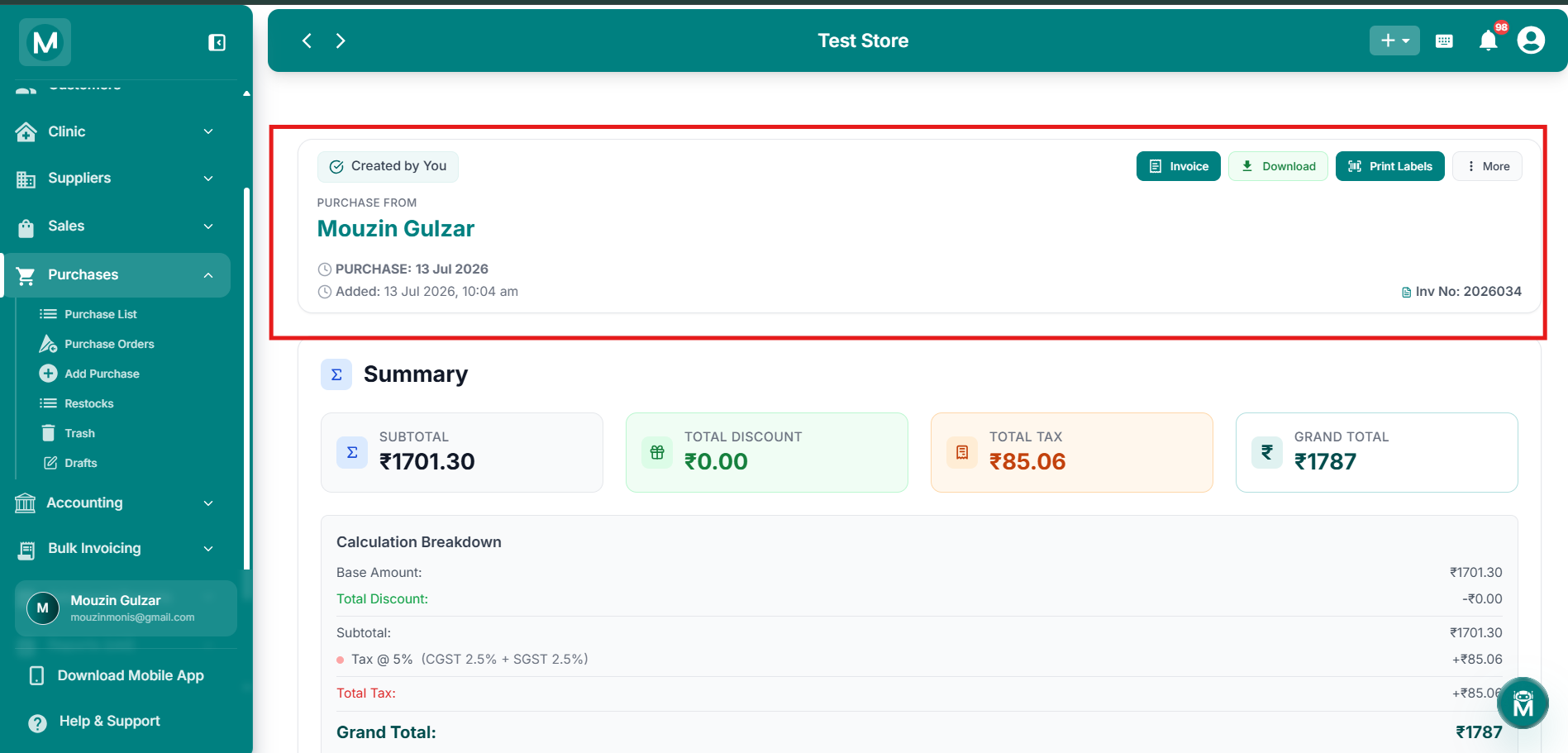
Purchase detail page
Purchase header with supplier name, invoice number, and action buttons, plus summary cards showing subtotal, discount, tax, and grand total
The More menu contains:
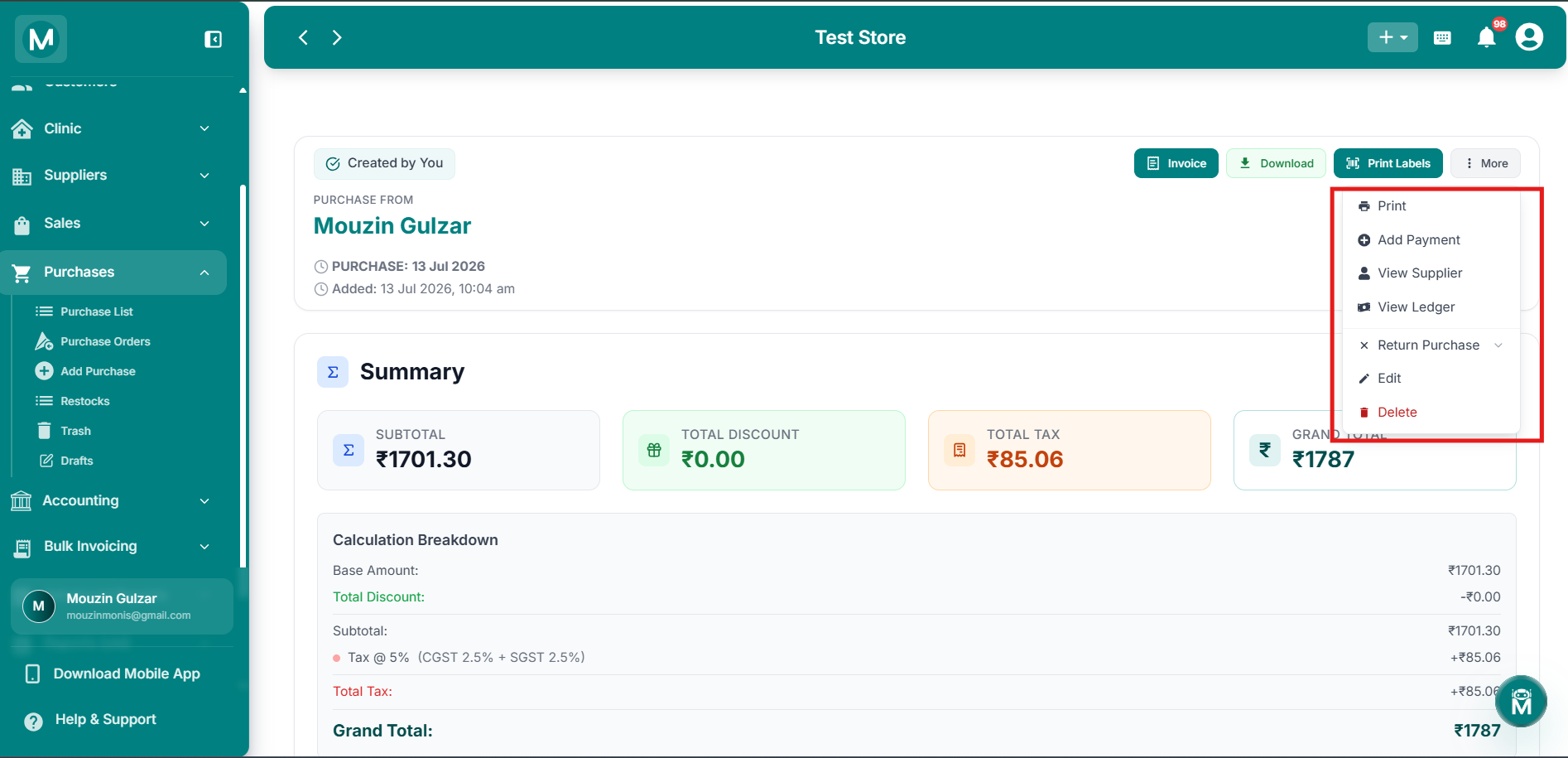
Purchase Actions
Invoice, Download, Print Labels, and More actions for a purchase.
Summary
Four cards give an at-a-glance breakdown of the purchase:
Below the cards, a Calculation Breakdown shows how the grand total was arrived at, the base amount, the discount deducted, the resulting subtotal, tax applied (with the GST split, e.g. CGST + SGST), the total tax, and the final grand total.
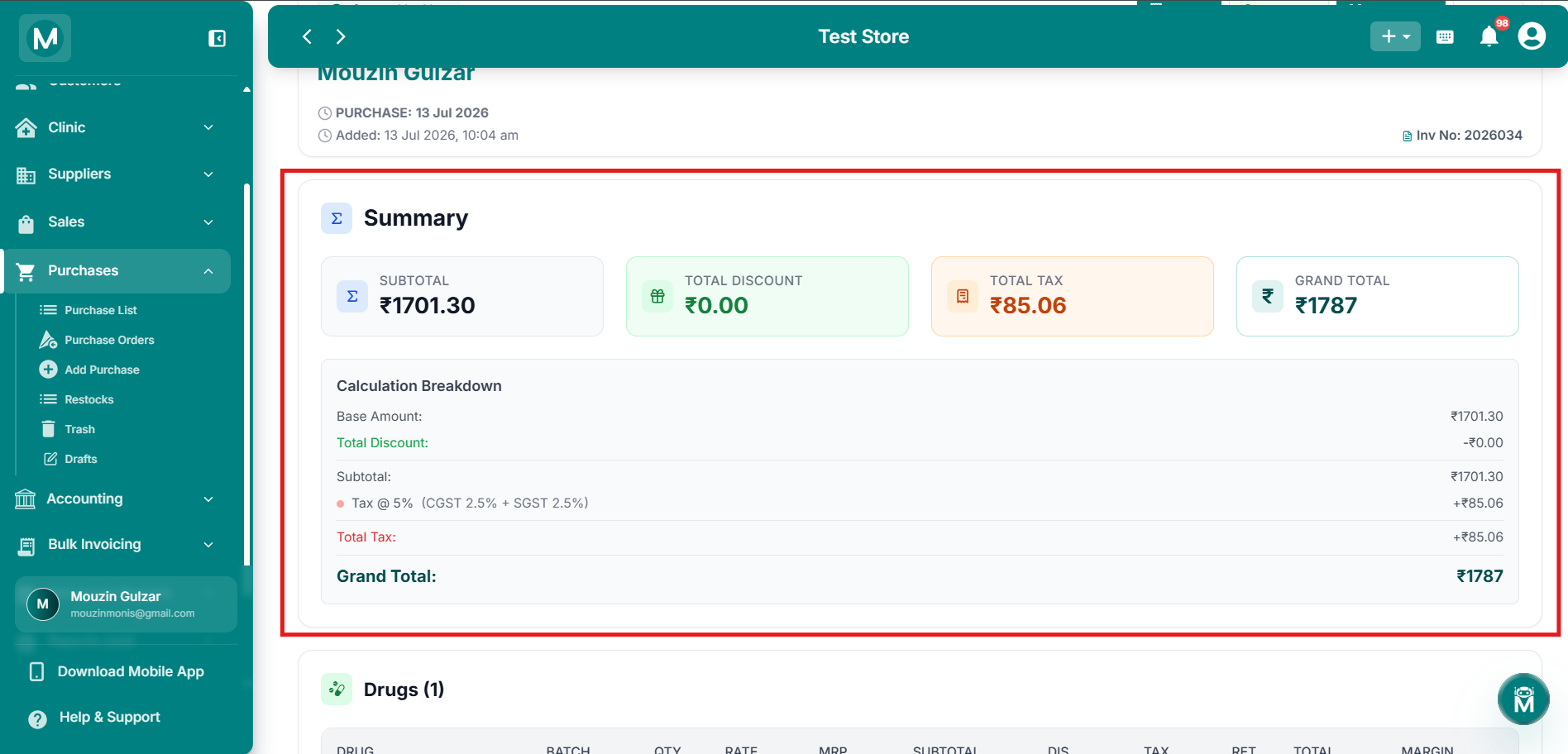
Purchase Summary
Subtotal, discount, tax, and grand total cards with full calculation breakdown.
Drugs
The Drugs section lists every line item in the purchase:
A Grand Total row at the bottom of the table sums up the quantity, subtotal, discount, tax, and total across all line items.
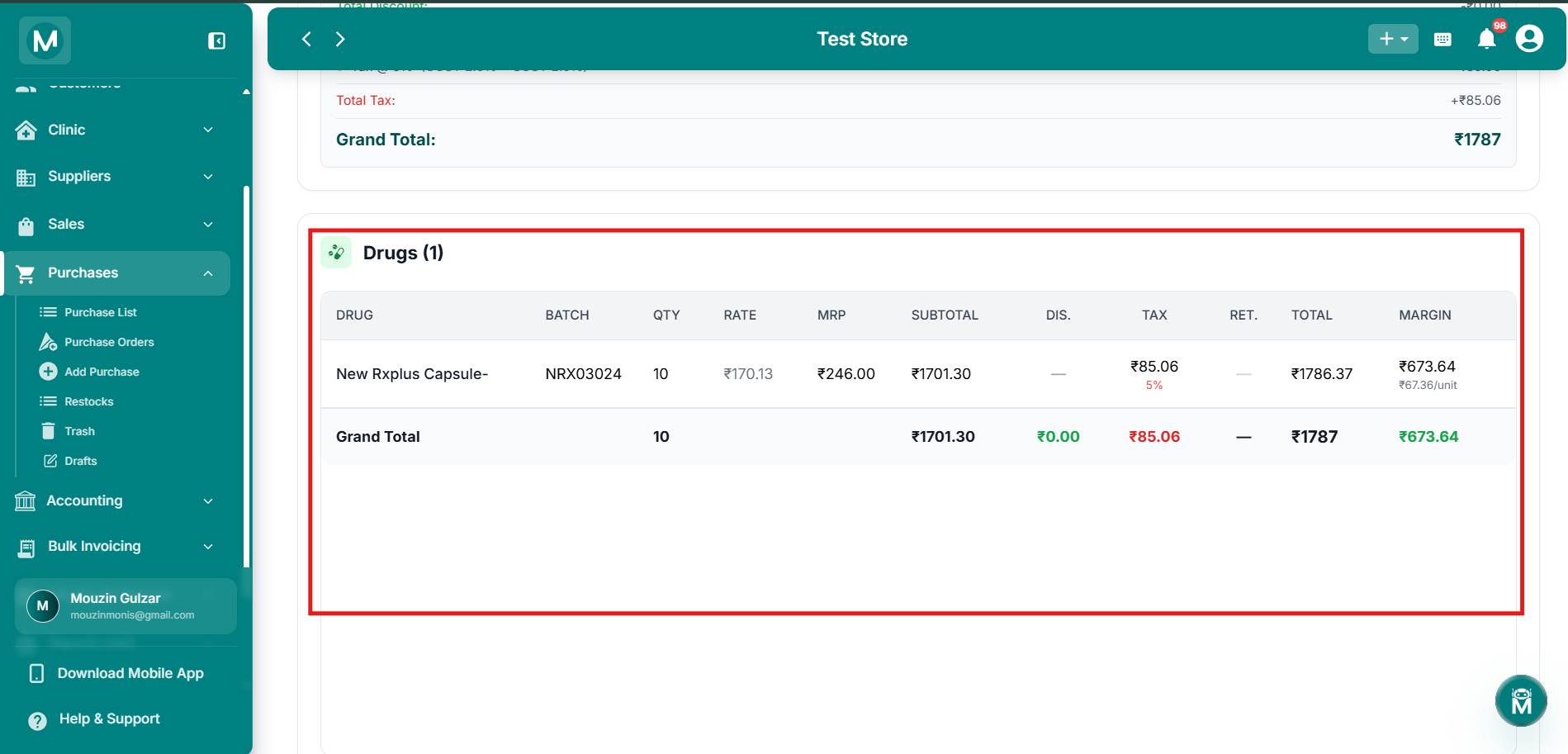
Drugs Section
Line item breakdown with batch, quantity, rate, MRP, discount, tax, and total.
Invoice
Clicking Invoice opens a preview of the purchase bill, showing:
- Store details and the supplier's details, including DL number and GSTIN
- Invoice number and date
- An itemised drug table (HSN, batch, expiry, quantity, free quantity, rate, MRP, discount, subtotal, tax, and total)
- A GST breakdown by tax slab (CGST and SGST)
- The grand total and balance
- Standard terms & conditions
From this preview, you can Download the invoice, Print it, or Change Template to switch the invoice layout.
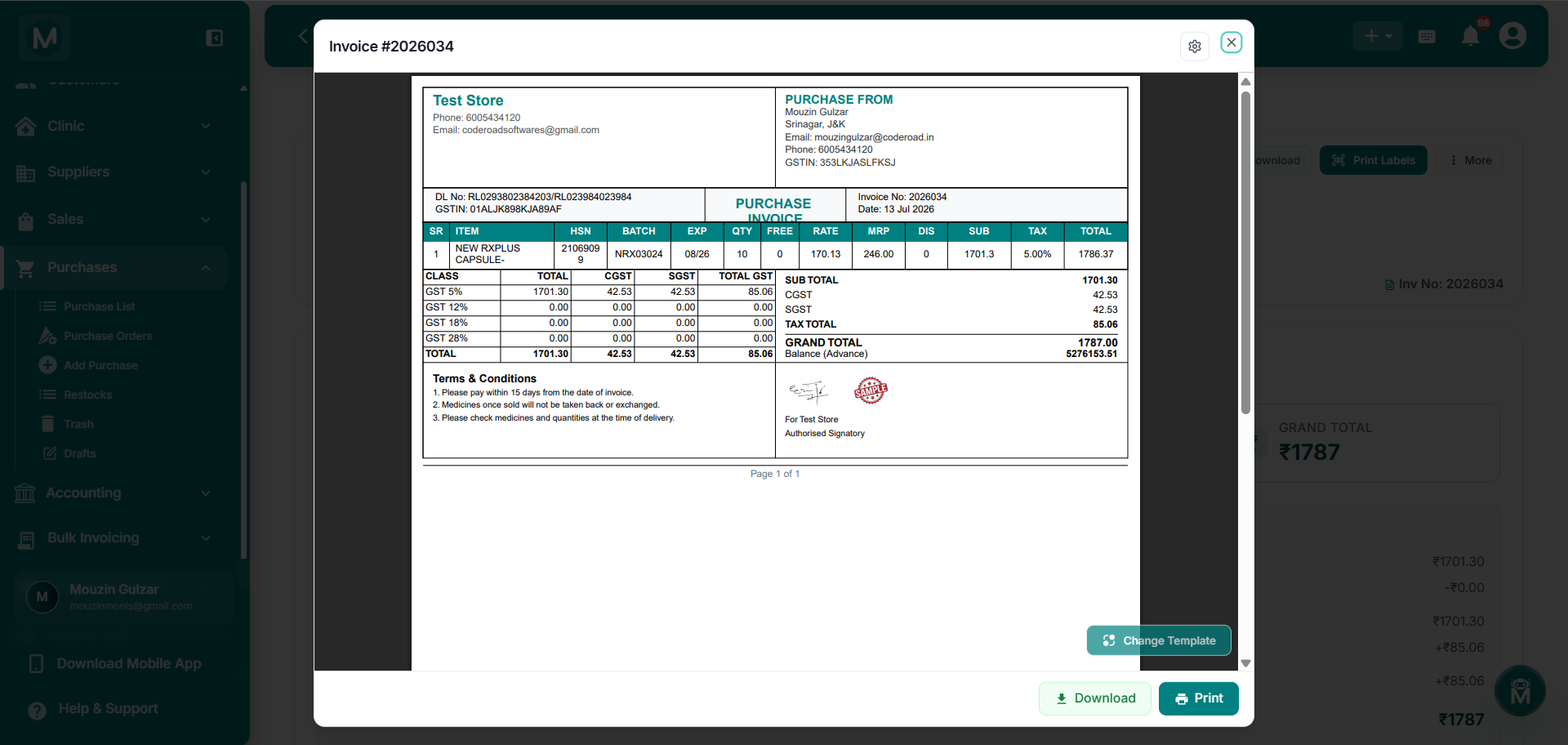
Invoice Preview
Full purchase invoice with store and supplier details, itemised drugs, and GST breakdown.
FAQs
Follow Up On This Purchase
Reviewed the details? Here's what to do next.