
Clinic Module
Manage doctor profiles, prescriptions, schedules, and appointments for your in-store clinic, all from one place.
The Clinic section brings your pharmacy's clinical side into MediFlux, the doctors who consult at or are associated with your store, the prescriptions they write, when they're available, and the appointments booked with them. If your pharmacy runs a clinic alongside its retail counter, this is where that side of the business is managed.
What You Can Do In Clinic
- Maintain a directory of doctors: store qualifications, specialities, registration numbers, and contact details for every doctor associated with your clinic
- Search and filter doctors: quickly find a doctor by name, phone, email, registration number, qualification, or speciality
- Track prescriptions: keep a record of prescriptions issued by your doctors
- Set doctor schedules: define when each doctor is available, so appointments only get booked into open slots
- Manage appointments: track every appointment booked with a doctor at your clinic
- Review pending bookings: confirm or reject new booking requests before they become scheduled appointments
Navigating The Clinic Section
The Clinic section in the left sidebar expands into five pages:
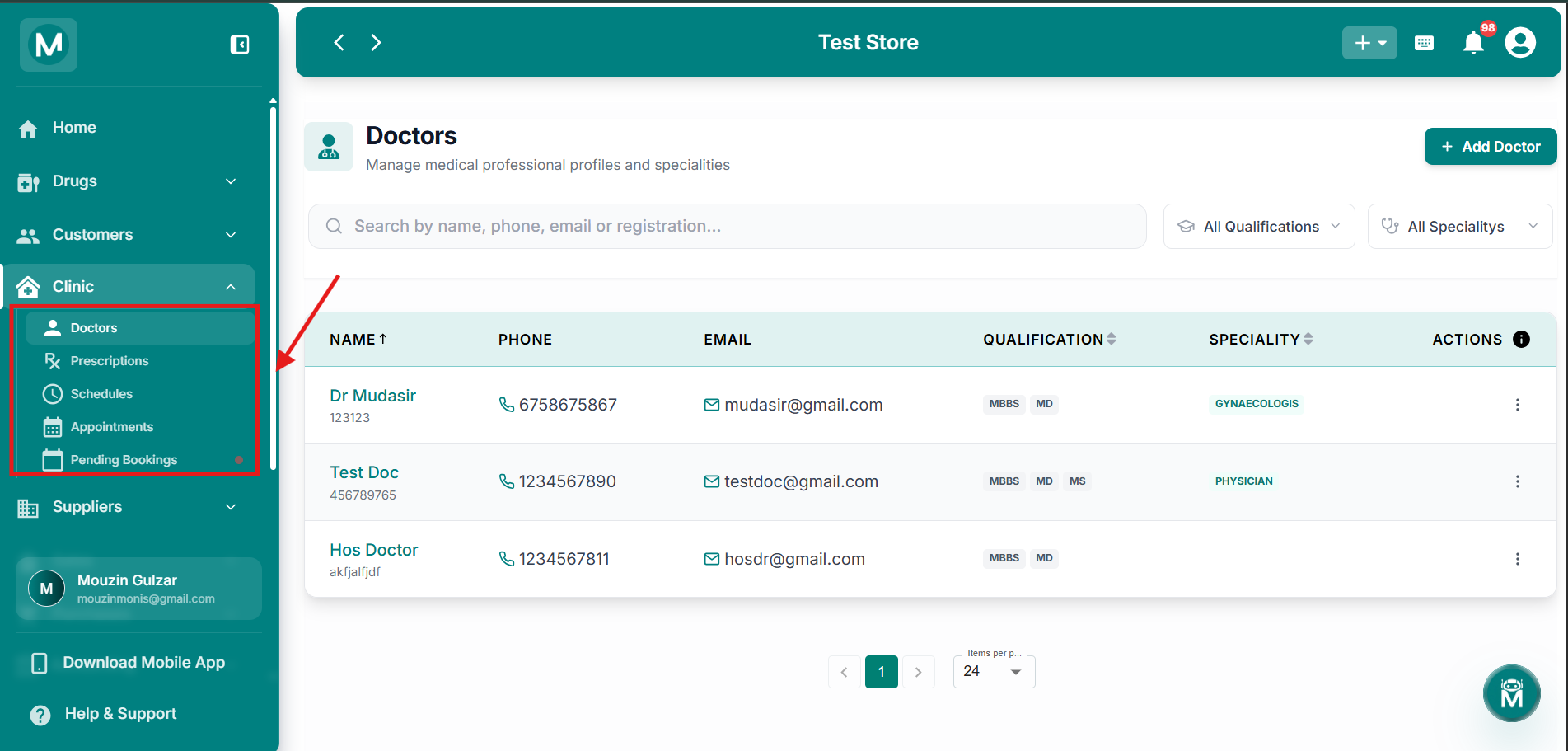
Clinic Sidebar Navigation
The Clinic section in the sidebar expands to show Doctors, Prescriptions, Schedules, Appointments, and Pending Bookings.
Doctors
The Doctors page is your complete doctor directory. View all associated doctors with their qualifications, specialities, registration numbers, and contact details. Search by name, phone, email, or registration number. Filter by qualification or speciality. Click any doctor to view their full profile, prescription history, and schedule.
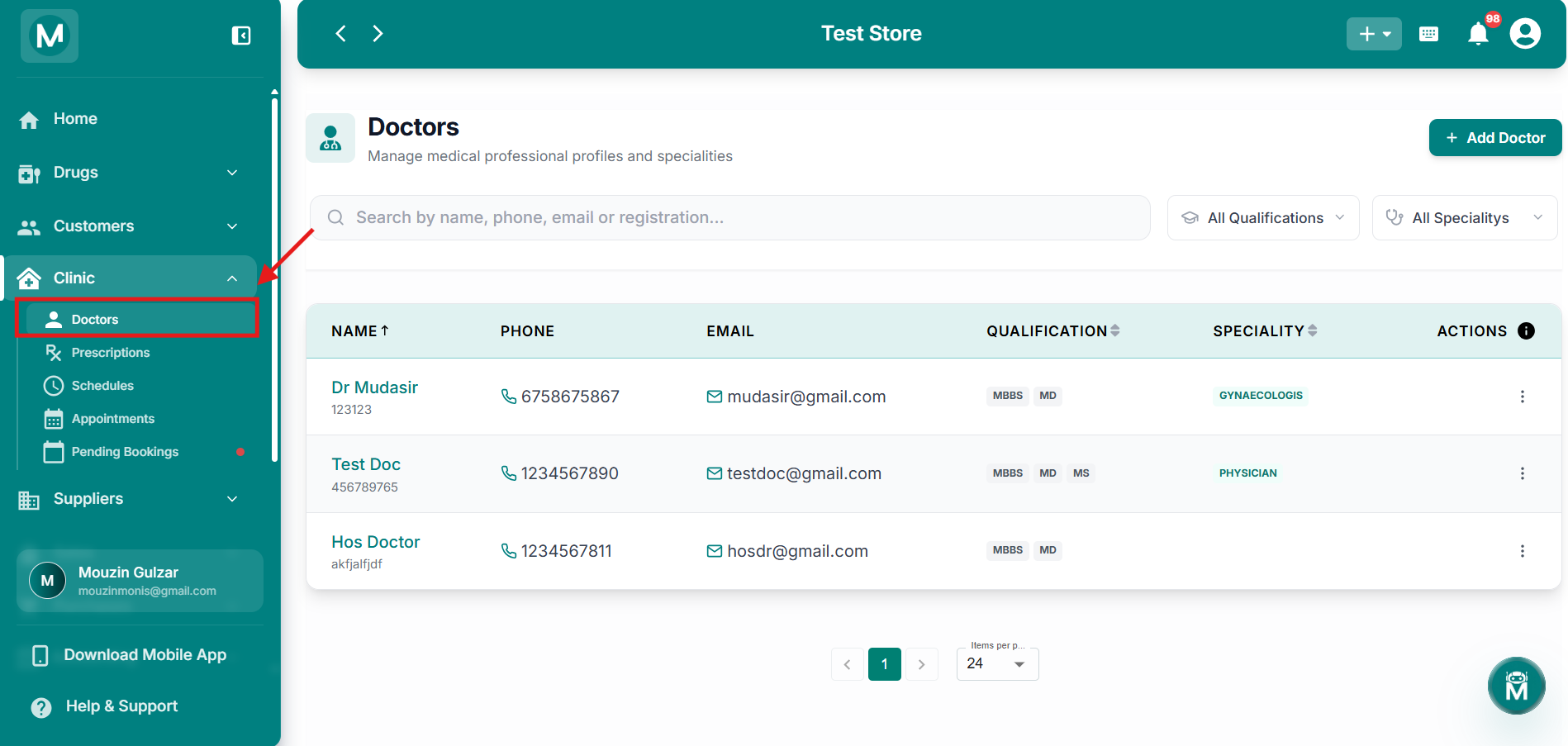
Doctors
Complete doctor directory with search, filters, and detailed profiles.
Prescriptions
The Prescriptions page keeps a record of every prescription issued by your doctors. Each prescription is linked back to the doctor who wrote it and the patient it was for. Search by patient name, doctor, or date. View prescription details including medicines prescribed, dosage instructions, and issue date.

Prescriptions
Track all prescriptions issued by your clinic's doctors, linked to patients and doctors.
Schedules
The Schedules page lets you define when each doctor is available for appointments. Set recurring weekly slots, add one-off availability, or block out leave days. Appointments can only be booked into open time slots, preventing double-booking and ensuring patients see accurate availability.
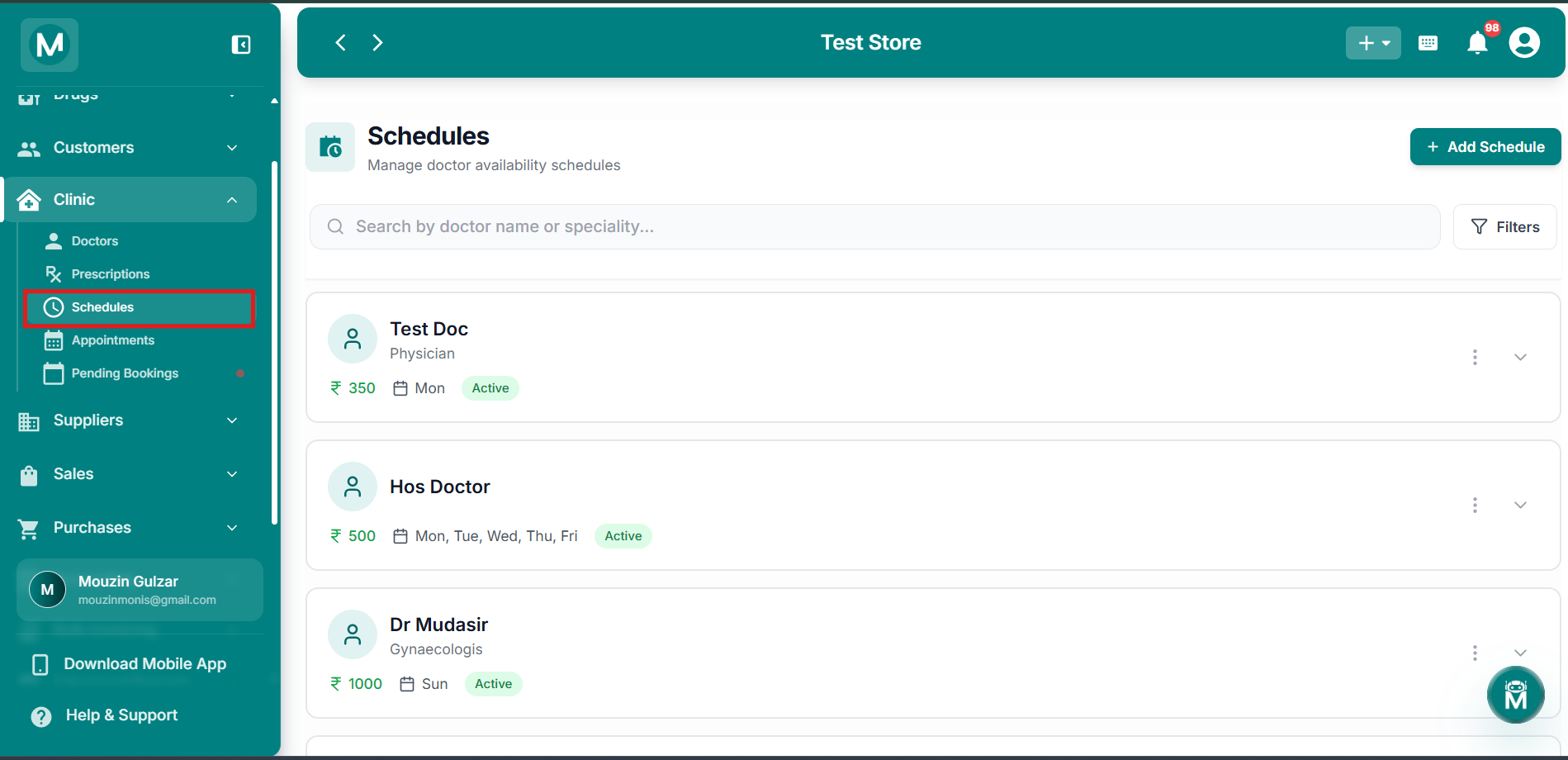
Schedules
Set doctor availability with recurring slots and blocked leave days.
Appointments
The Appointments page is a running log of every appointment booked with a doctor at your clinic. View upcoming and past appointments with patient details, doctor, time slot, and status. Search by patient name, doctor, or date. Filter by status, confirmed, completed, cancelled, or no-show.
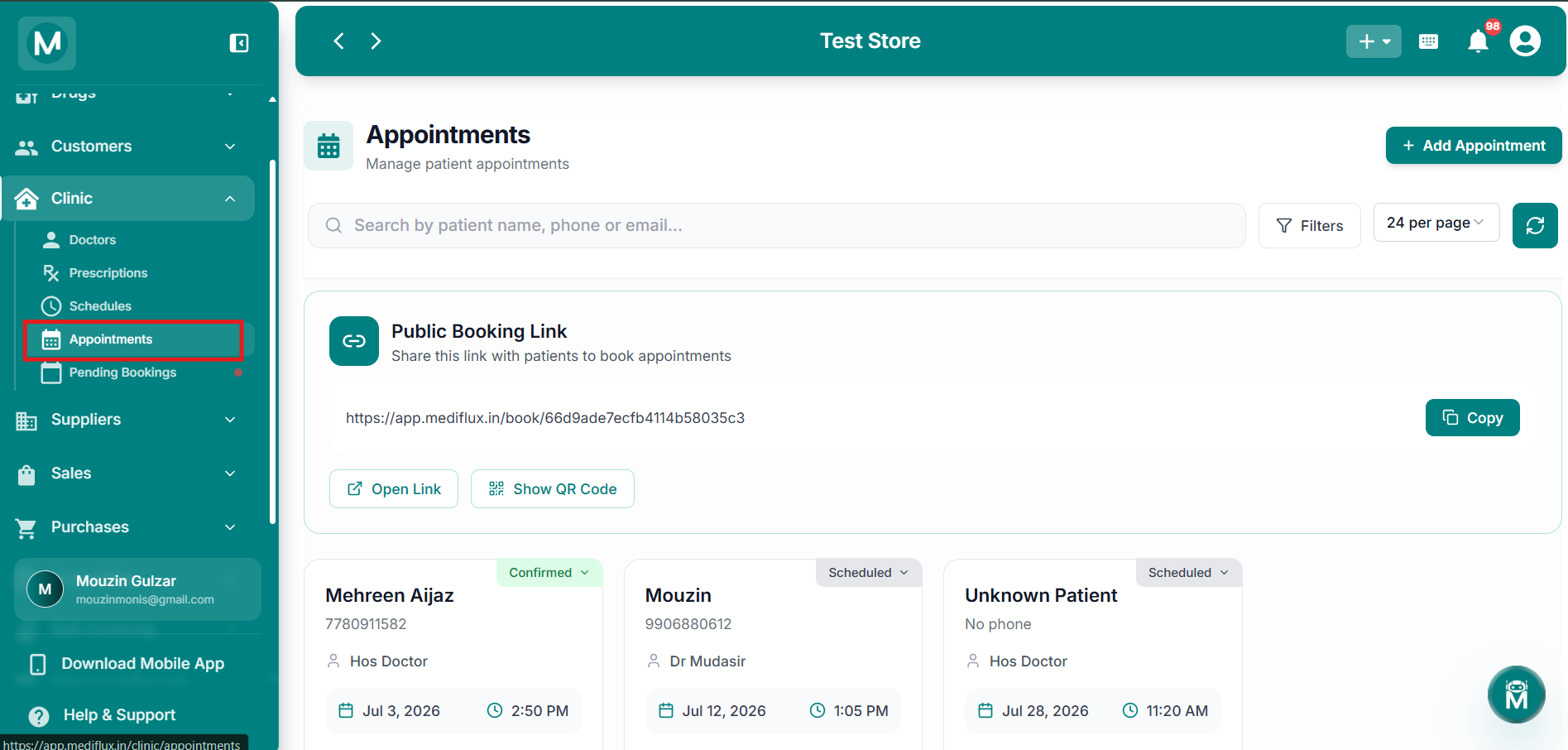
Appointments
Track all booked appointments with patient details, doctors, and time slots.
Pending Bookings
The Pending Bookings page shows new appointment requests waiting for your confirmation. Review each request, check patient details and preferred time slots, and choose to Confirm or Reject. Once confirmed, bookings move to the Appointments page as scheduled.
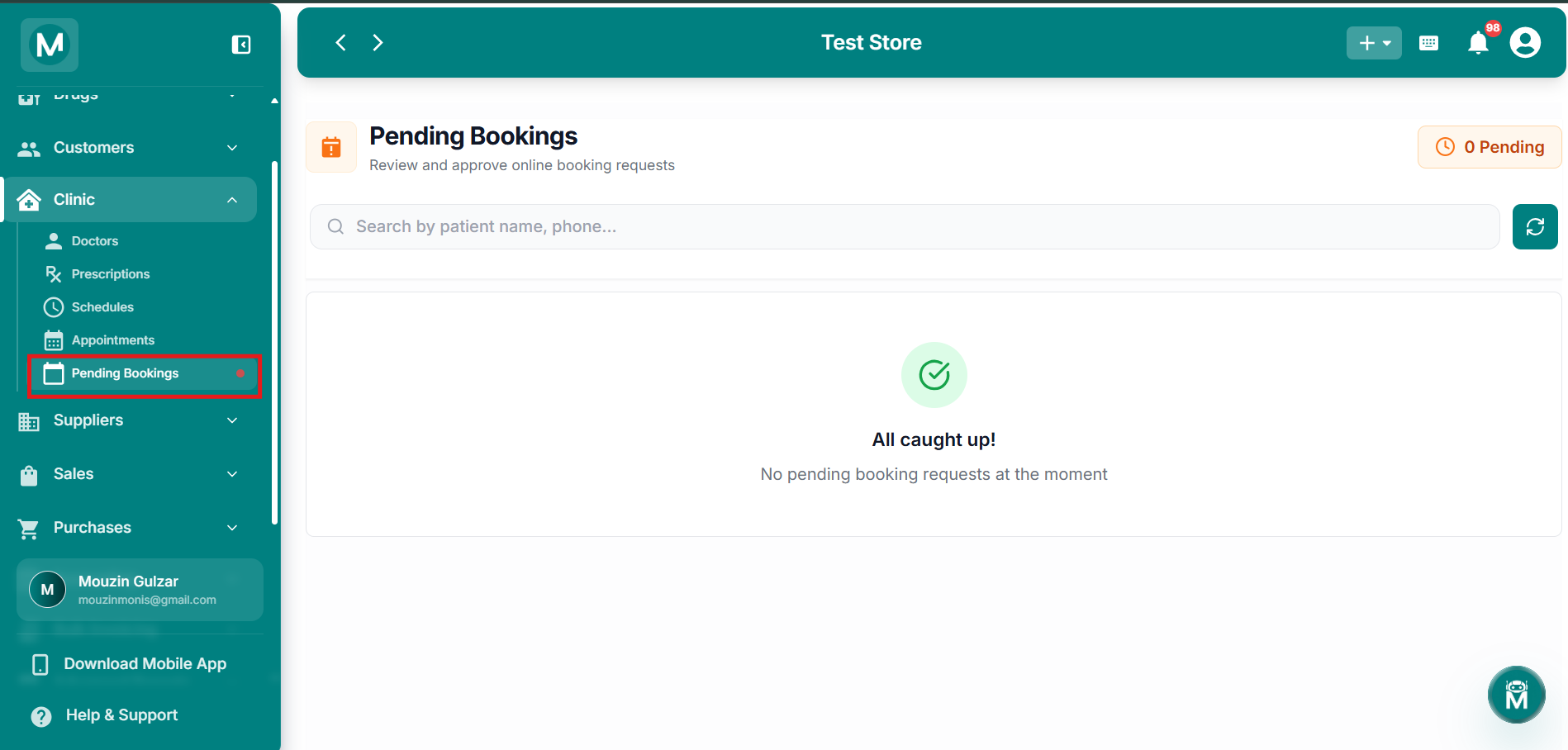
Pending Bookings
Review and confirm or reject new appointment requests before they are scheduled.
Doctor Status
Every doctor profile carries a Status, shown as Active on their profile. This reflects whether the doctor is currently associated with your clinic and available to be scheduled, prescribed against, or booked for appointments.