
Data Management
Permanently delete all transactional data from your store to start fresh.
The Data Management tab gives you a single, irreversible action: permanently deleting all transactional data from your store. This is meant for stores that want a completely fresh start, or that have finished a testing phase and want to clear out test data before going live.
This is a destructive, permanent action. Read this page carefully before using it.
Danger Zone
Clearing your data performs a permanent deletion of all transactional records.
What Will Be Deleted
What Is NOT Deleted
Your login credentials and store settings are not affected, only transactional data is deleted.
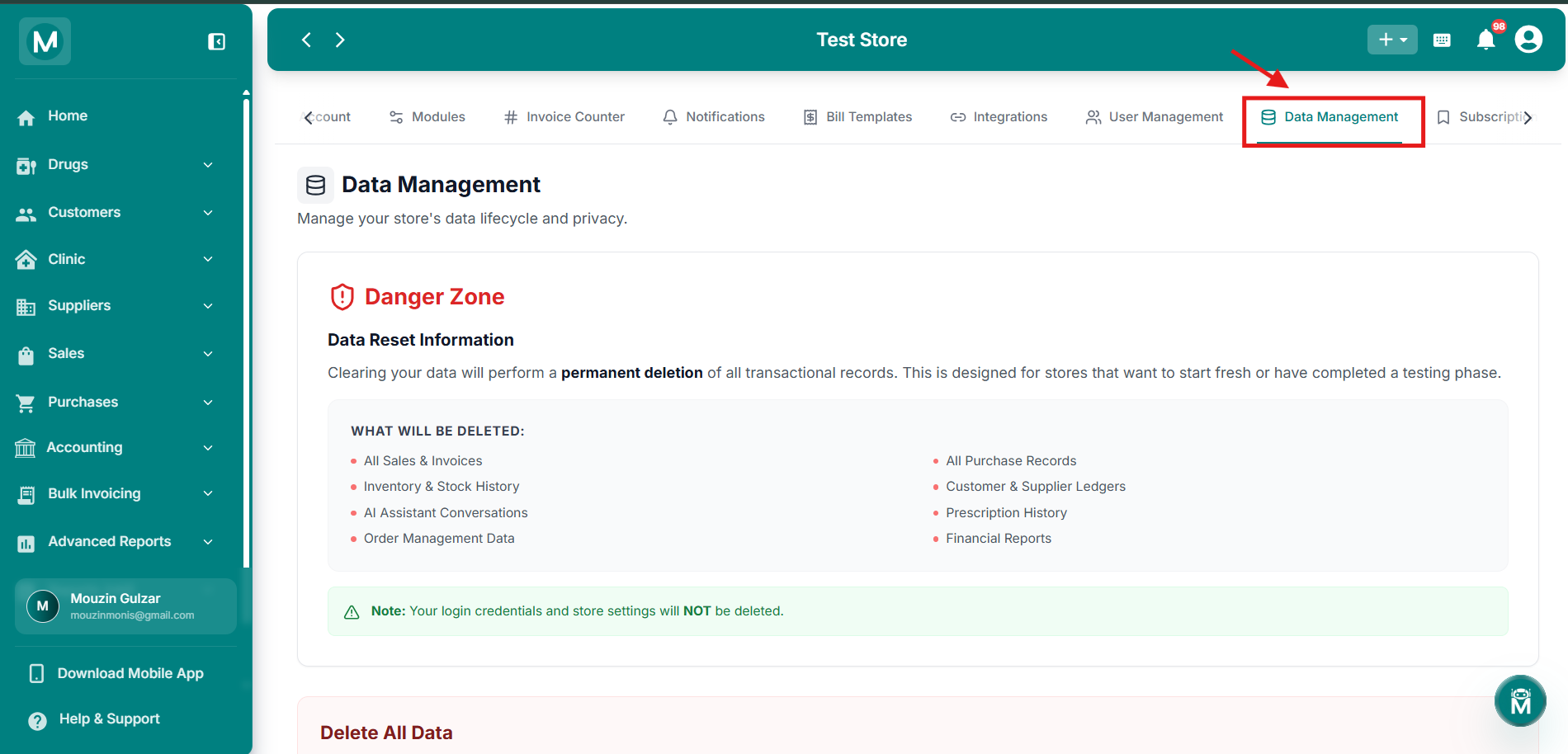
Danger Zone
Overview of what will be deleted and what remains untouched.
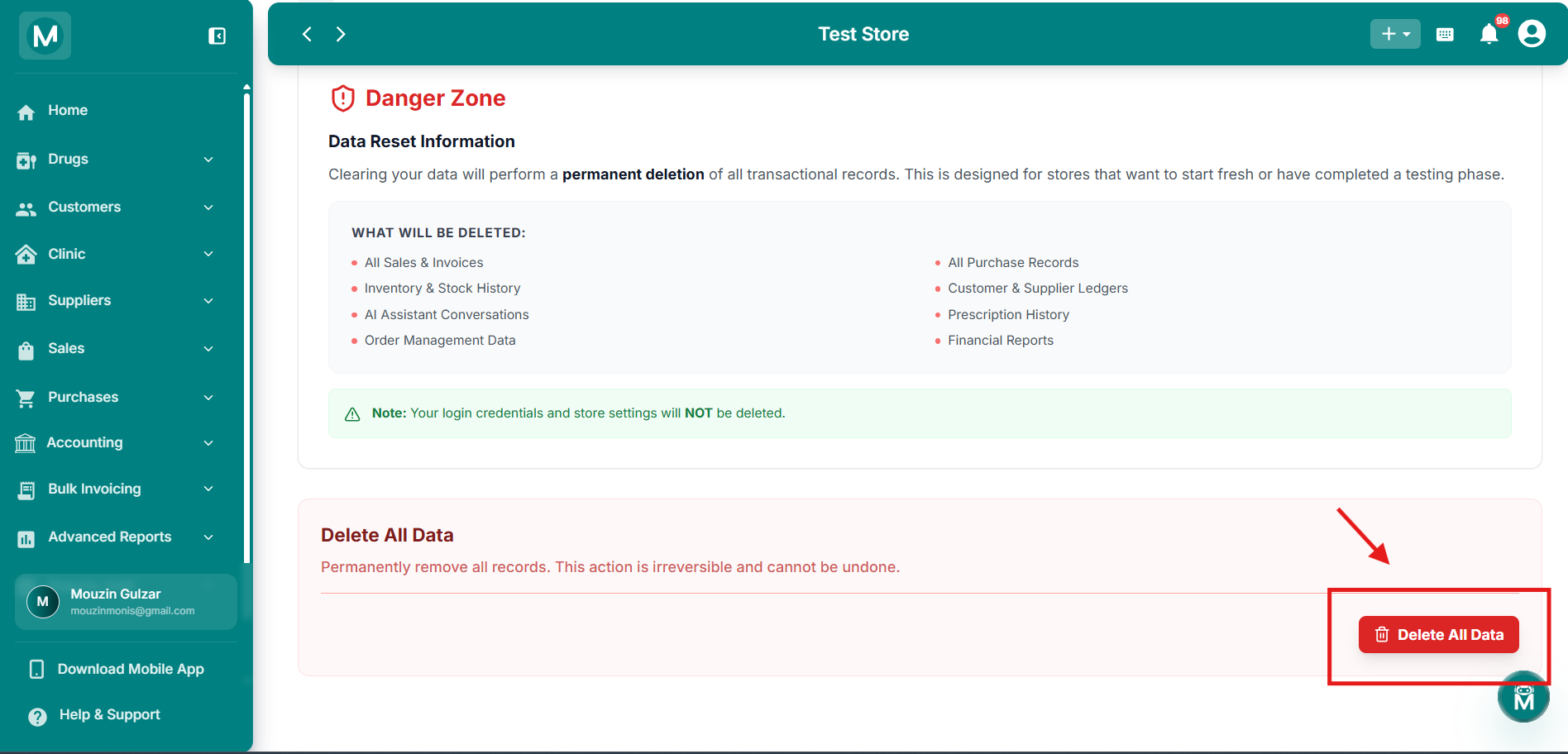
What Will Be Deleted
Complete list of transactional data types that will be permanently removed.
Deleting All Data
Click Delete All Data to begin. A confirmation dialog asks you to type the phrase delete my data exactly to proceed.
To confirm you want to delete all data, including all inventory, sales, purchases, customers, suppliers, and ledgers, type the following phrase: delete my data
Once typed correctly, click Delete Data to confirm.
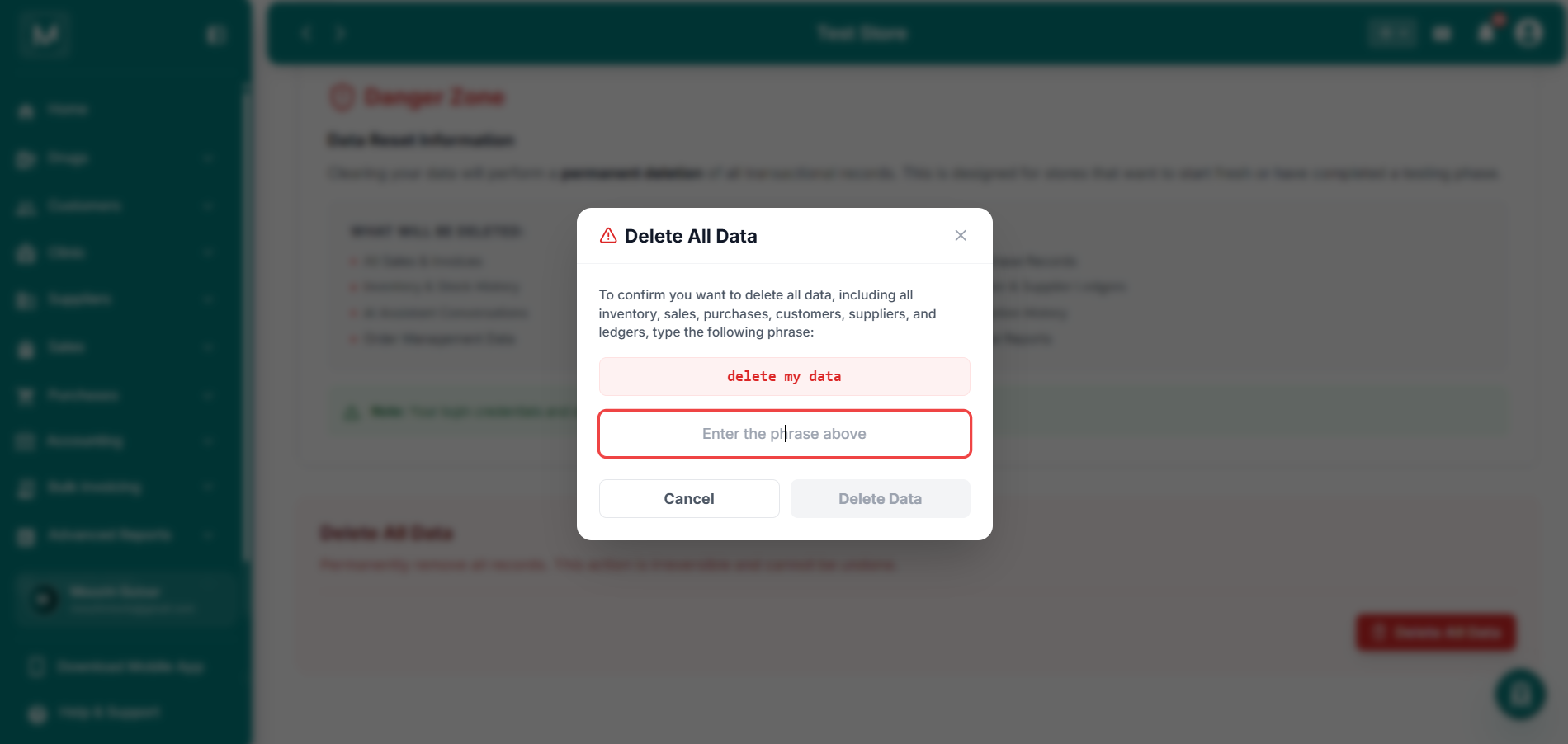
Delete All Data Confirmation
Type 'delete my data' to confirm permanent deletion of all transactional records.
This action is irreversible and cannot be undone. Once confirmed, all your transactional records are permanently deleted, there is no way to recover them afterward.
FAQs
Start Fresh
Your data is cleared. Rebuild your pharmacy records from the ground up.