
Add Credit Note
Issue a credit note against previously sold drugs, select the customer, choose the items, and create the note in seconds.
A Credit Note is issued when a customer returns medicines that were previously sold to them. Instead of manually adjusting the bill, MediFlux lets you select the exact drugs from the customer's sales history and generate a credit note against those items, keeping your records accurate and your inventory updated.
Navigate here from the sidebar: Sales → Add Credit Note.
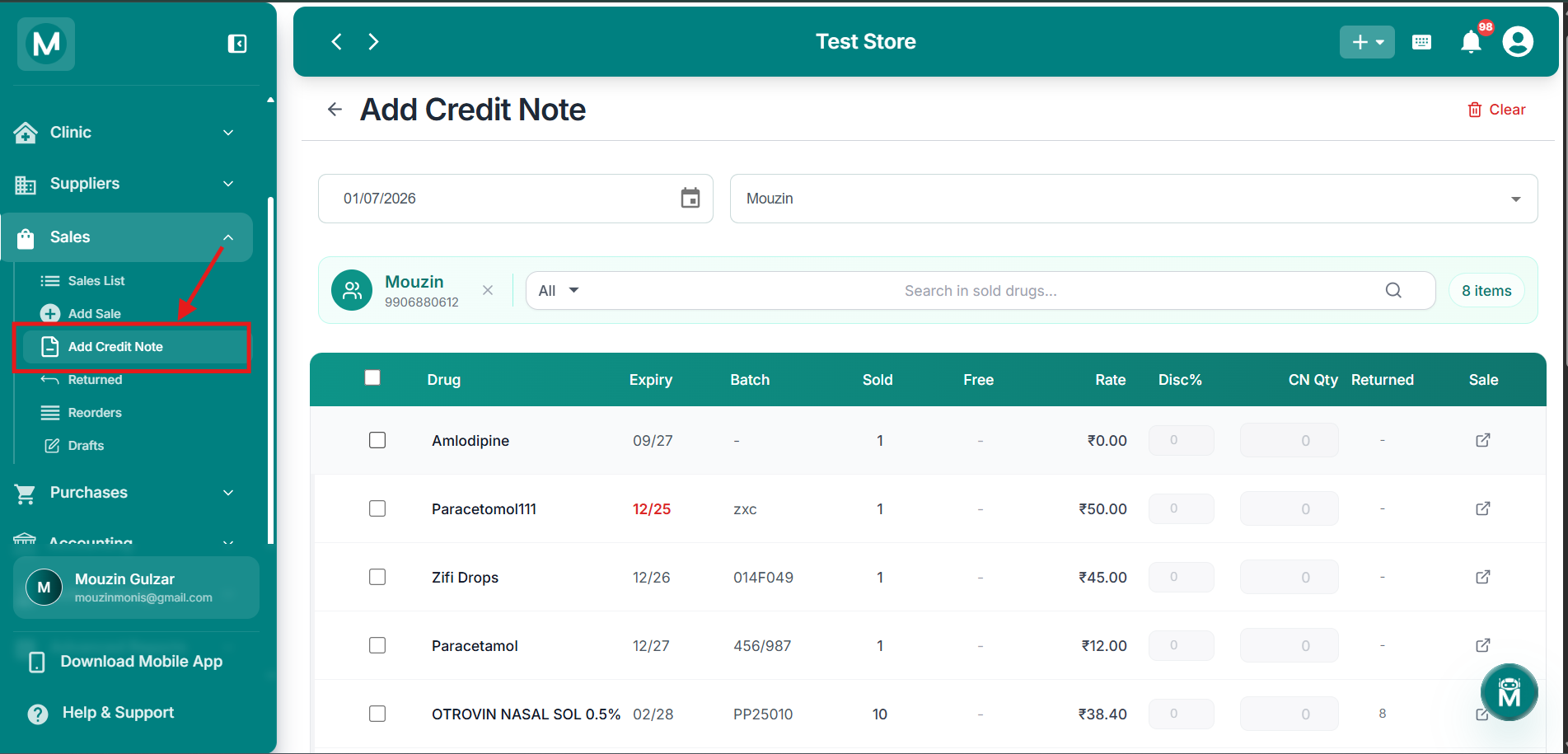
Add Credit Note
Navigate to Add Credit Note from sidebar.
How To Create A Credit Note
Select the date and customer
At the top of the page, set the date for the credit note and search for the customer whose items are being returned.
Once a customer is selected, their profile appears below the search bar showing their name and phone number. Their complete list of previously sold drugs loads automatically, showing X items in total.
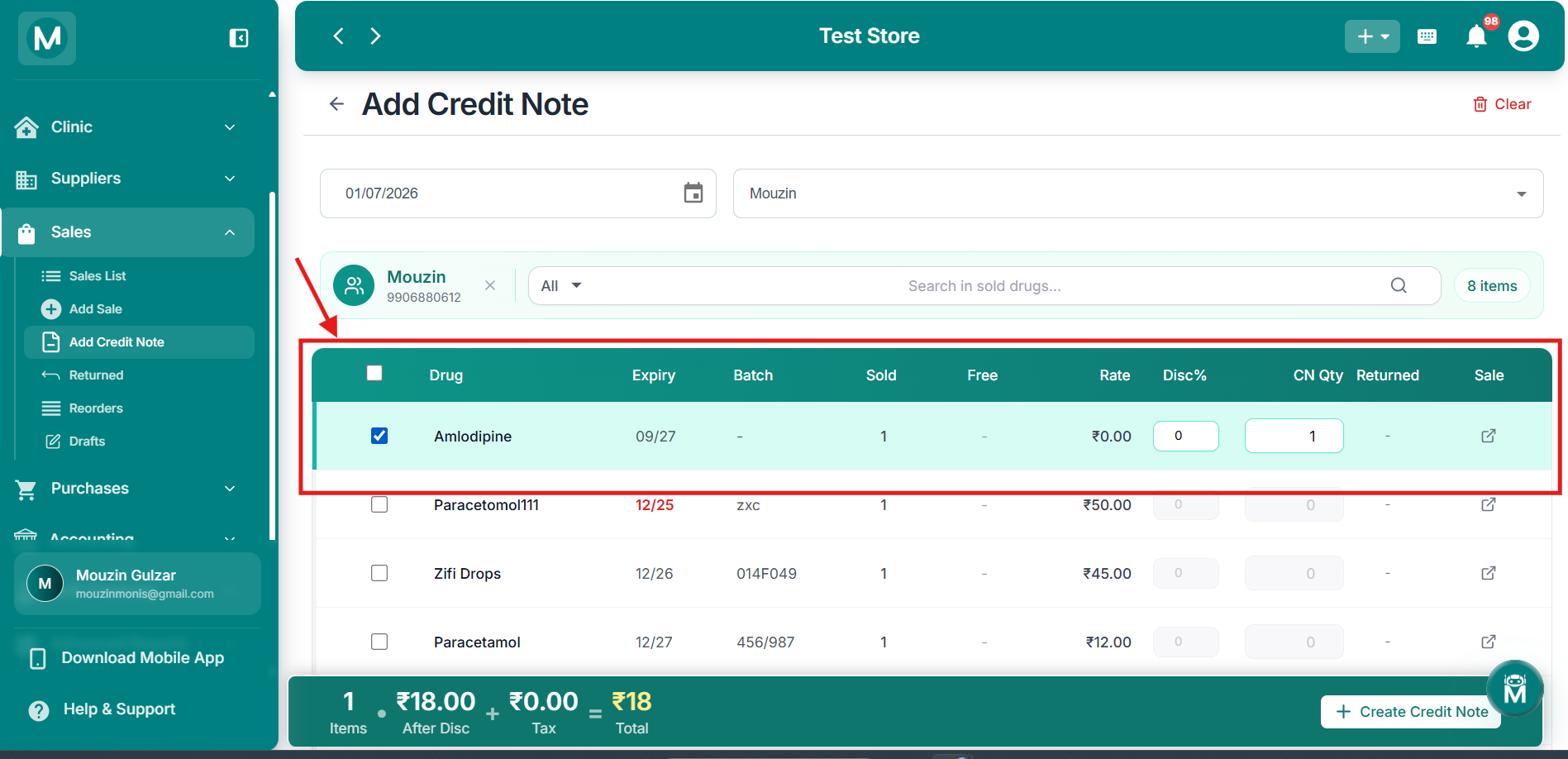
Customer selected
Customer profile loaded with their complete drug sales history.
Select the drugs to return
The drug table shows every drug previously sold to this customer with the following columns:
Tick the checkbox next to any drug to select it for the credit note. Once selected, enter the CN Qty, the number of units being returned. The Disc% field also becomes editable if you need to adjust it.
You can search within the drug list using the Search in sold drugs bar, or use the All dropdown to filter by drug type.
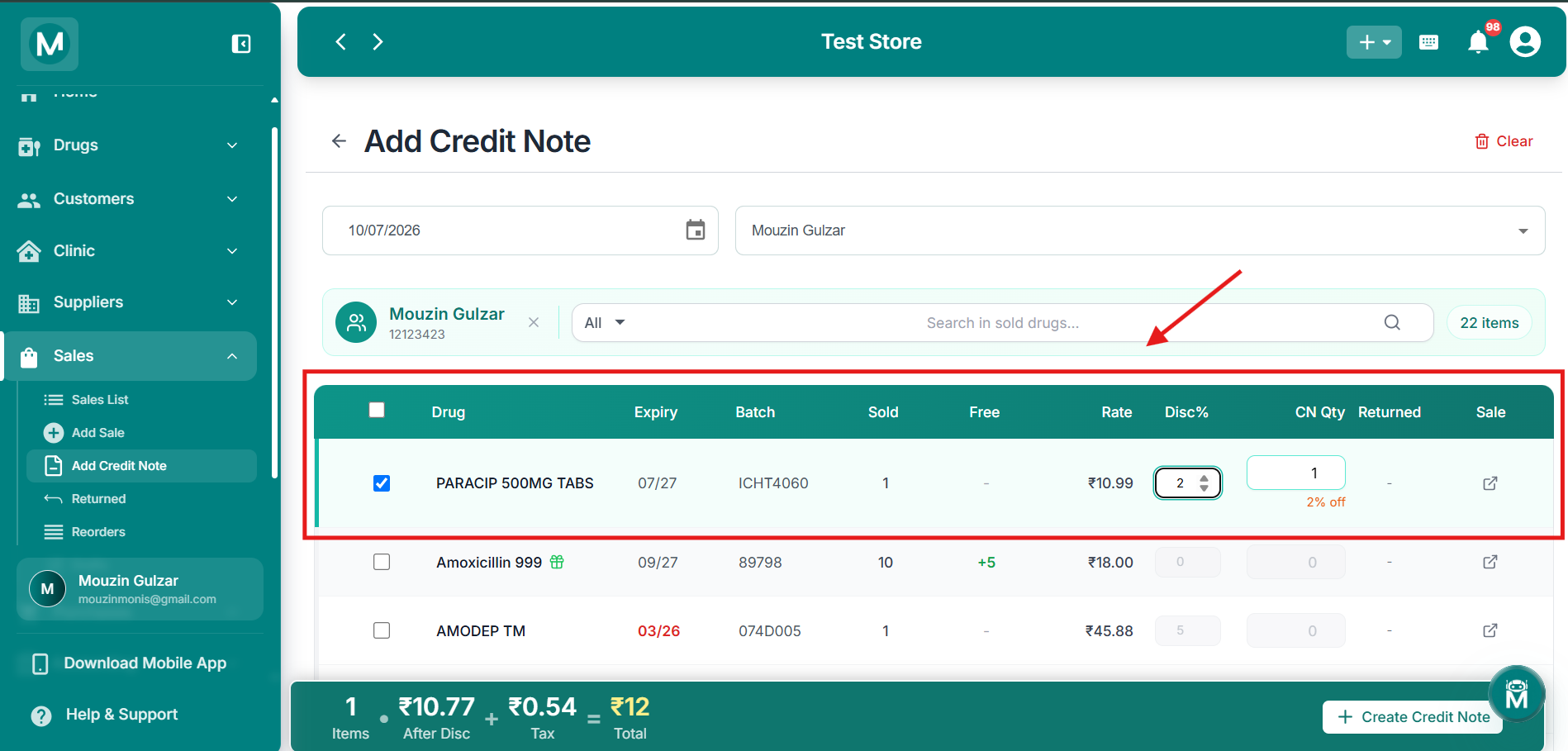
Drug selected for return
CN Qty entered with summary bar showing live totals.
Review the summary and create
As you select drugs, the summary bar at the bottom updates live:
Items · After Disc + Tax = Total
Once you're happy with the selection, click + Create Credit Note to finalise.
Click Clear at the top-right to reset the entire form and start over.
The Credit Note Invoice
Once you click + Create Credit Note, a credit note invoice is generated automatically showing:
- Your store name, address, GSTIN, and DL number
- Credit Note number (e.g.
CN/2026001) and date - Customer name and phone number
- Payment status as Credited
- Full line item breakdown: Item, HSN, Batch, Expiry, Qty, Free, Rate, MRP, Discount, Tax, Total
- Summary: Sub Total, Discount, CGST+SGST, Net Amount, and current Outstanding balance
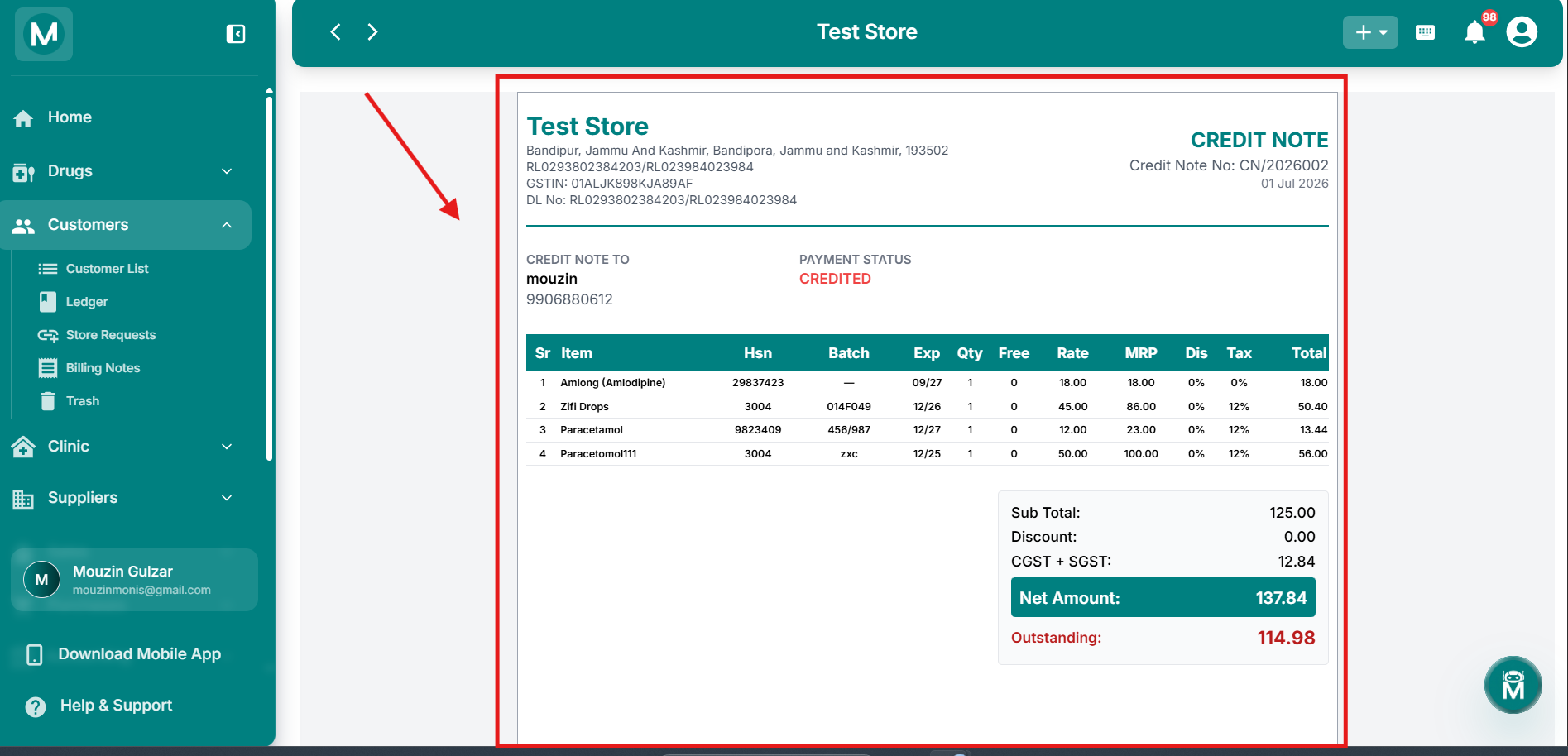
Credit Note invoice
Generated credit note showing store details, line items, and summary.
Once created, this credit note is saved and can be viewed anytime from the customer's Billing Notes.