
Ledgers
Manage your chart of accounts, assets, liabilities, equity, revenues, and expenses.
What are Ledgers
In MediFlux, Ledgers are the individual accounts that make up your Chart of Accounts. Each ledger tracks a specific category of financial activity - from cash in your bank to money owed by customers, from sales revenue to monthly rent. Every transaction you record posts to at least two ledgers, keeping your books balanced automatically.
Open your Chart of Accounts
Go to Accounting → Ledgers from the left sidebar. You will see your full Chart of Accounts with all parent groups collapsed by default.
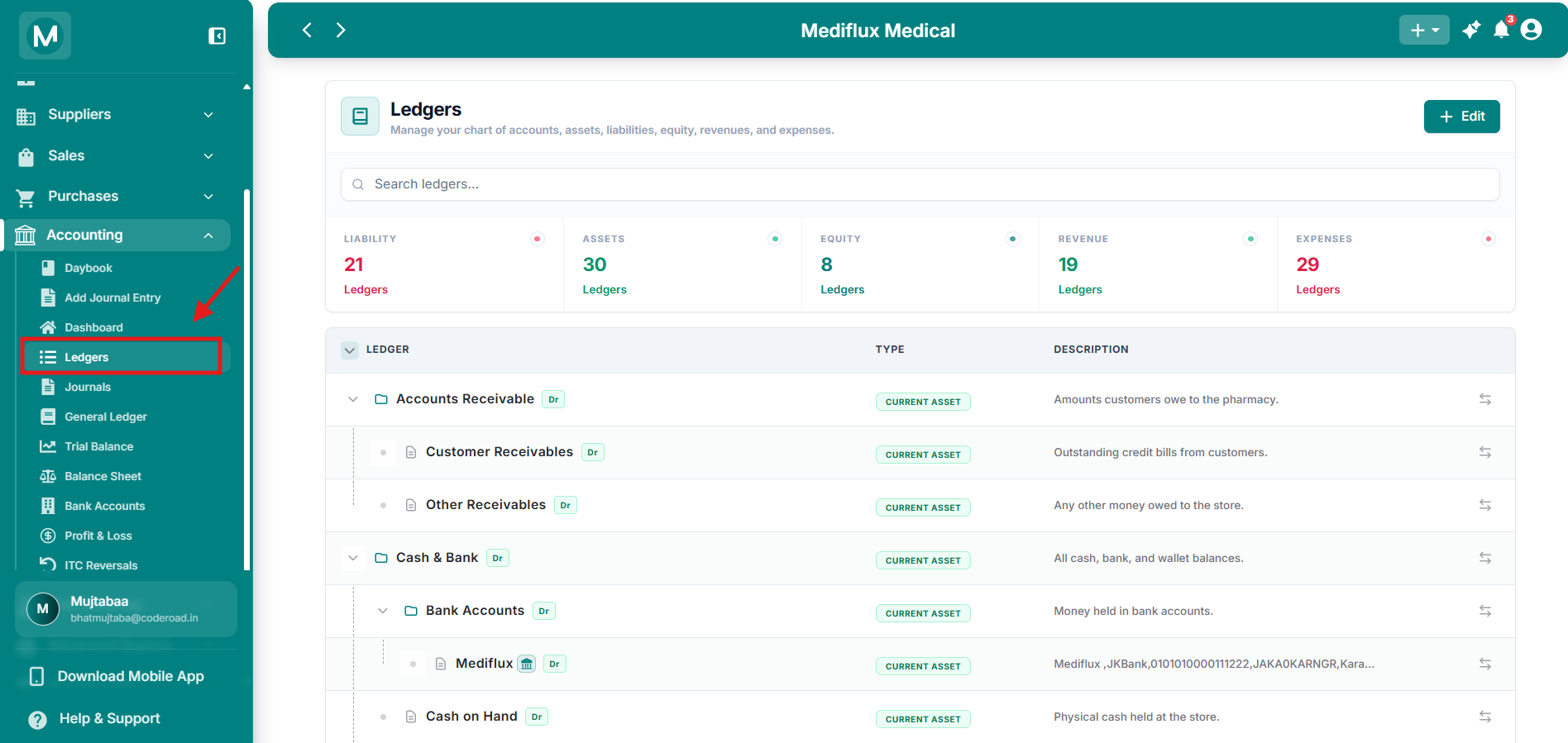
Ledgers overview
Ledgers page with all parent accounts collapsed.
Find and filter accounts
Use Search Ledgers at the top to find any account by name instantly.
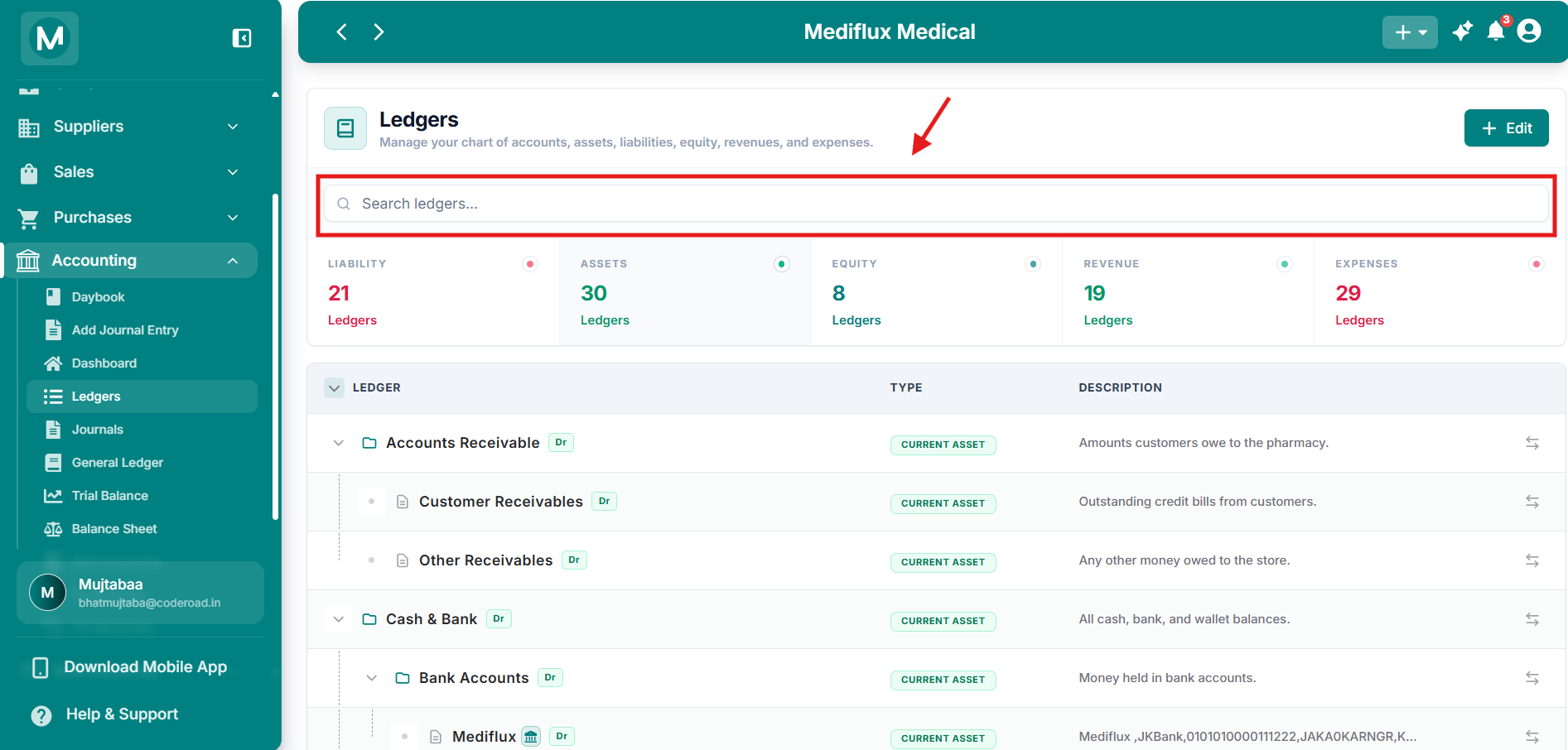
Search Bar
Search Ledger directly by account name.
Below the search bar, five filter cards let you narrow the table to a specific account group. Click any card to show only accounts from that group:
Click the same card again to clear the filter and return to the full list.
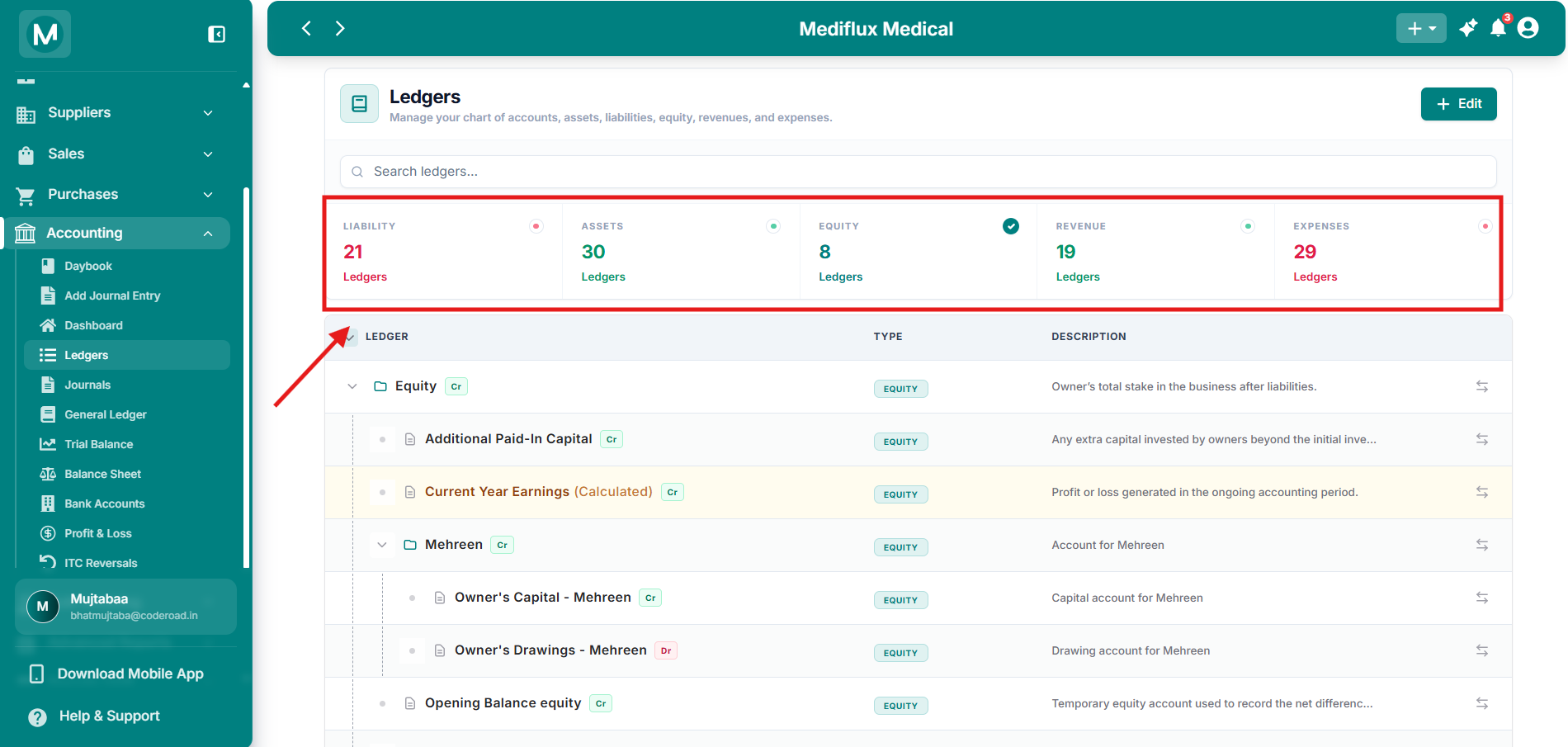
Filter Cards
Equity filter active - only equity accounts are visible.
Browse the accounts table
The main table lists every ledger in a nested tree. Parent groups (like Cash & Bank or Inventory) show folder icons and can be expanded to reveal their child accounts. Leaf-level accounts show document icons.
What is Normal Balance? In double-entry accounting, every account type has a normal balance - the side (debit or credit) on which the account naturally increases. Assets and expenses normally increase on the debit side (
Dr). Liabilities, equity, and revenue normally increase on the credit side (Cr). TheDr/Crbadge in the UI shows this normal balance.
Click the arrow icon at the far right of any row to jump directly to that account's General Ledger. This opens a dedicated report showing every transaction posted to that ledger, with running balances and date filters.
Edit Chart of Accounts
Click + Edit at the top of the Ledgers page to open the Setup Chart of Accounts screen. This is where you control which accounts are active and can edit account names or descriptions.
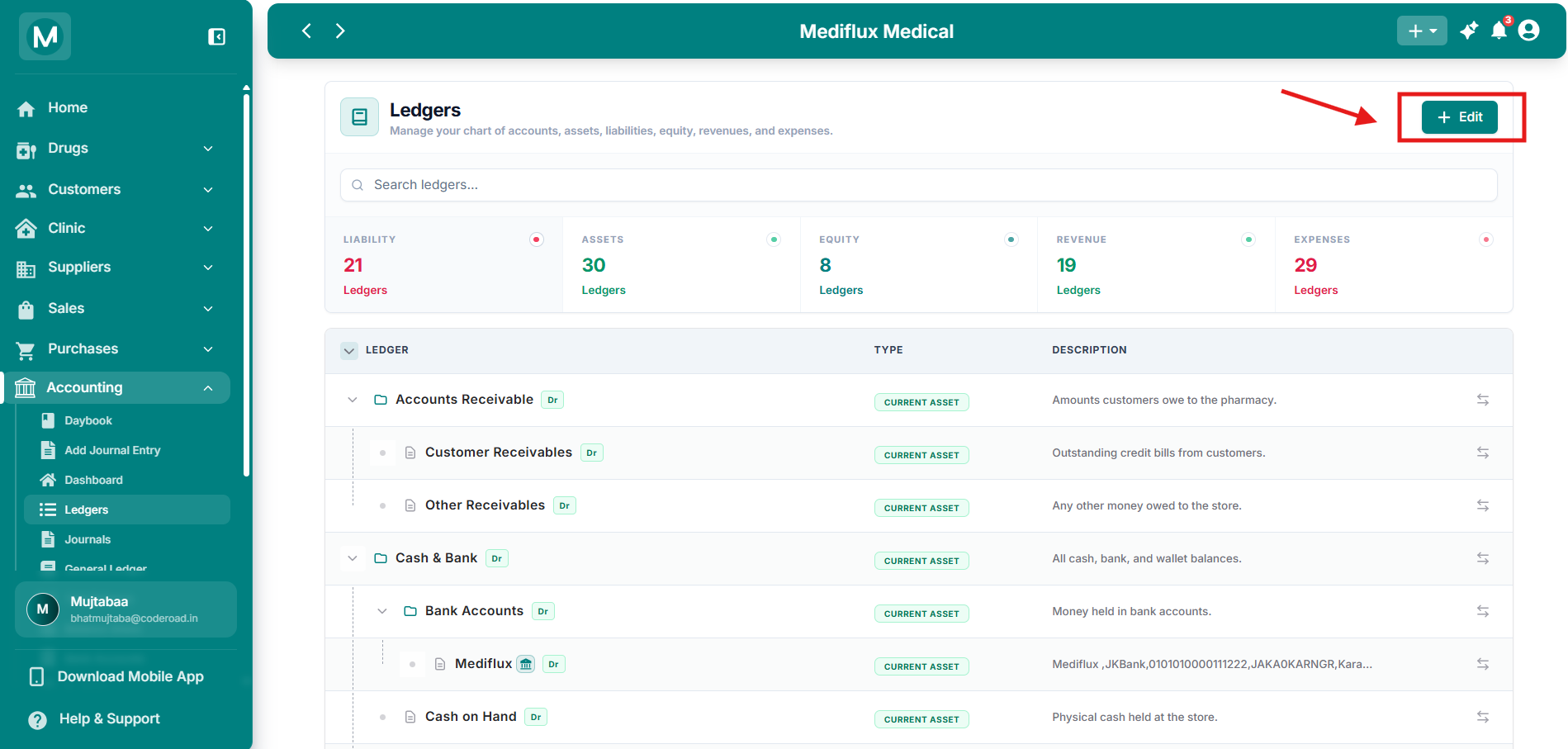
Edit Button
Click + Edit on the Ledgers page to open this screen. Select accounts and manage the nested tree.
What you can do on this screen
- Add new accounts using the ADD NEW ACCOUNTS section at the top (for example, add Owner capital).
- Expand parent groups to see child accounts.
- Check or uncheck accounts to include or exclude them from your Chart of Accounts.
- Accounts marked with a red asterisk (
*) are required and cannot be unchecked. - Click Update in the top-right to save your changes.
Edit an account name or description
Click the pencil (edit) icon on the right side of any account row. The Edit Custom Account dialog opens.
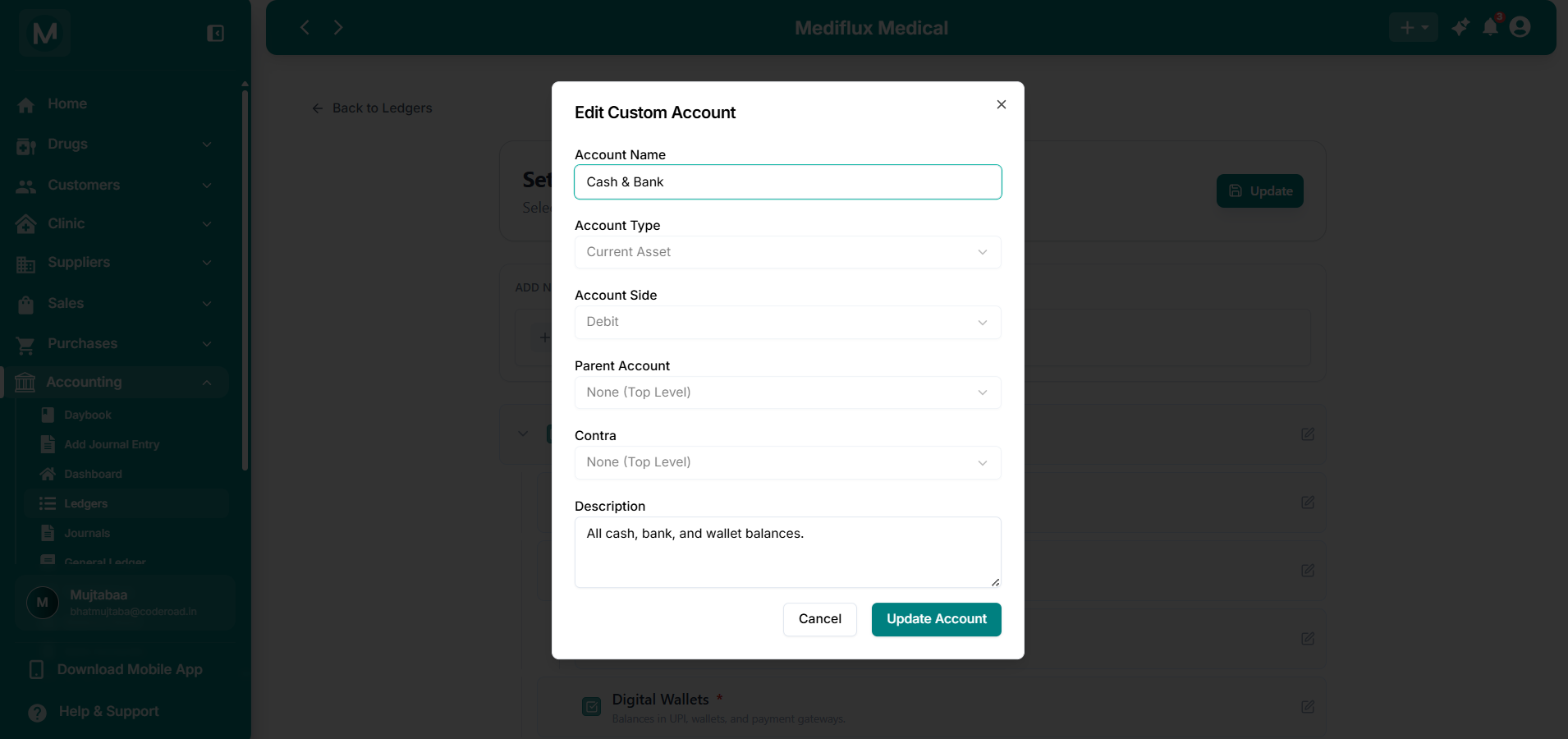
Edit Custom Account
Change the Account Name and Description, then click Update Account.
In this dialog you can:
- Change the Account Name
- Update the Description
Other fields (Account Type, Account Side, Parent Account, Contra) are shown for reference. After making changes, click Update Account to save.
Click Cancel or the X to close without saving.
Account breakdown
The following sections list every parent group and its child accounts. Parent groups that contain further sub-groups are shown in bold. Use these tables as a quick reference to understand what each ledger tracks and where your transactions post.
Assets
Assets are what your pharmacy owns. They are split into Current Assets (convertible to cash within a year) and Non-Current Assets (long-term holdings).
Current Assets
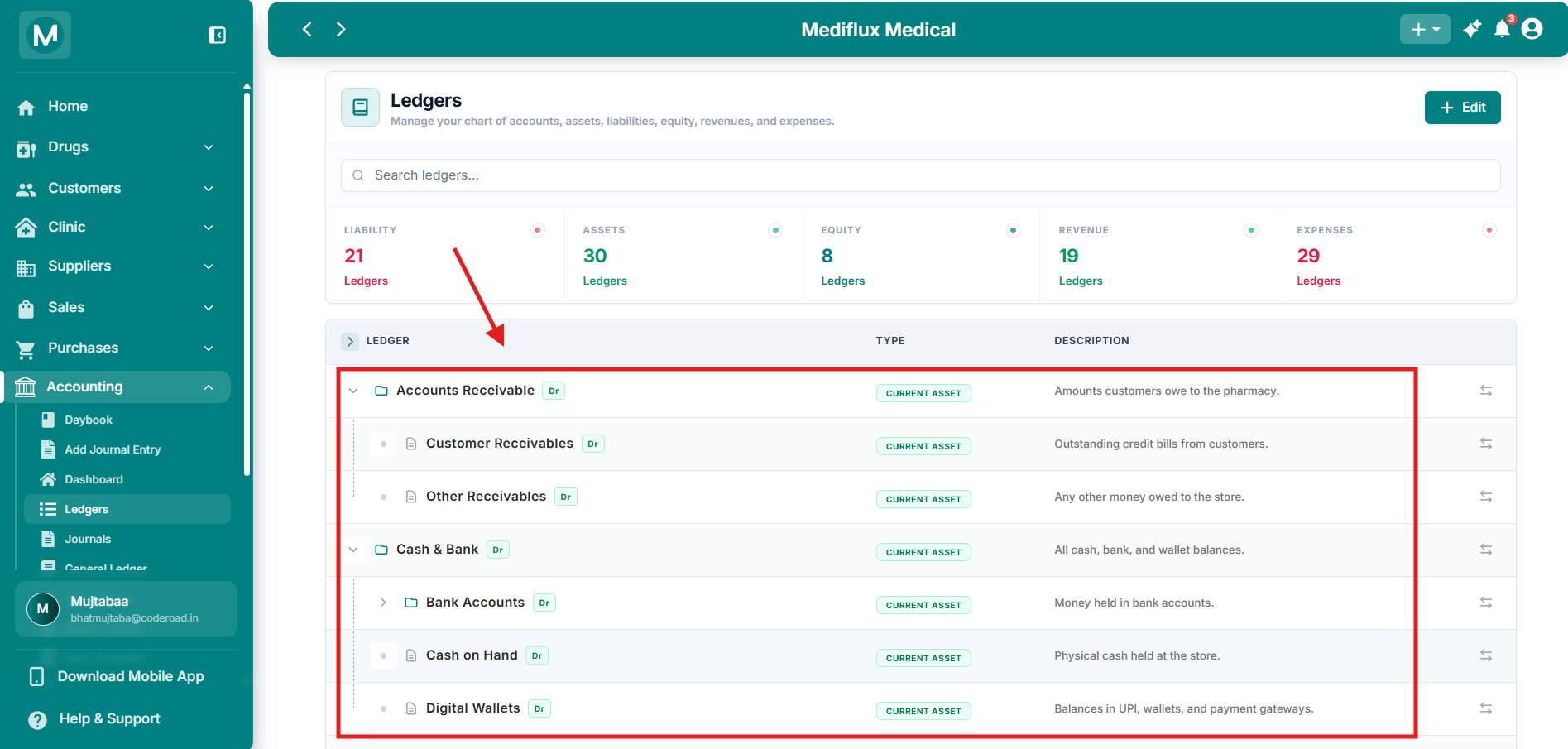
Assets expanded
Nested child accounts under each parent group.
Non-Current Assets
Note:
Accumulated Depreciationcarries aCrbalance because it is a contra-asset account. It reduces the book value of your fixed assets over time rather than adding to them.
Liabilities
Liabilities are what your pharmacy owes to others. They are split into Current Liabilities (due within a year) and Non-Current Liabilities (due after more than one year).
Current Liabilities
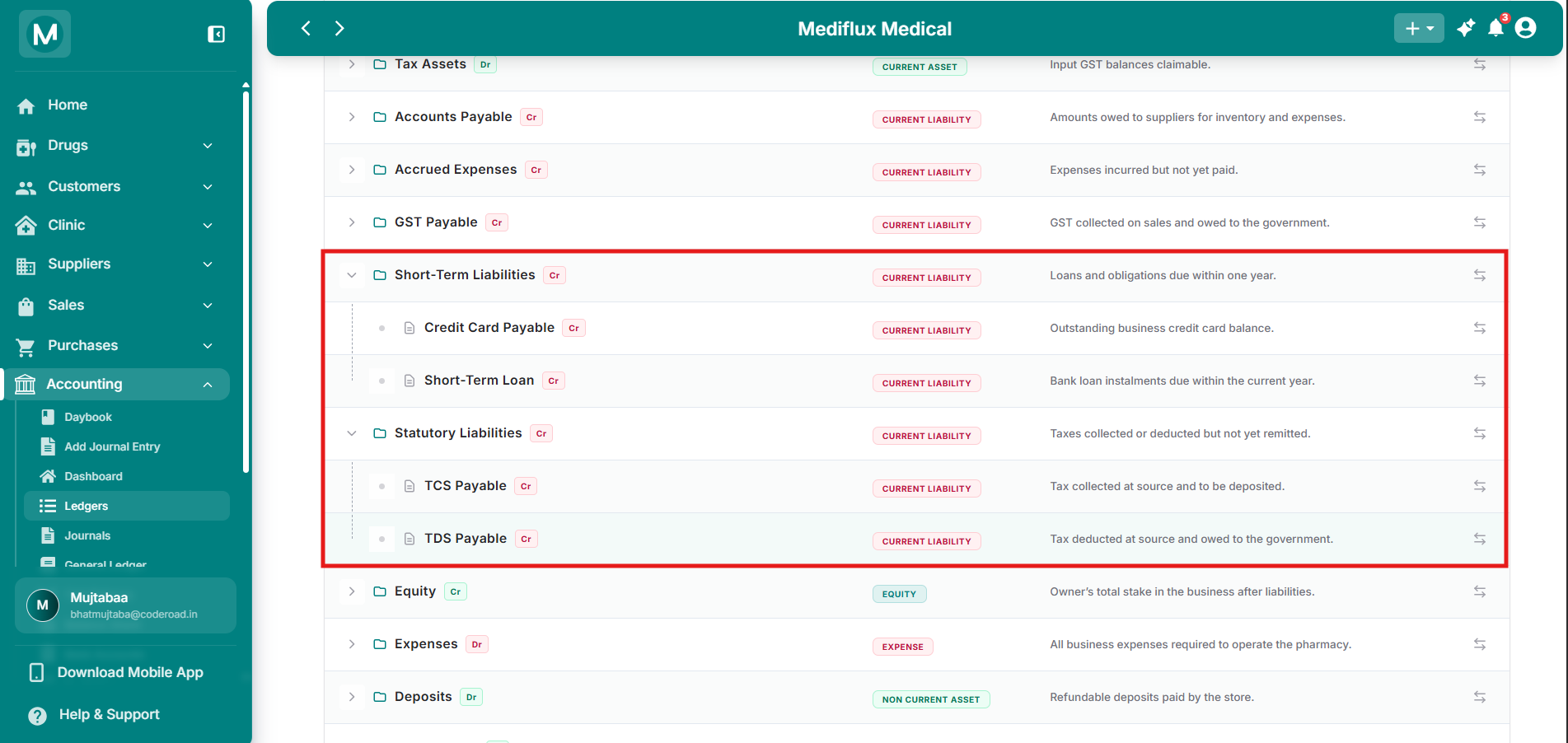
Liabilities expanded
Nested child accounts under each parent group.
Non-Current Liabilities
Equity
Equity represents the owner's stake in the business. These accounts track capital invested, drawings taken, and profits retained.
Note:
Mehreen Aijazis shown here as an example partner account. In your system, you will see the name of the partner or owner you configured during setup.
Current Year Earnings (Calculated)is highlighted in the table because it is auto-computed by MediFlux. It aggregates all revenue and expense transactions for the current accounting period. You cannot post manual journal entries to it.
Partner Remunerationsits under the Equity parent but is tagged asEXPENSEbecause it represents an operating cost paid to the partner for services rendered.
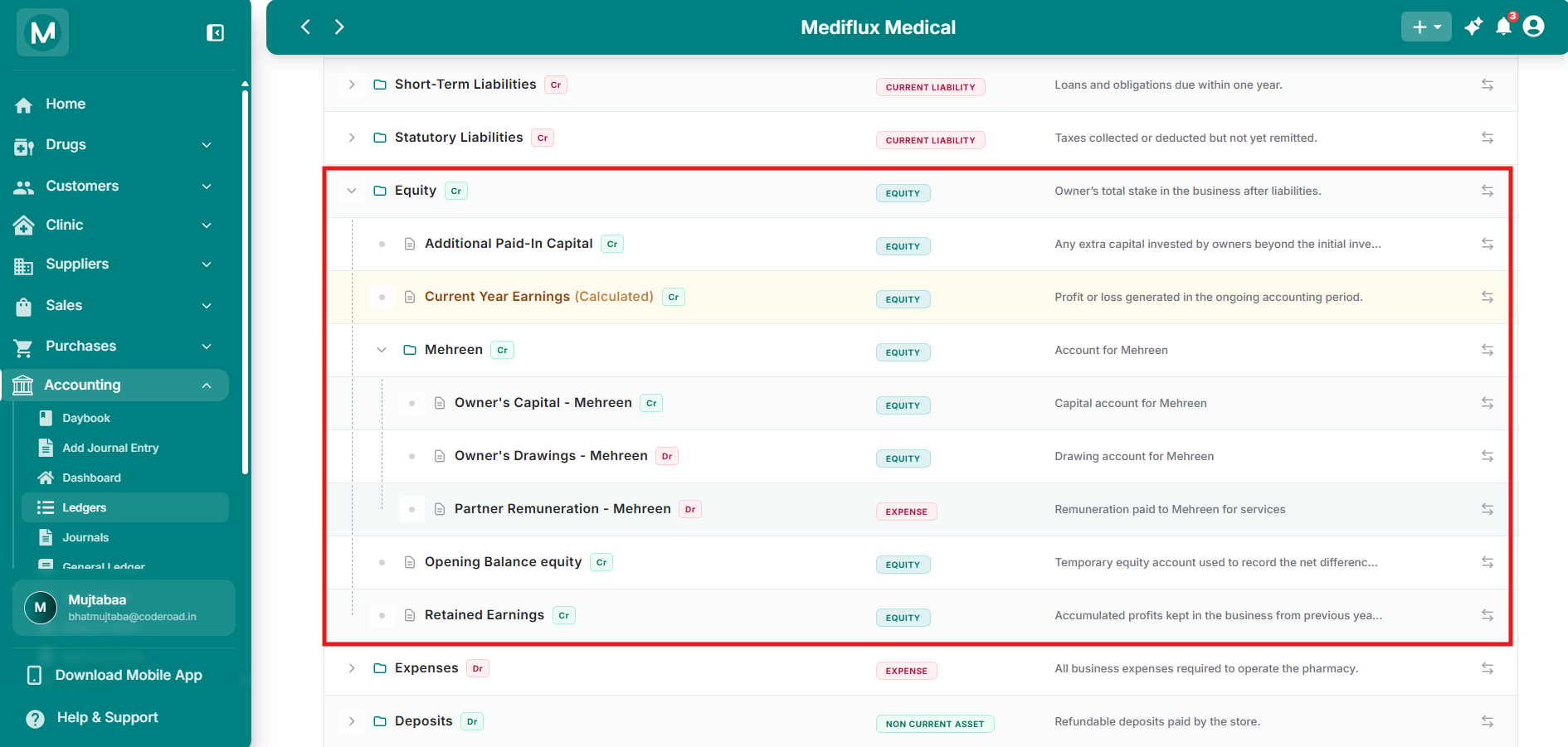
Equity expanded
Partner capital, drawings, and retained earnings.
Revenue
Revenue accounts track all income earned by the pharmacy.
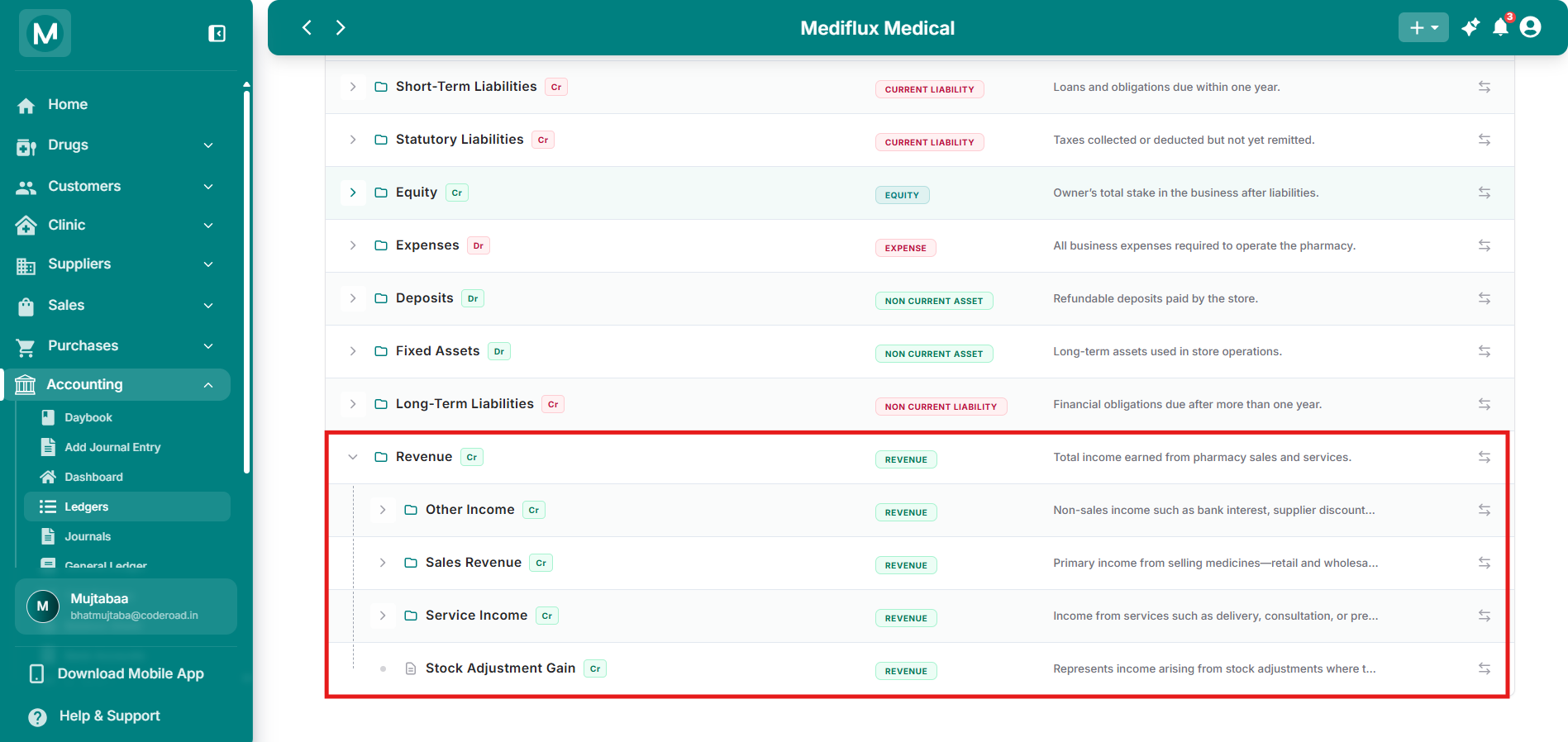
Revenue expanded
Nested sales revenue, other income, and service income accounts.
Note: Discount and return accounts carry a
Drbalance because they are contra-revenue accounts. They reduce your total revenue rather than add to it.
Expenses
Expense accounts track every cost of running the pharmacy.
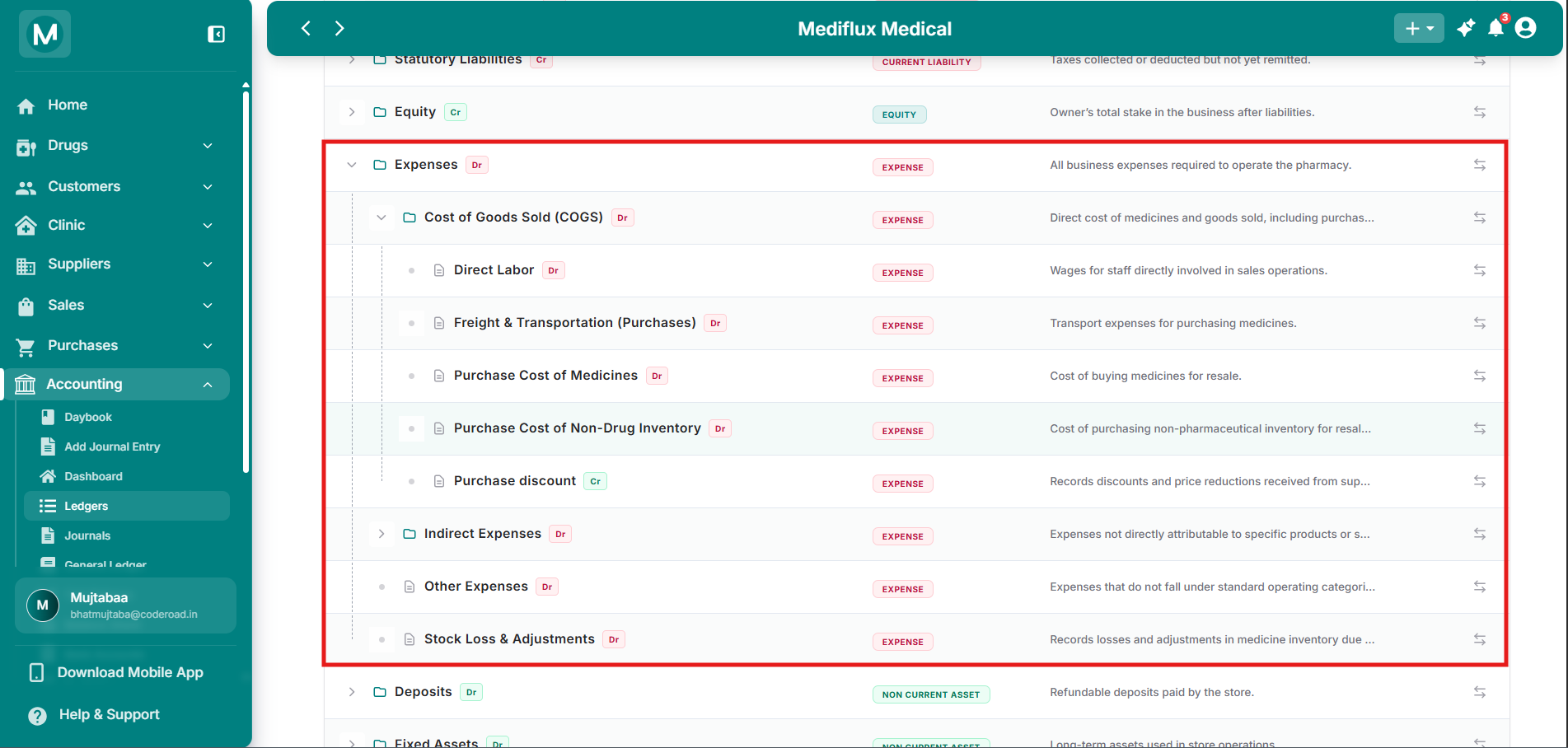
Expenses expanded
Nested cost of goods sold, indirect expenses, and other operating costs.
Note:
Purchase discountcarries aCrbalance because it is a contra-expense. It reduces your total cost of purchases rather than adding to it.
Common Mistakes To Avoid
Creating duplicate accounts for the same purpose
Before adding a custom ledger, search the existing list. If you create Shop Rent when Rent Expense already exists, your payments split across two ledgers and you will never see your true rent total in reports.
Posting manual entries to auto-computed accounts
Current Year Earnings (Calculated) is updated automatically by MediFlux. If you post a manual journal entry to it, your Profit & Loss will be permanently incorrect and cannot be fixed without reversing the entry.
Frequently asked questions
Next steps
Add a Journal Entry
Learn how to manually record transactions that hit multiple ledgers.
Ledger Reports
View detailed transaction history and balances for any individual ledger.
Trial Balance
See a summary of all ledger balances to verify your books are in balance.
Accounting Fundamentals
Review the basics of debits, credits, and financial statements.