
Invoice Counter
Configure invoice numbering format, counters, and auto-reset behavior for sales and purchases.
The Invoice Counter tab controls how invoice numbers are generated across MediFlux, the prefix, numbering format, date components, and whether the counter resets periodically. Sales and Purchases have their own independent settings, so you can configure each separately.
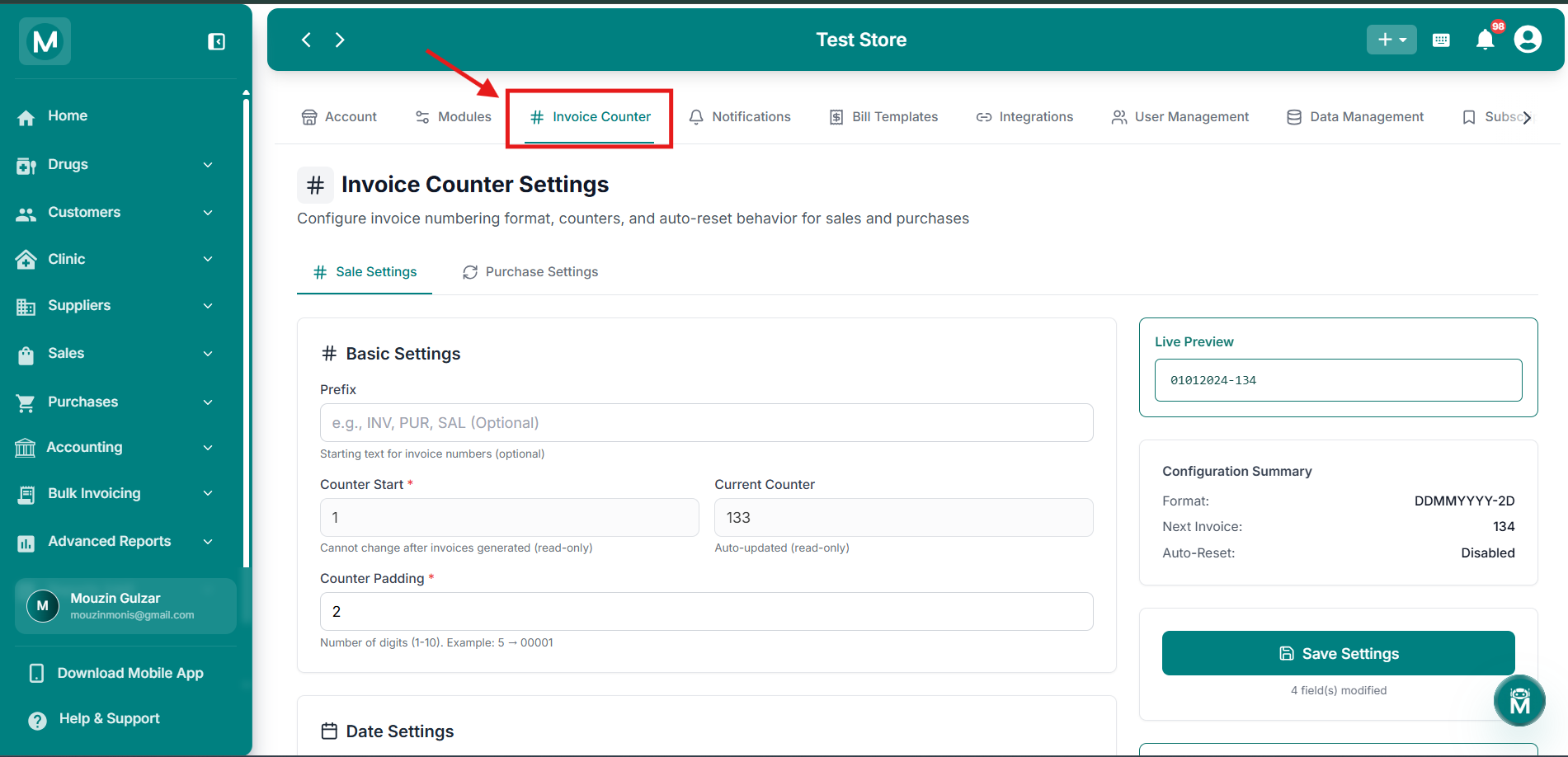
Invoice Counter
Configure invoice numbering format, counters, and auto-reset behavior for sales and purchases.
Sale Settings And Purchase Settings
At the top of the page, two tabs let you configure invoice numbering separately for Sale Settings and Purchase Settings. Both have the same fields, but changes to one don't affect the other.
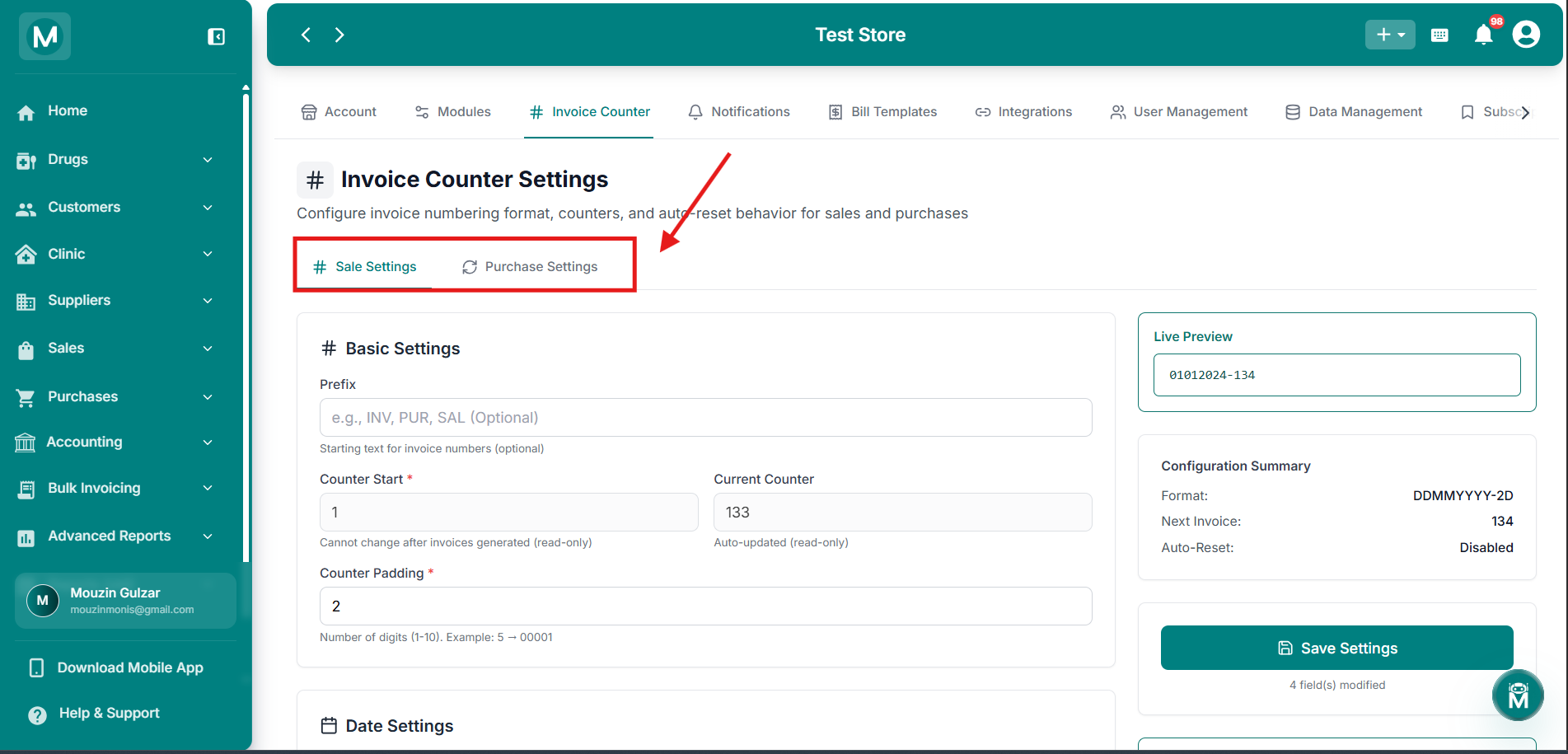
Sale Settings and Purchase Settings
Toggle between Sale Settings and Purchase Settings tabs to configure each independently.
Basic Settings
Date Settings
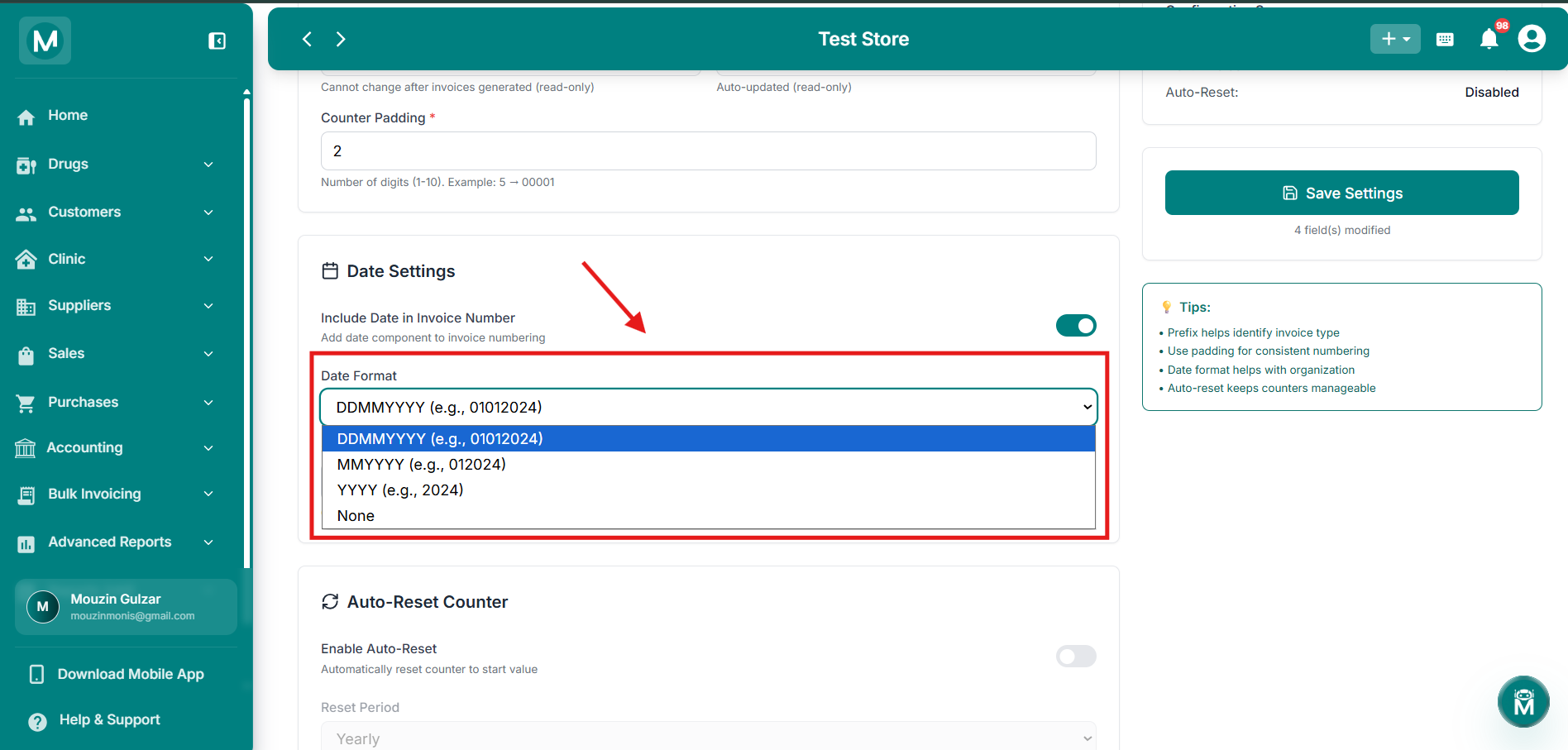
Date Format Dropdown
Choose from DDMMYYYY, MMYYYY, YYYY, or None for your invoice numbering.
Auto-Reset Counter
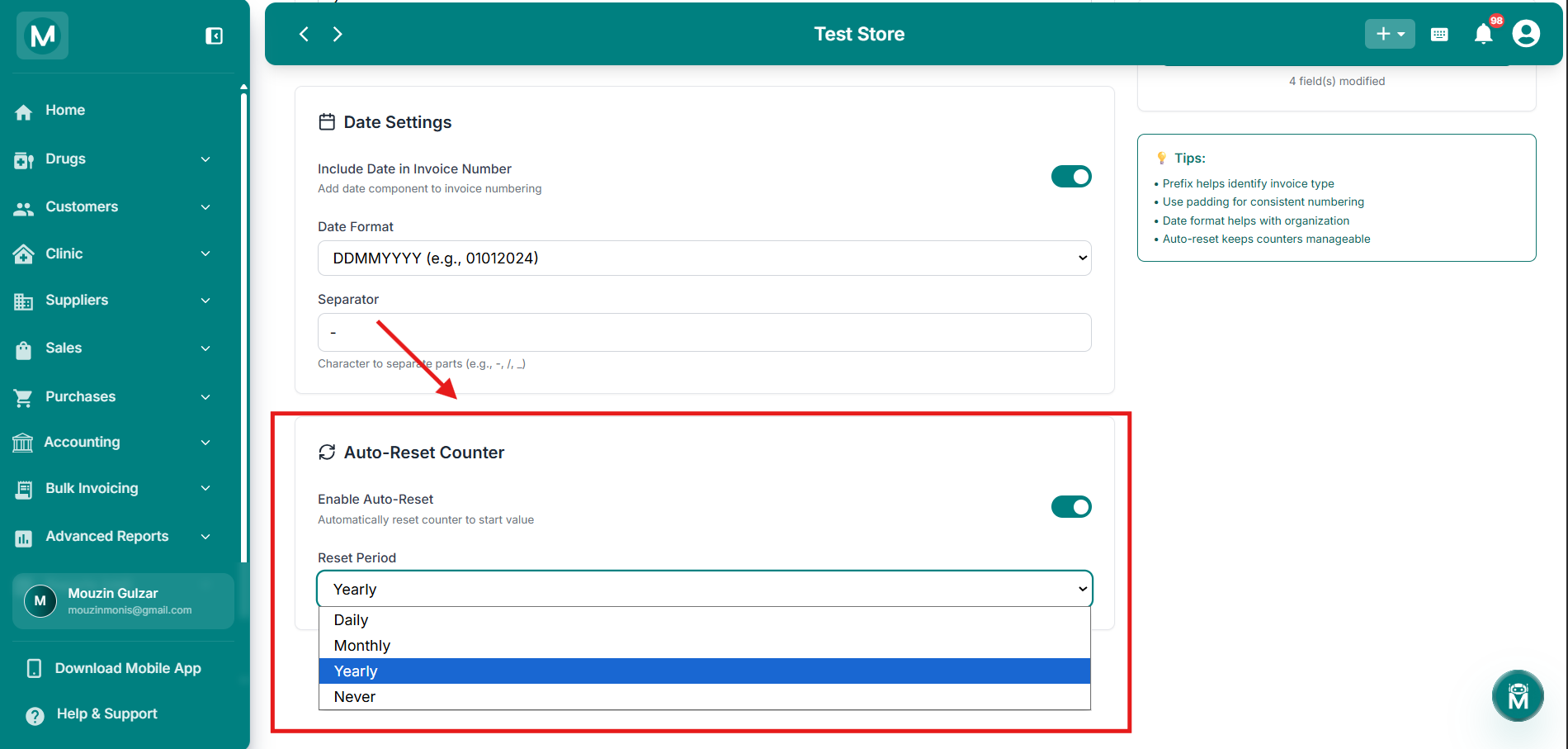
Reset Period Dropdown
Set the counter to reset Daily, Monthly, Yearly, or Never.
Auto-reset is useful if you want your invoice numbers to restart each year or month (e.g., starting fresh at 001 every January), rather than counting up indefinitely.
Live Preview And Configuration Summary
As you adjust these settings, a Live Preview on the right shows what your next invoice number will look like. Below it, a Configuration Summary shows your current Format, Next Invoice number, and Auto-Reset status at a glance.
Click Save Settings to apply your changes. The button shows how many fields have been modified, and displays No Changes when nothing's been edited.
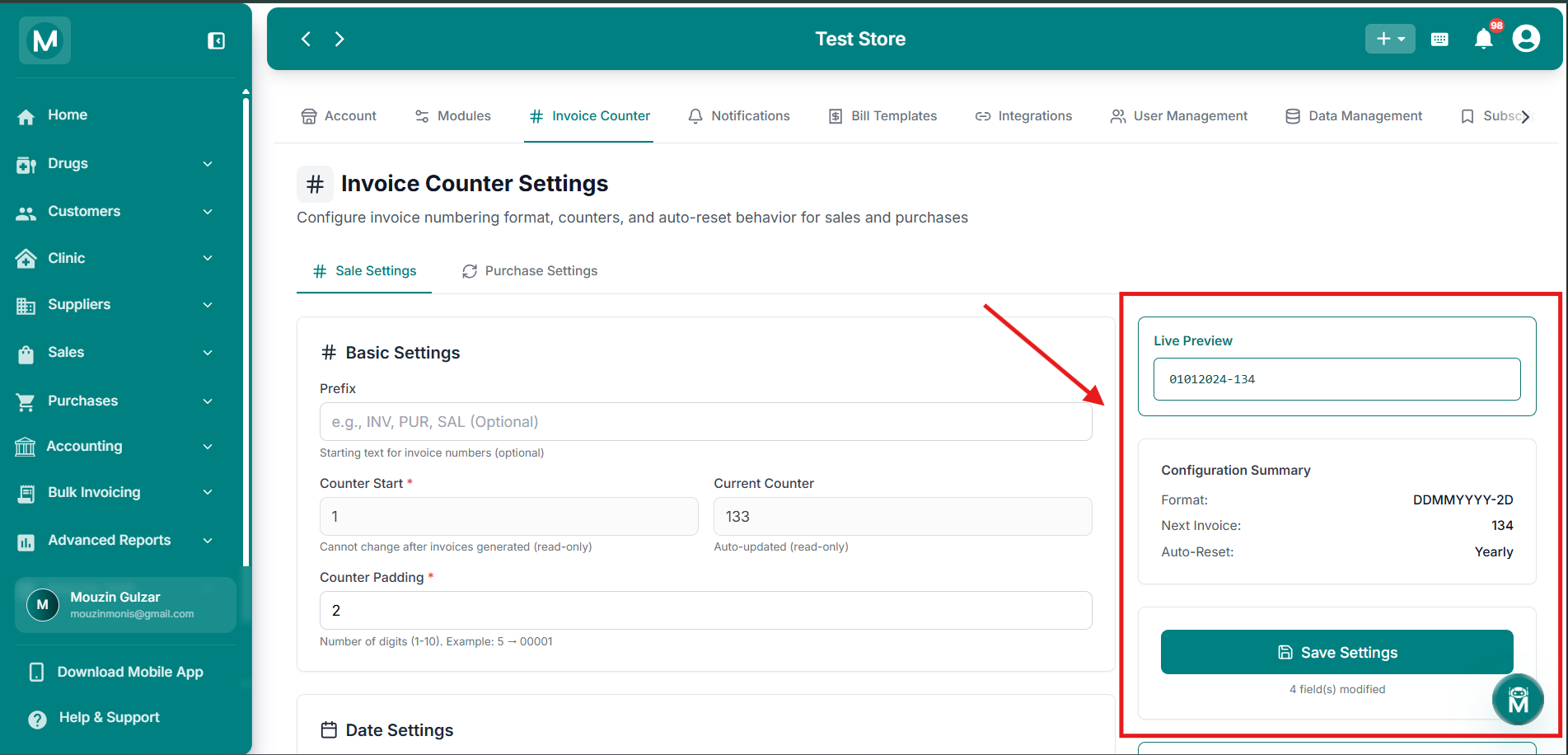
Live Preview and Configuration Summary
See your next invoice number and current configuration at a glance.
FAQs
What'S Next
Your invoice numbering is configured. Start creating bills with your new format.