
Customers
Manage your customers, track outstanding payments, record sales, and maintain billing notes, all from one place.
The Customers section is your central hub for managing everyone your pharmacy sells to. This includes individual consumers, businesses, and other pharmacy stores linked through MediFlux. From adding a new customer profile to tracking outstanding dues and managing billing notes, everything you need to maintain accurate customer accounts is here.
Overview
Customer profiles connect to your sales workflow so staff can quickly look up accounts, record payments, and review past purchases and outstanding balances, all without leaving MediFlux.
What You Can Do In Customers
- Maintain a customer directory: store contact details, GSTIN, license numbers, and ratings for every customer
- Track outstanding payments: see at a glance how much each customer owes you and the total across all customers
- View sales history: every sale is linked to the customer it was made to
- Record payments: mark dues as paid and keep your ledger accurate
- Manage billing notes: record and track credit notes issued to customers and debit notes raised by connected retailers
- Accept or reject store link requests: connect with other pharmacy stores on MediFlux as linked customers
- Export customer data: download customer data as PDF or Excel for accounting and audits
Navigating The Customers Section
The Customers section in the left sidebar expands into five pages:
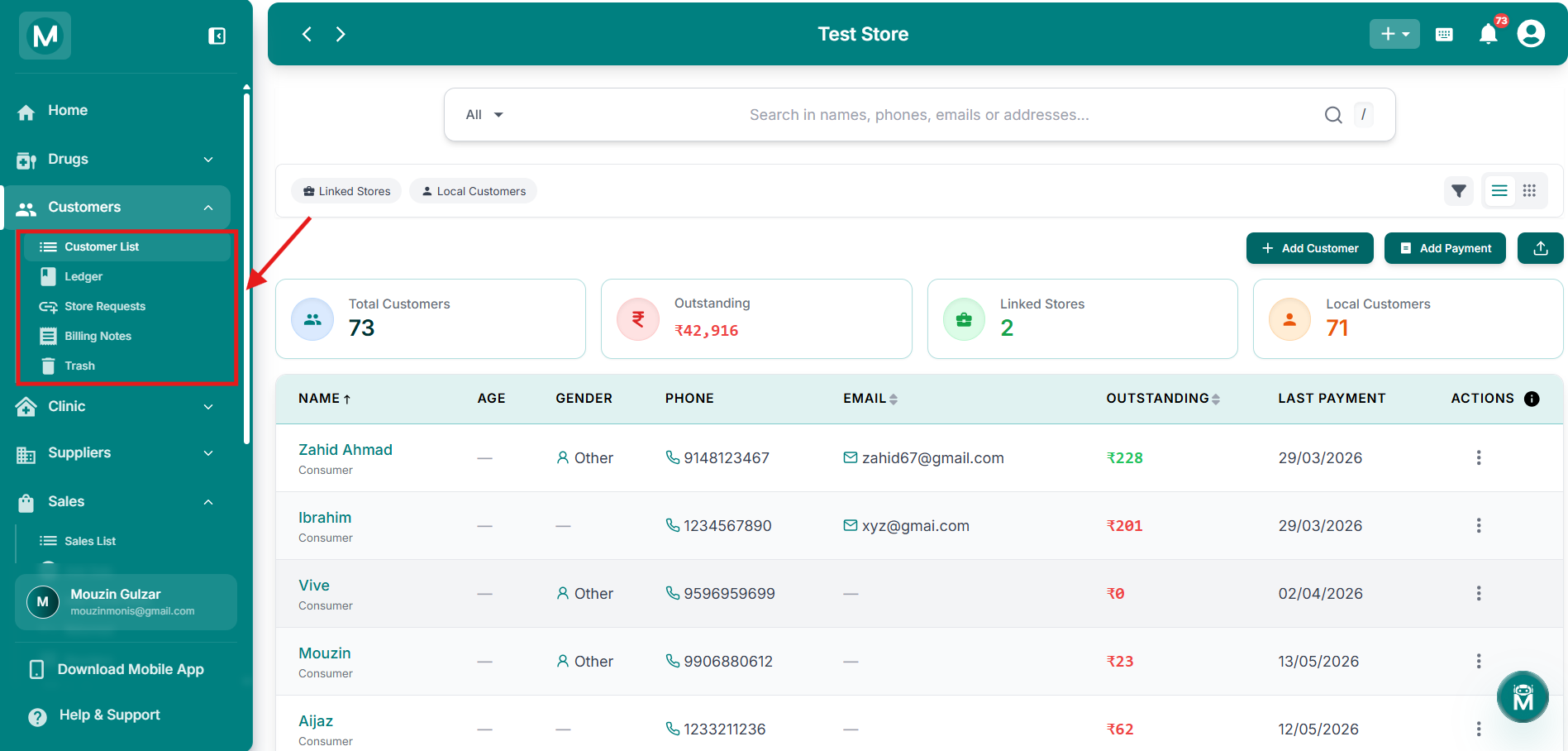
Customers sidebar navigation
Sidebar showing Customer List, Ledger, Store Requests, Billing Notes, and Trash.
Quick Actions From The Dashboard
You don't have to navigate to the Customers section to add a customer or record a payment. The + button in the top-right corner of any screen gives you instant access to the most common actions from anywhere in MediFlux:
- Add Customer: create a new customer profile without leaving the dashboard
- Add Customer Payment: record a payment directly without navigating away
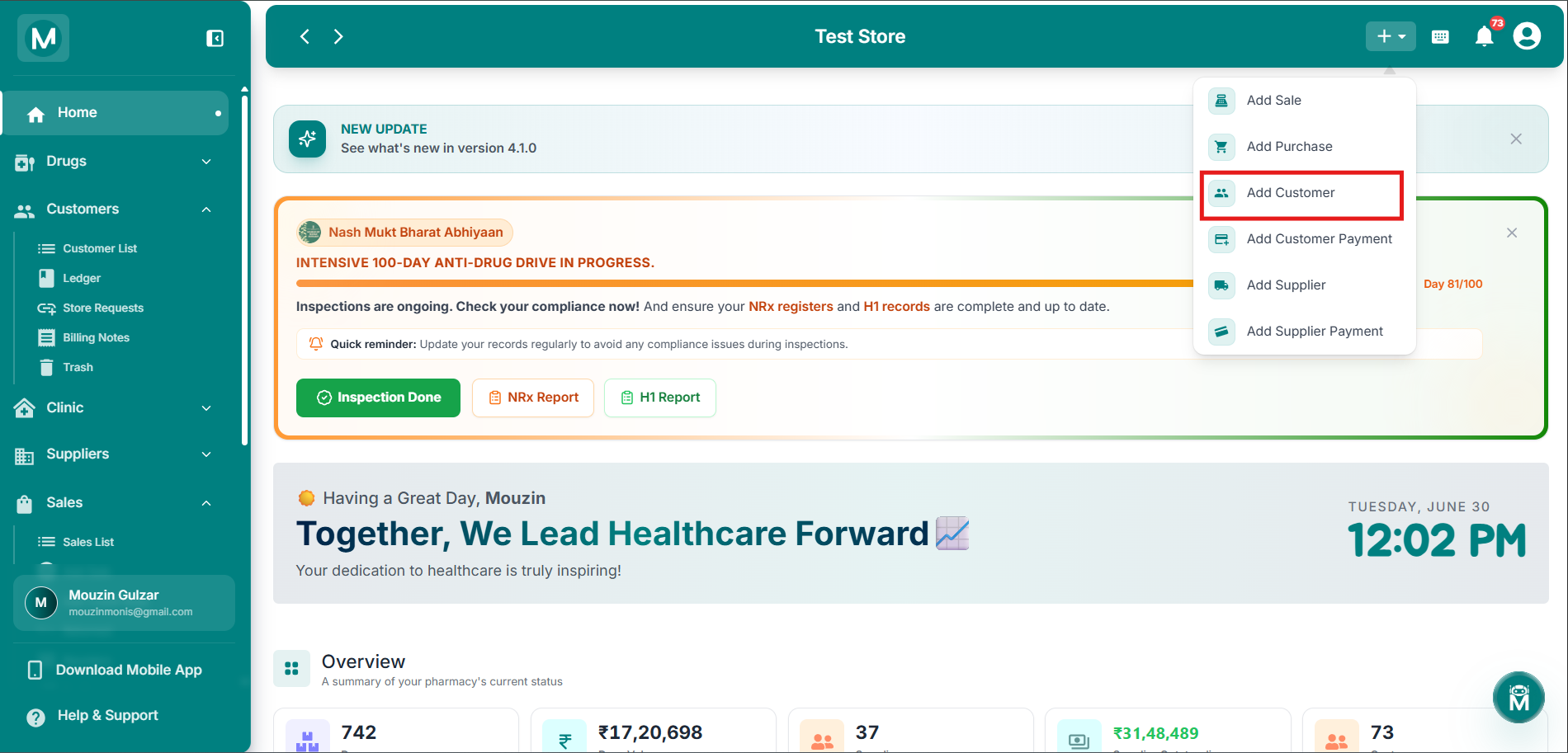
Customers sidebar navigation
Sidebar showing Customer List, Ledger, Store Requests, Billing Notes, and Trash.
The + quick-add menu is available on every screen, not just the dashboard. Use it whenever you need to add a customer or record a payment without breaking your current workflow.
Customer Types
MediFlux distinguishes between two types of customers:
Linked Stores are other pharmacy stores on the MediFlux platform that you've connected with as a customer. These are typically used when you supply to or transact with another pharmacy. These connections start as a Store Request, which you can accept or reject.
Local Customers are individual consumers or businesses you add manually. These are your regular walk-in customers, regular buyers, or local businesses.
When adding a local customer you can choose between two profiles:
Consumer: for individual walk-in patients. Supports fields like age, gender, Aadhaar number, and PMJAY/Ayushman Bharat scheme details.
Business: for businesses or other pharmacies you supply to. Supports fields like business name, license number, and GSTIN.
You can filter your customer list by type at any time using the Linked Stores and Local Customers quick-filter chips.
Customer List
The Customer List is your complete customer directory. View all your customers at a glance with contact details, outstanding balances, and customer ratings. Search by name, phone, or GSTIN. Filter by linked stores or local customers. Click any customer to view their full profile, sales history, and ledger.
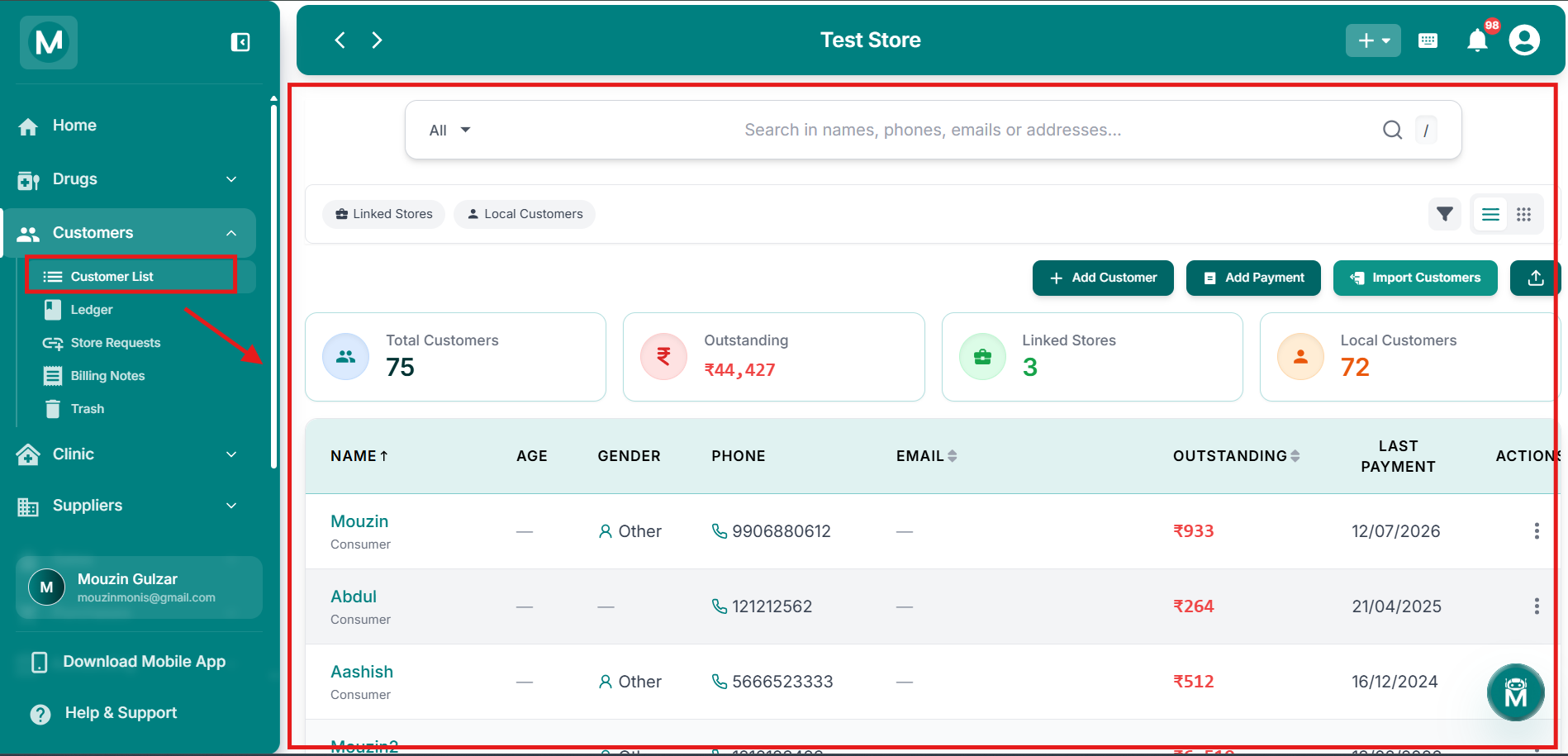
Customer List
Complete customer directory with search, filters, and performance metrics.
Ledger
The Ledger page gives you a complete financial record of all your customer transactions. View a consolidated ledger across all customers at once, or click into any individual customer to see their dedicated ledger with a running balance. Track sales, payments, credit notes, and manual adjustments. Filter by date range, entry type, and payment method. Export entries as PDF or Excel.
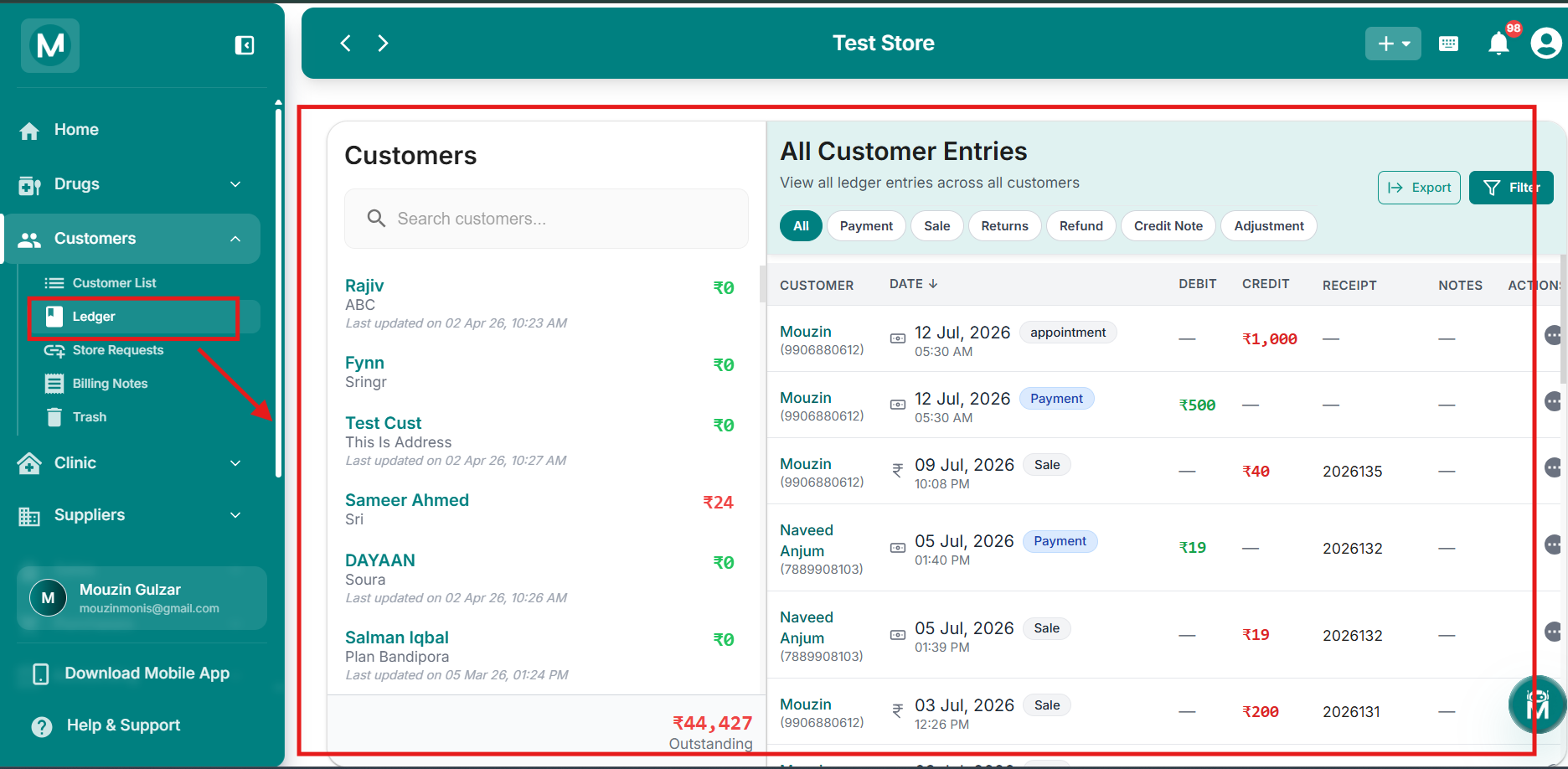
Customer Ledger
Consolidated and individual customer ledgers with balance tracking.
Store Requests
The Store Requests page shows incoming connection requests from other pharmacy stores on the MediFlux platform who want to link with you as a customer. Review each request, check the requesting store's details, and choose to Accept or Reject. Once accepted, the store appears as a Linked Store in your Customer List and you can start transacting with them seamlessly.
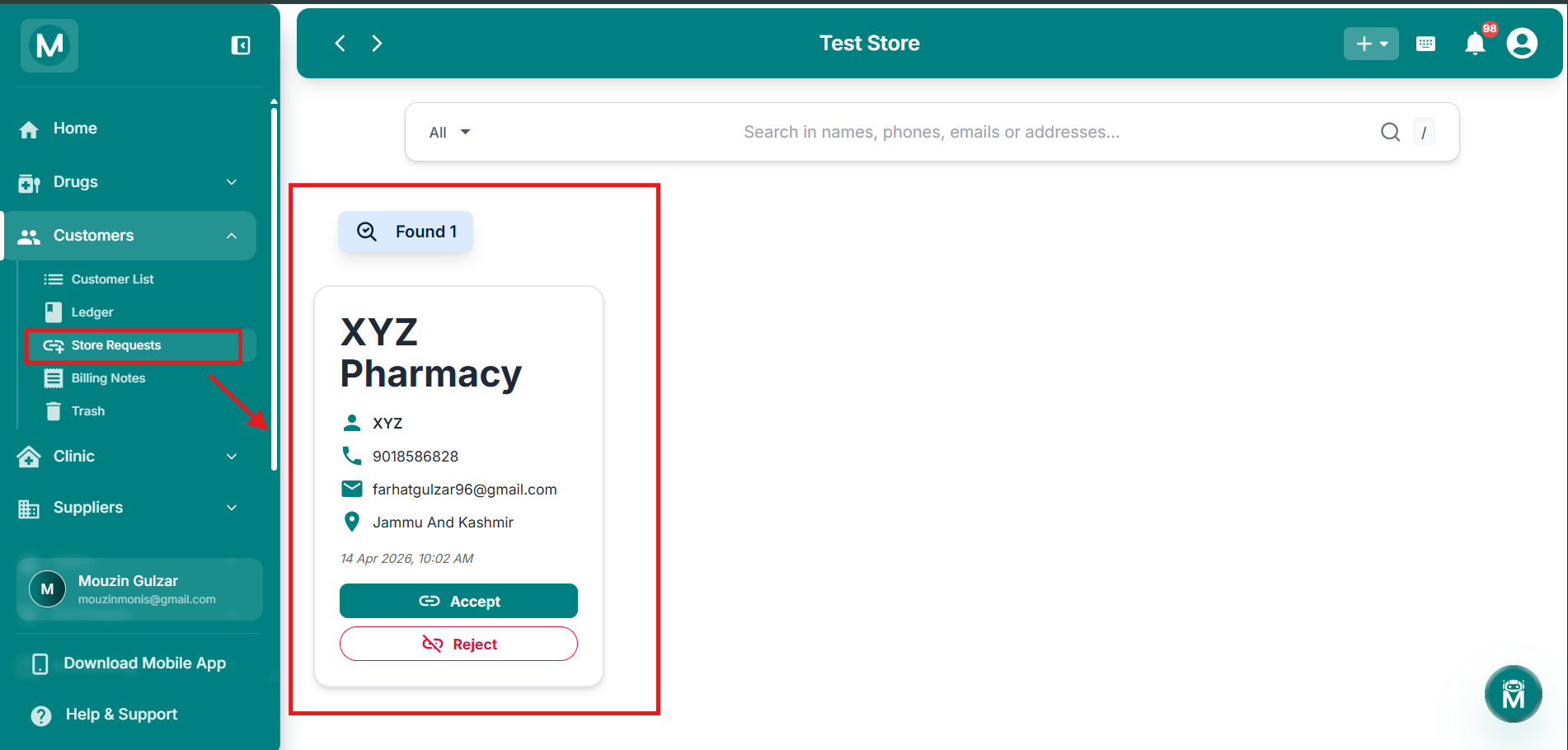
Store Requests
Review and manage incoming link requests from other pharmacy stores.
Billing Notes
The Billing Notes page tracks all credit notes you've issued to customers and debit notes raised by connected retailers. View status, amounts, and settlement details in one place. Filter by date, customer, or note type to stay on top of returns and adjustments. This keeps your customer accounts accurate and audit-ready.
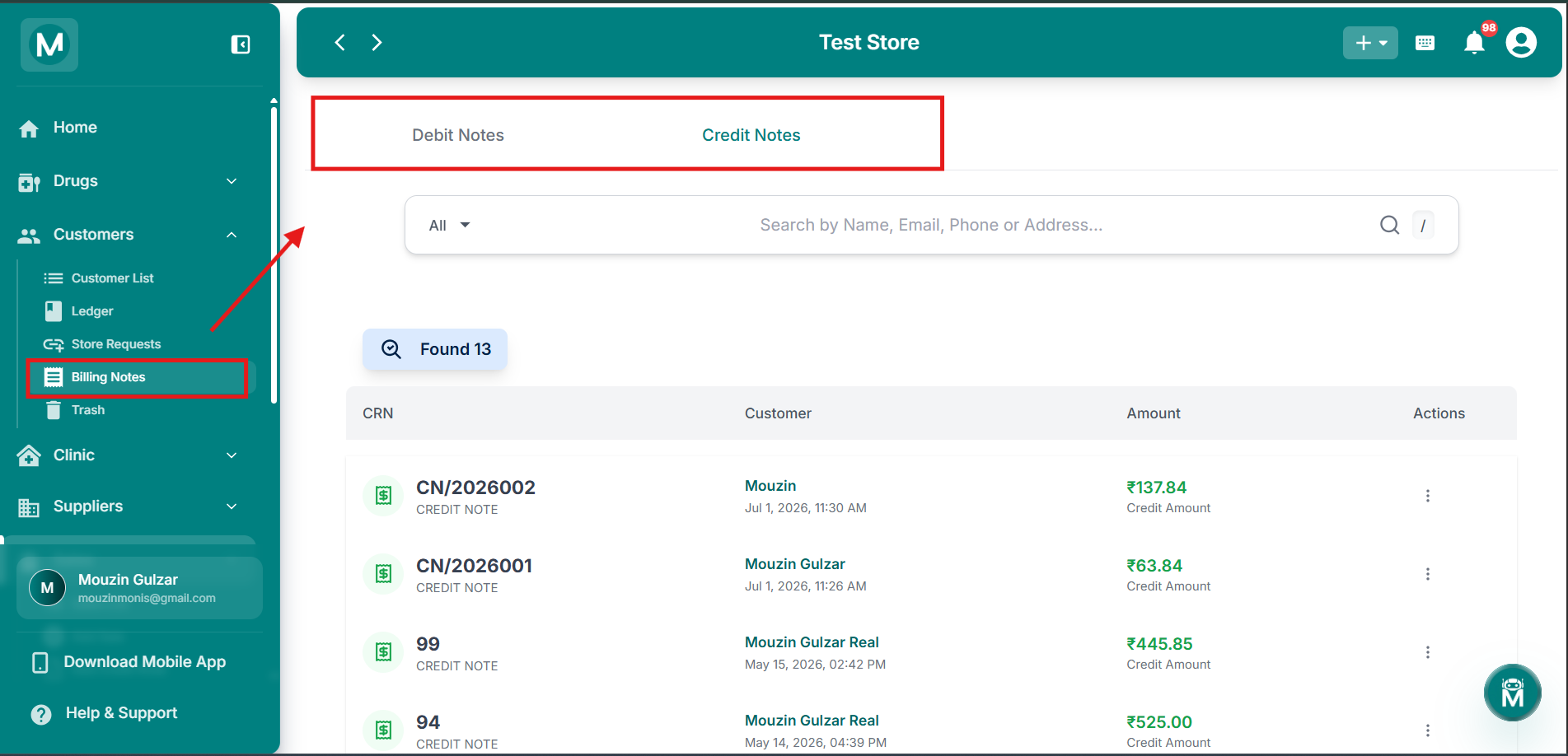
Billing Notes
Track credit notes issued and debit notes received from customers.
Trash
Deleted customers aren't gone forever. The Trash page holds all customer profiles that have been removed from your system, so you can restore them if needed. View deletion history, check outstanding balances at the time of deletion, and restore customers back to your active directory with one click. All linked sales records and ledger entries are preserved even after deletion.
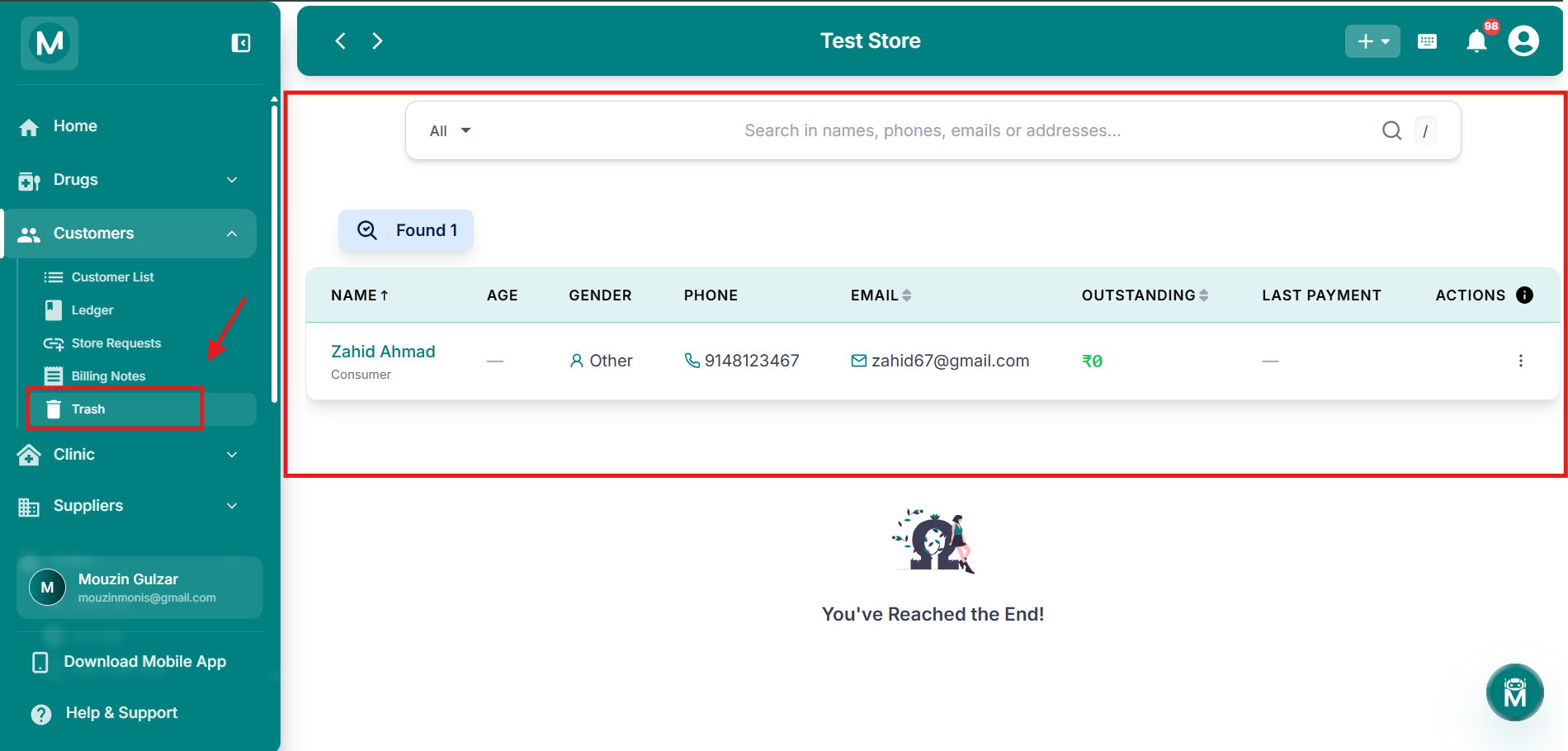
Customer Trash
Recover deleted customers and view their preserved sales history.
Common Mistakes To Avoid
Forgetting to add the Opening Outstanding
If a customer already owes you money before you add them to MediFlux, make sure to enter it in the Opening Outstanding field when creating their profile. This field cannot be edited after saving. If you forget, correct it through the customer's Ledger using an Adjustment entry.
Skipping GSTIN and License Number for business customers
These fields are optional but highly recommended for business customers. Without GSTIN your sales entries will not be GST-ready, which can cause issues when generating GSTR reports.
FAQs
Next Steps
Customer List
View, search, and manage all your customer profiles.
Add a Customer
Create a new customer profile.
Ledger
Track customer transactions and payment history.
Store Requests
Accept or reject link requests from other pharmacy stores.
Billing Notes
Manage credit and debit notes for customers.
Trash
Recover deleted customer profiles and view their history.