
Billing Notes
Track the debit notes you've raised to suppliers and the credit notes issued back to you.
The Billing Notes page is where you track every debit note you've raised to a supplier and every credit note issued back to you once a debit note is accepted. It's split into two tabs: Debit Notes and Credit Notes, giving you a complete record of your return requests and their outcomes.
Debit Notes
Every debit note you raise, whether from the Drug List's Separated View or from Create Debit Note, appears here.
Searching
The search bar lets you search by supplier or DRN number. Use the All dropdown to the left to narrow the search to a specific field:
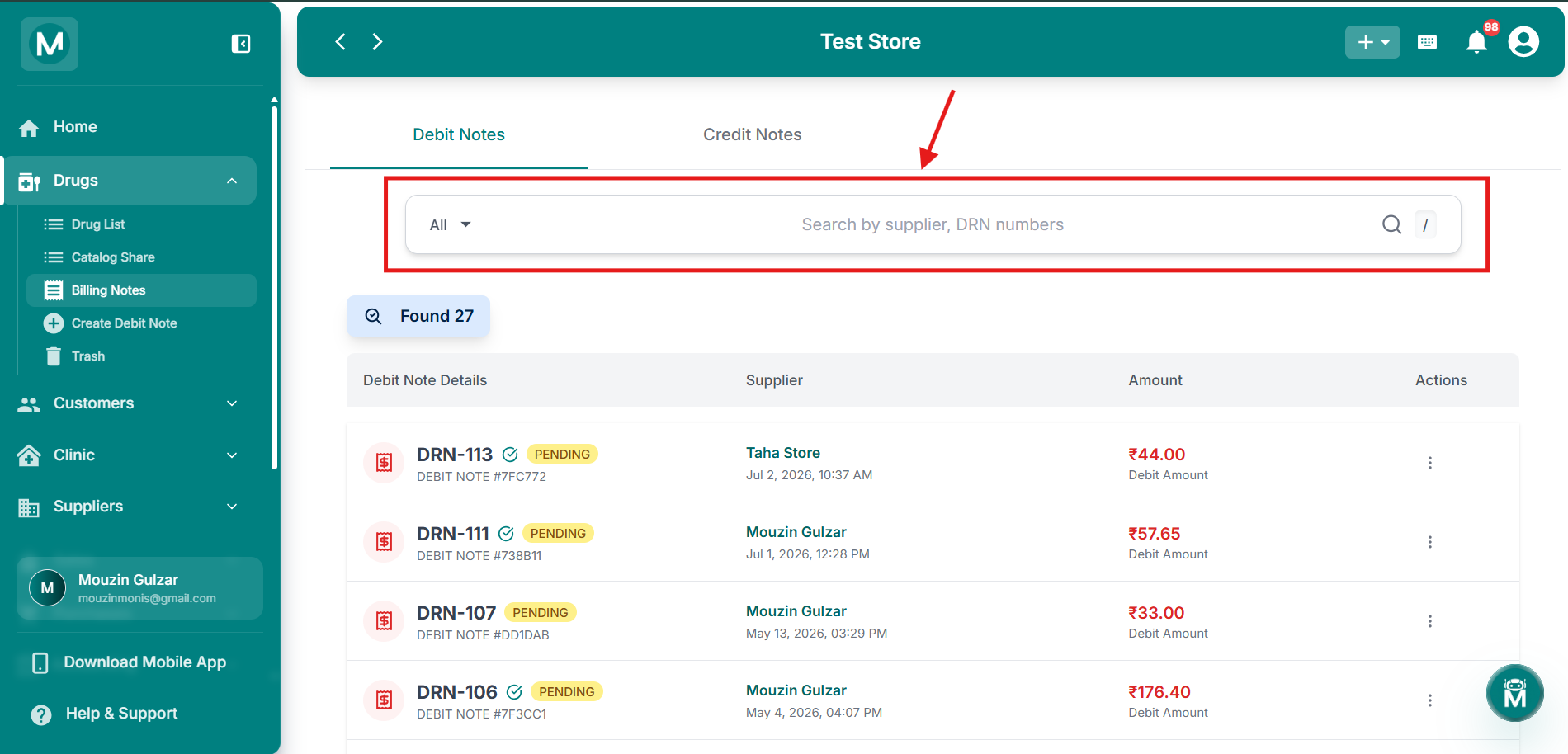
Search Bar
Search by supplir, DRN numbers.
The Debit Notes Table
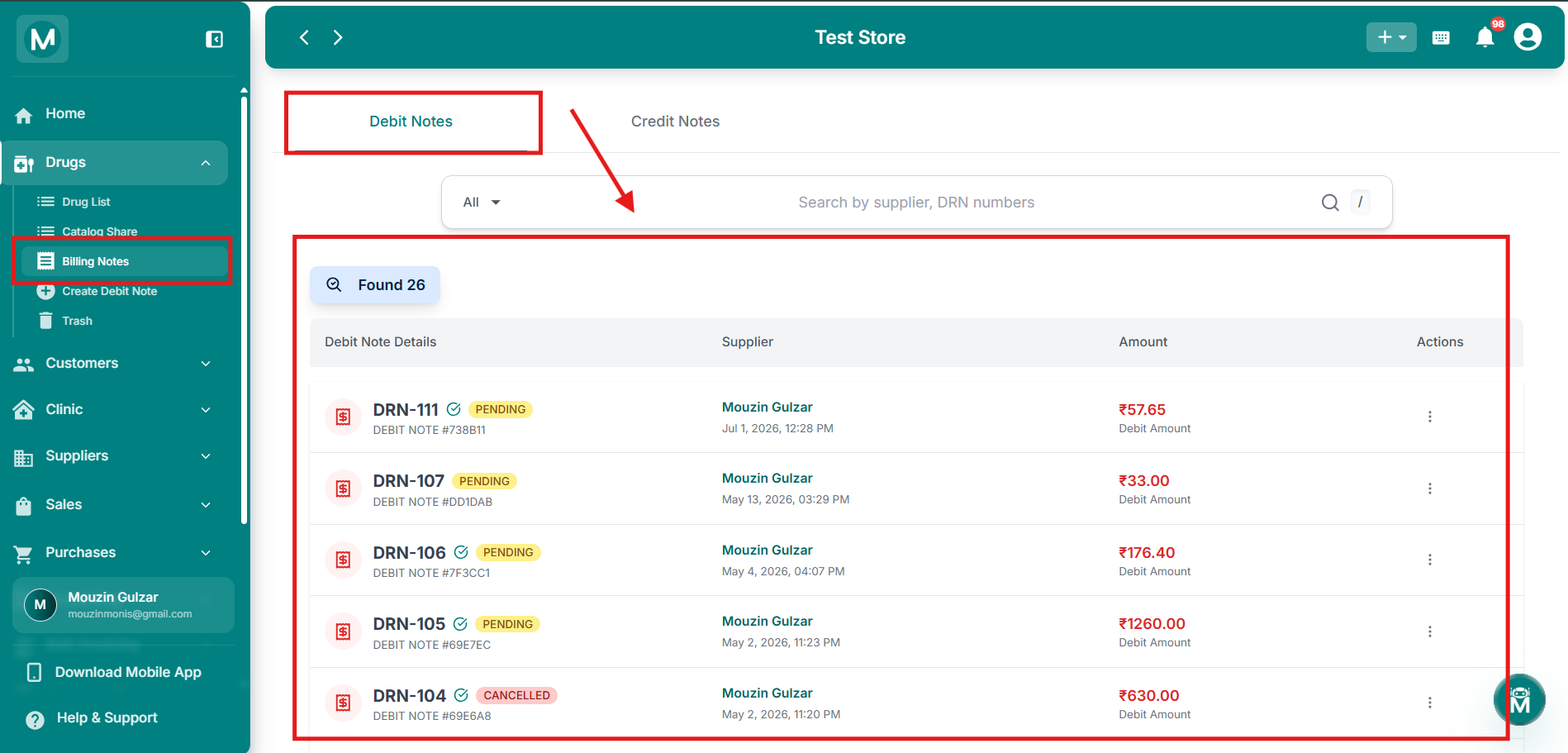
Debit Notes tab
List of pending and processed debit notes with supplier, amount, and actions.
Row Actions
A debit note stays in Pending status until it's either credited or cancelled. Once credited, it can no longer be edited or cancelled from here. It becomes a credit note instead.
Credit Notes
Once a debit note is credited, it shows up here as a Credit Note (CRN). This tab uses the same search and filtering as Debit Notes, but only offers View Details from the row's Actions menu, since a credit note reflects a completed transaction.
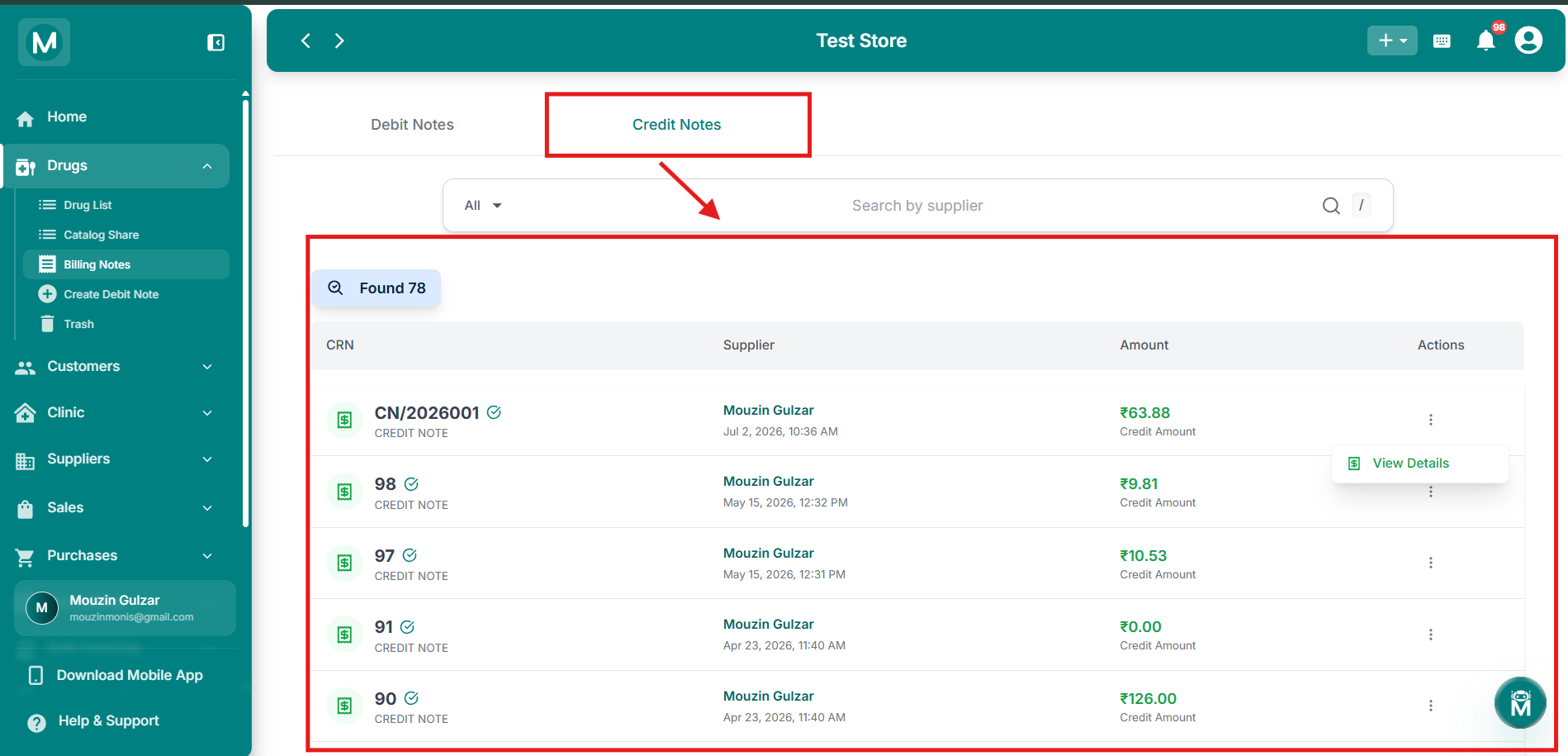
Credit Notes tab
List of completed credit notes with supplier, amount, and view action.
Viewing A Note'S Details
Clicking View Details on either a debit or credit note opens its full breakdown:
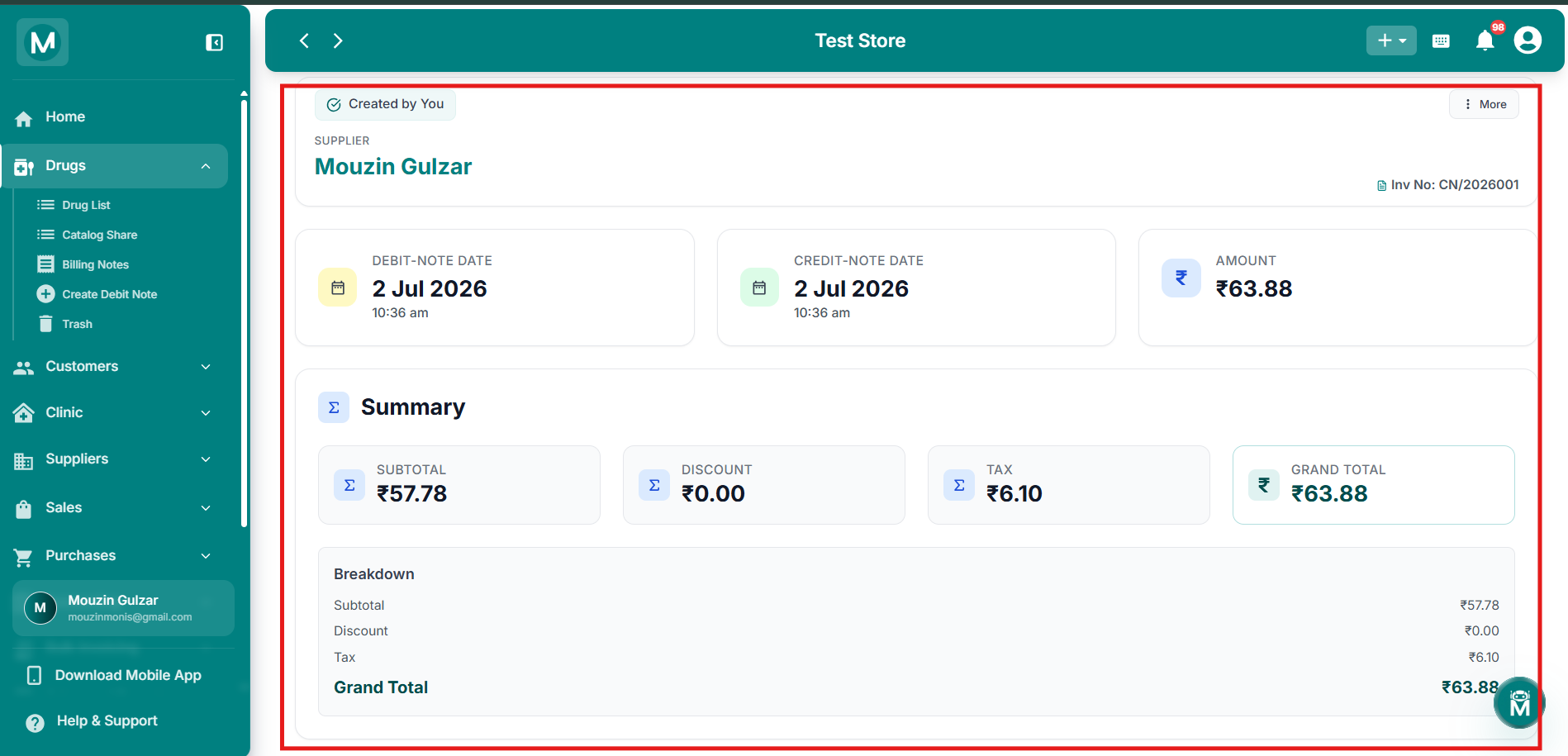
Note detail view
Full breakdown of a debit or credit note with header, dates, summary, drugs, and remarks.