
Modules
Enable or disable optional MediFlux modules like Clinic, Accounting, and Estimate Bills for your store.
The Modules tab lets you turn optional features on or off for your store. If a feature doesn't apply to your pharmacy, you can disable it here to keep MediFlux focused on what you actually use.
Available Modules
Each module shows its current status, Enabled or Disabled, along with a button to toggle it.
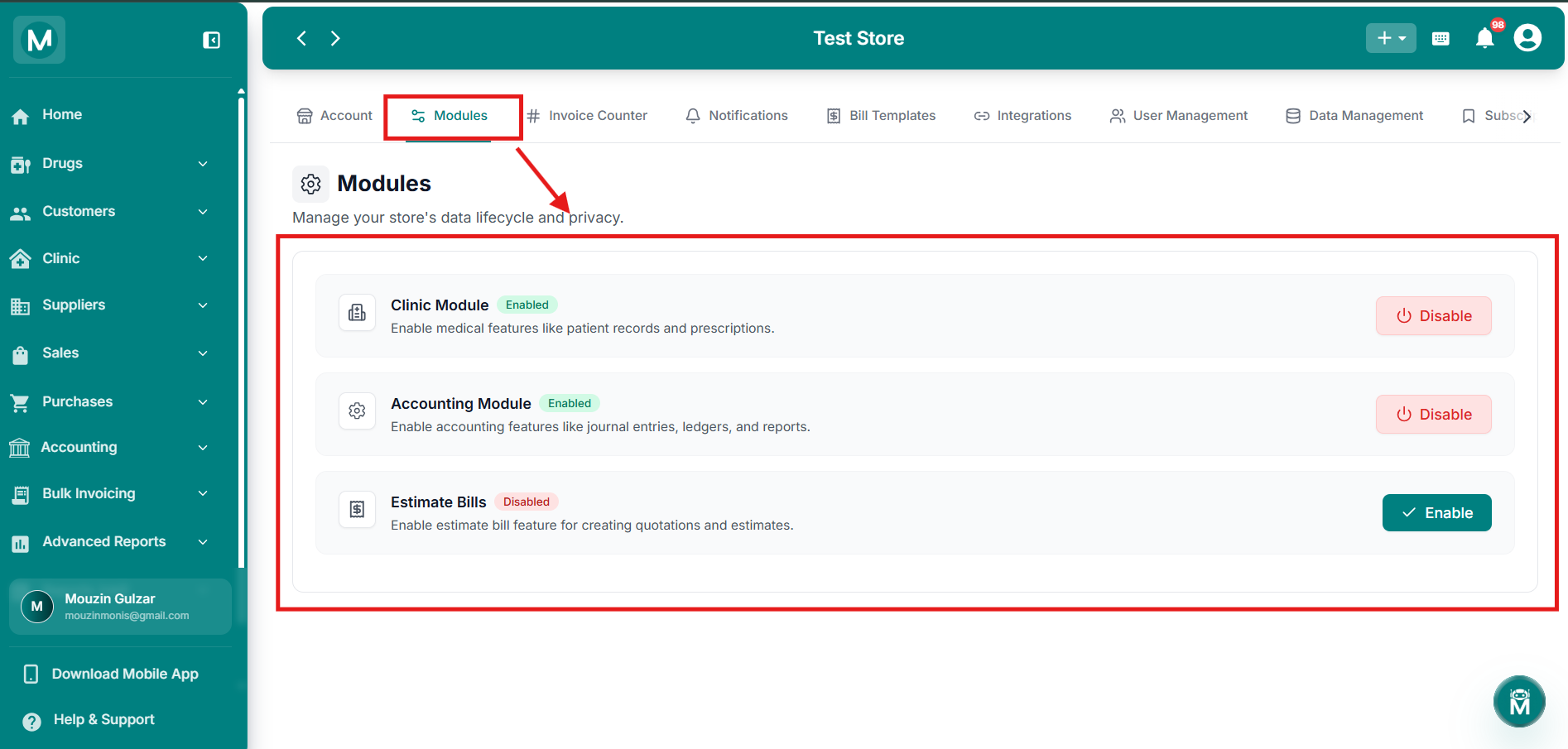
Modules Page
List of available modules with their current status and toggle buttons.
Enabling Or Disabling A Module
Click Enable or Disable next to a module to change its status. A confirmation prompt appears before the change is applied:
Are You Sure? Are you sure you want to enable [Module Name]?
Click Confirm to proceed, or Cancel to back out.
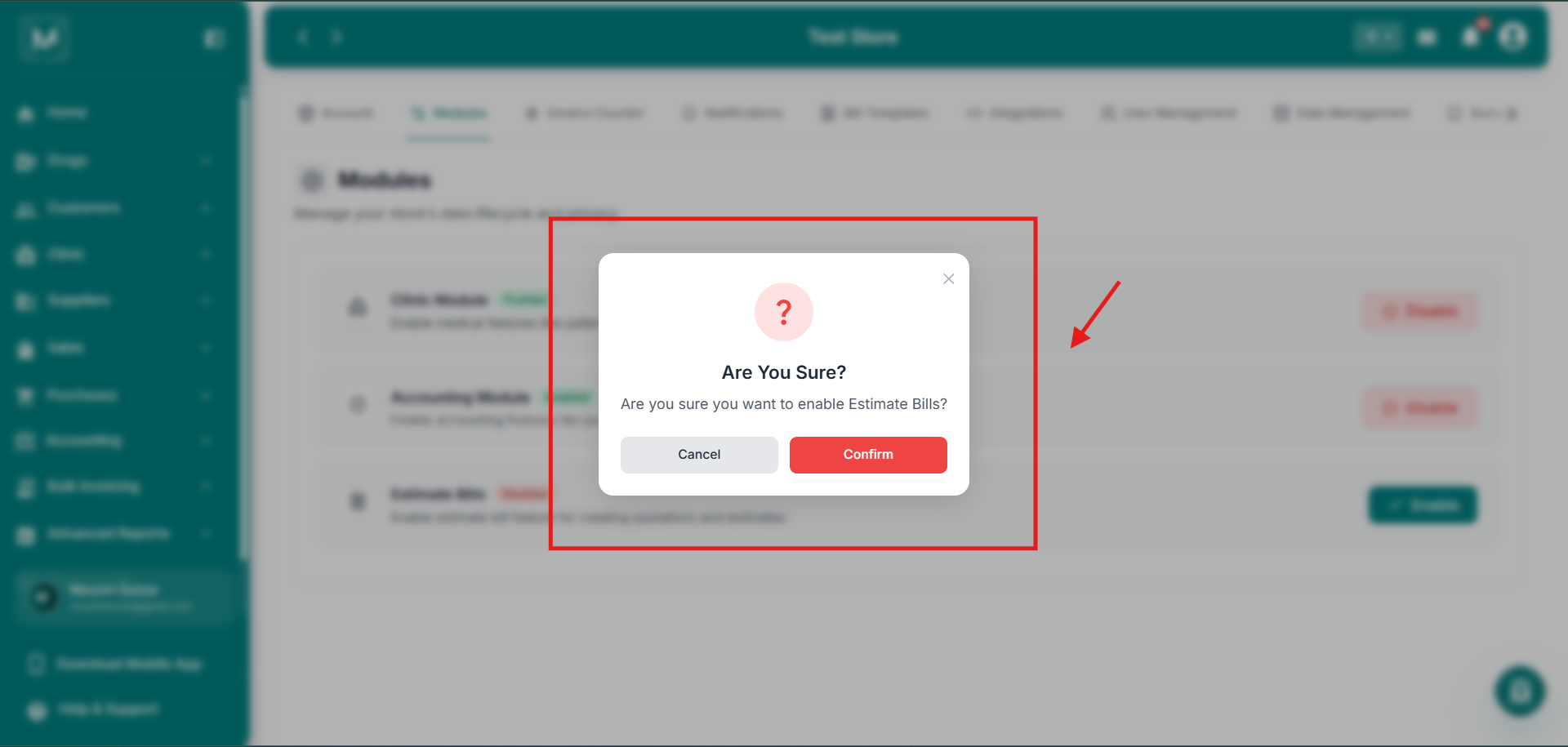
Confirmation Prompt
Are you sure you want to enable or disable this module?
Disabling a module hides its related features across MediFlux, but doesn't delete any existing data tied to it. For example, disabling the Clinic Module hides the Clinic section from your sidebar, but your doctor and appointment records aren't lost.
FAQs
What'S Next
Turn on the features your pharmacy needs, then start using them.
Doctors
Set up your clinic's doctor directory after enabling the Clinic Module.
Accounting Settings
Configure your accounting preferences after enabling the Accounting Module.
Add Sale
Create an estimate bill after enabling the Estimate Bills module.
Account
Review and update your store's business details and assets.