Add a Customer

Create a new customer profile in MediFlux, as an individual consumer or a business.

1 min read

When adding a customer in MediFlux, you can create either a Consumer profile (for individual, walk-in customers) or a Business profile (for businesses or other pharmacies you supply to). Both options are available from the Customer List page and from the + quick-add menu available on every screen.


Opening the Add Customer form

You can open the Add New Customer form in two ways:

  • From the Customer List page, click + Add Customer
  • Click the + menu in the top-right corner of any screen and select Add Customer
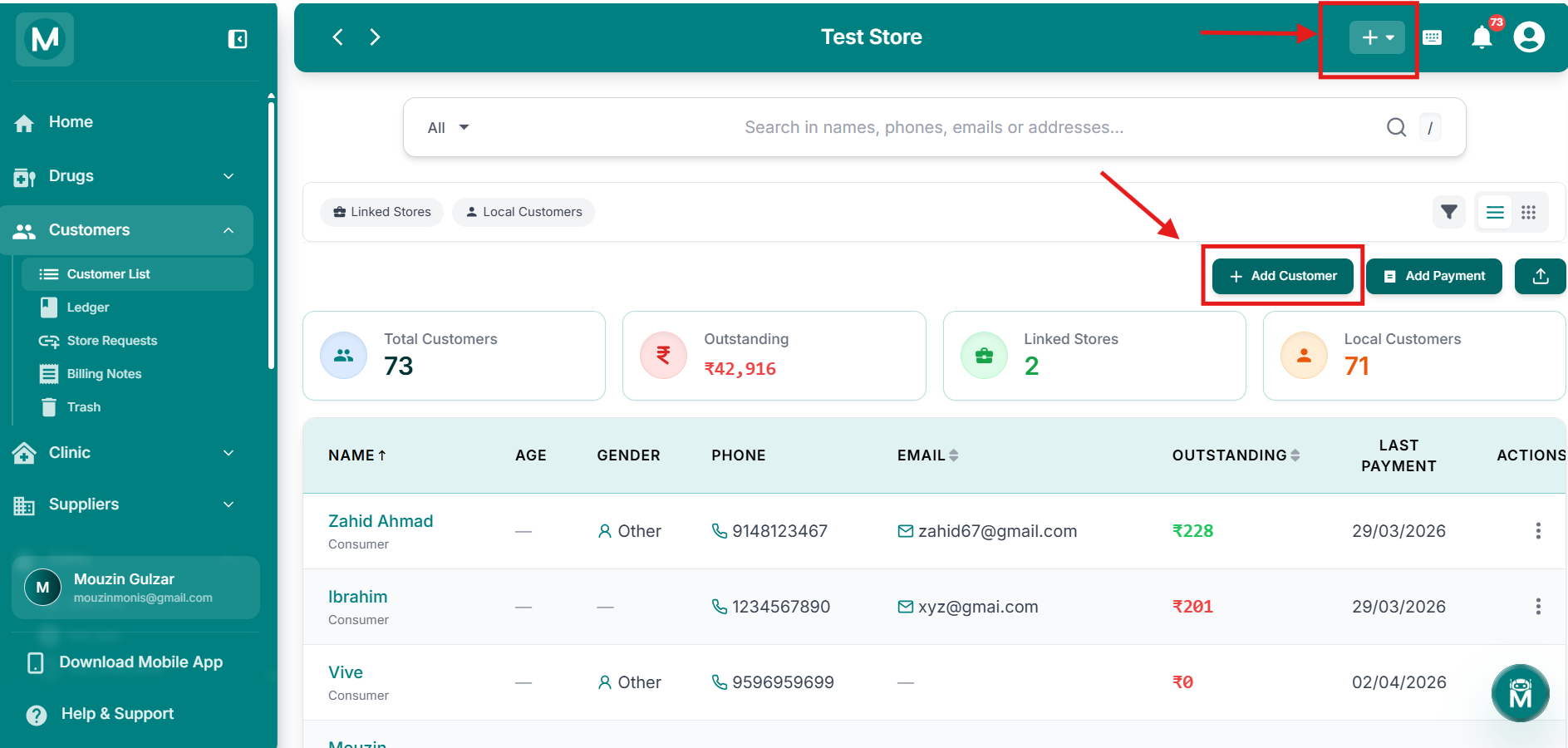
Add New Customer form

Add New Customer form

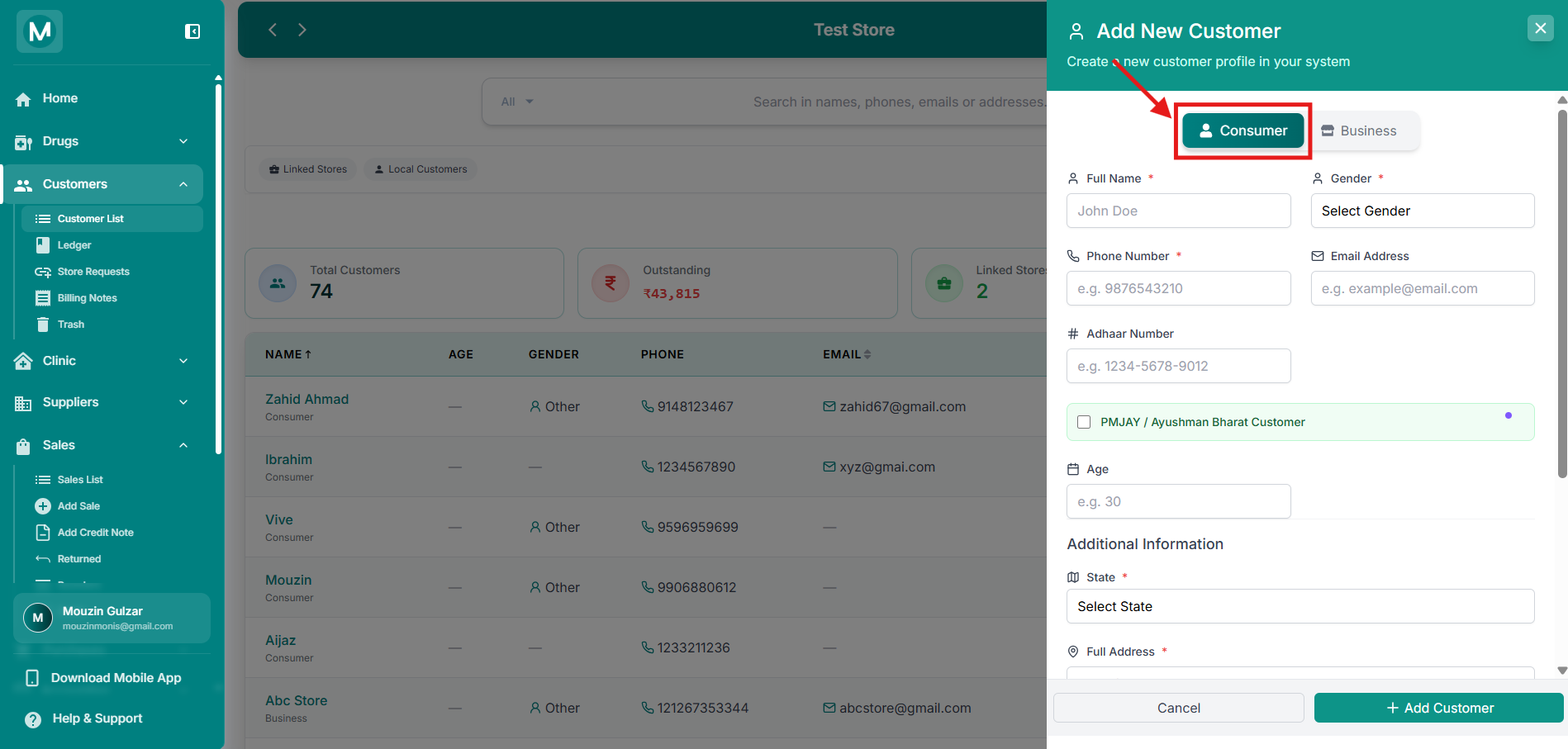
Consumer/Business toggle at the top of the form.


Option 1, Consumer

Use the Consumer tab to add an individual customer.

Basic details

FieldRequiredDescription
Full NameYesCustomer's full name
GenderYesSelect the customer's gender
Phone NumberYesCustomer's primary contact number
Email AddressNoCustomer's email address
Aadhaar NumberNoCustomer's Aadhaar ID number
AgeNoCustomer's age

PMJAY / Ayushman Bharat Customer

Tick the PMJAY / Ayushman Bharat Customer checkbox to mark this customer as a beneficiary of the Ayushman Bharat PMJAY scheme. This reveals additional fields:

FieldRequiredDescription
Ayushman Card NumberYesThe customer's PMJAY card number
Beneficiary IDNoBeneficiary ID, if available
ABHA NumberNo, but recommendedThe customer's Ayushman Bharat Health Account number

Marking a customer as a PMJAY beneficiary does not apply any automatic discount. It simply tags the customer so their sales can be handled separately during billing and tracked in dedicated PMJAY sales reports.
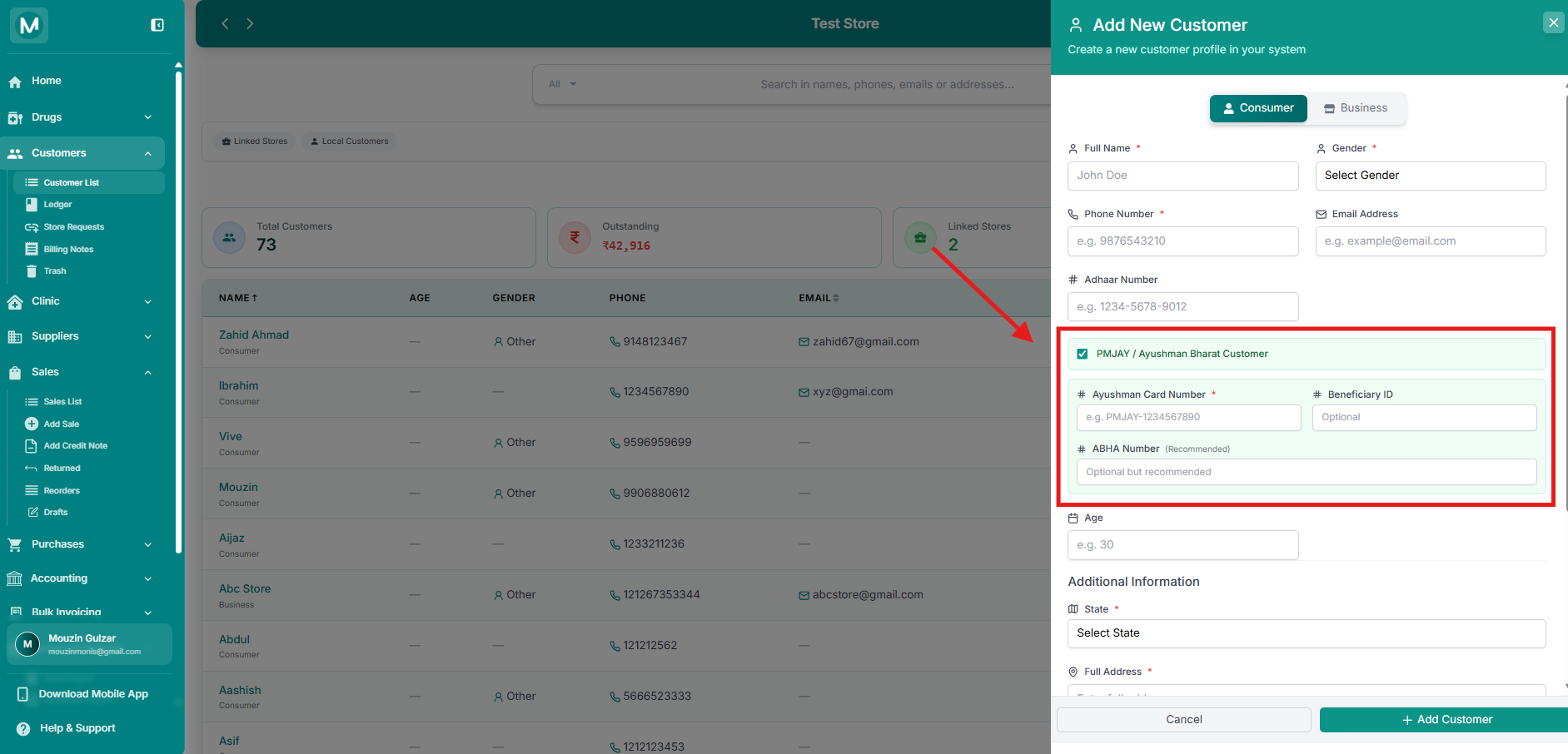
PMJAY fields

PMJAY fields

Consumer form with PMJAY fields expanded.

Additional information

FieldRequiredDescription
StateYesCustomer's state
Full AddressYesCustomer's complete address
NotesNoAny internal notes about this customer
Opening OutstandingNoAny existing amount this customer already owed you before adding them to MediFlux. Defaults to 0
Customer RatingNoA manual 1–5 star rating reflecting how reliable or valued this customer is
Additional Information, Consumer

Additional Information, Consumer

State, address, notes, opening outstanding, and customer rating fields.


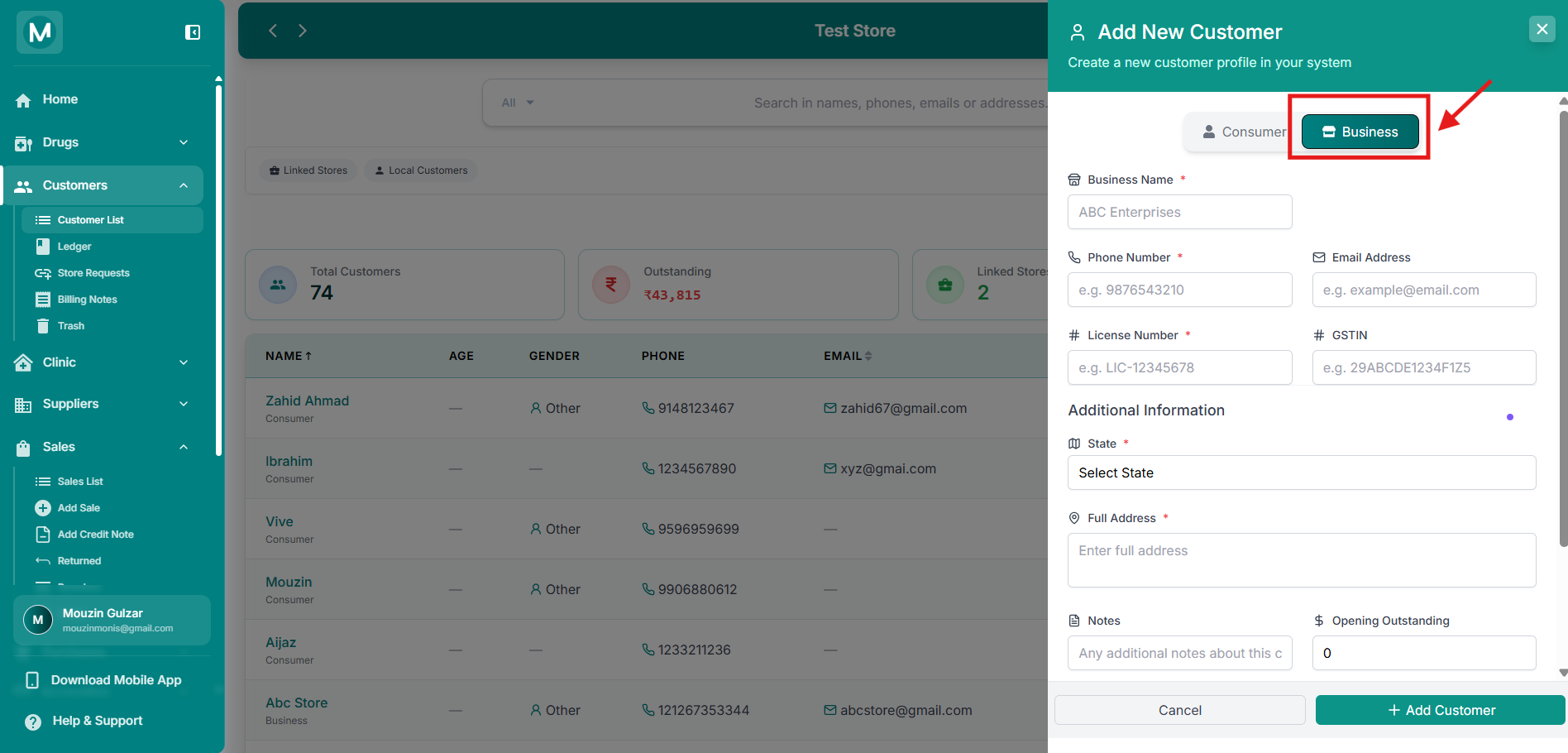
Option 2, Business

Use the Business tab to add a business or another pharmacy store as a customer.

Basic details

FieldRequiredDescription
Business NameYesName of the business: e.g. ABC Enterprises
Phone NumberYesPrimary contact number
Email AddressNoBusiness email address
License NumberYesDrug license number of the business
GSTINNoGST Identification Number

Additional information

FieldRequiredDescription
StateYesBusiness's state
Full AddressYesBusiness's complete address
NotesNoAny internal notes about this customer
Opening OutstandingNoAny existing amount this business already owed you before adding them to MediFlux. Defaults to 0
Customer RatingNoA manual 1–5 star rating reflecting how reliable or valued this customer is
Business form

Business form

Business customer form filled out with all details.


Continue with this customer